The Complete Guide to Two-Factor Authentication Methods
Not all two-factor authentication is created equal. This guide breaks down every 2FA method—from SMS and authenticator apps to hardware security keys and biometrics—and shows which ones actually stop phishing attacks.

Why Two-Factor Authentication Methods Matter More Than Ever in 2026
The two factor authentication methods you choose today directly determine how exposed your organization is to credential-based attacks — the leading cause of breaches in 2026.
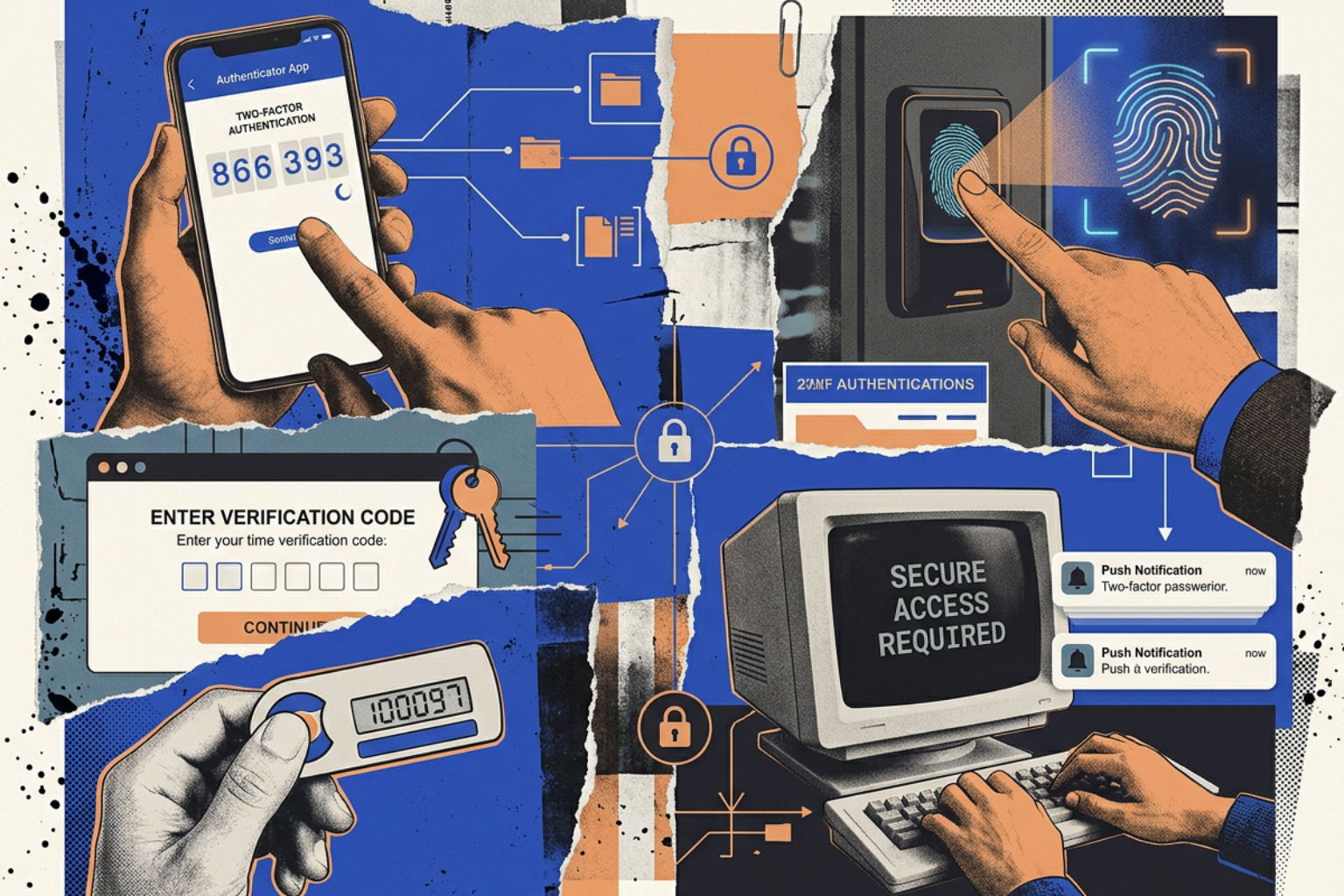
Here is a quick overview of the main options:
| Method | Security Level | Phishing Resistant | User Friction |
|---|---|---|---|
| SMS OTP | Low | No | Low |
| Email OTP | Low | No | Low |
| Authenticator App (TOTP) | Medium | No | Medium |
| Push Notification | Medium | No (fatigue risk) | Low |
| Hardware Security Key (FIDO2) | High | Yes | Low–Medium |
| Biometrics | High | Yes | Very Low |
Passwords alone are no longer enough. More than 20 billion email and password pairs are available on criminal markets, and 86% of breaches involve stolen credentials. Even well-resourced organizations get hit — the 2022 Uber breach started not with a zero-day exploit but with an MFA fatigue attack, where an attacker bombarded an employee with push notification requests until one was accidentally approved.
Adding a second authentication factor closes that gap significantly. Microsoft's analysis found MFA would have stopped 99.9% of account compromises. But not all second factors are equal. SMS codes can be intercepted via SS7 protocol flaws or redirected through SIM swapping. Push notifications can be abused through fatigue attacks. Hardware keys, by contrast, are tied cryptographically to specific websites — making them nearly impossible to phish.
Choosing the wrong method doesn't just create security risk — it creates compliance exposure under PCI-DSS, GDPR, and FTC guidelines, and operational drag when recovery procedures fail at scale.
This guide breaks down each major 2FA method, compares their real-world security trade-offs, and gives you a clear framework for choosing and deploying the right approach for your environment.
Understanding Two-Factor Authentication vs. Multi-Factor Authentication
To build a resilient identity strategy, security teams must understand the foundational mechanics of authentication. Many organizations use the terms "two-factor authentication" (2FA) and "multi-factor authentication" (MFA) interchangeably, but they are not strictly identical.
Authentication relies on verifying distinct categories of evidence, known as authentication factors. The three classic factors are:
- Knowledge: Something you know (e.g., a password, PIN, or security question).
- Possession: Something you have (e.g., a physical token, smartphone, or cryptographic key).
- Inherence: Something you are (e.g., biometrics like fingerprints, facial recognition, or iris scans).
Advanced security frameworks also incorporate auxiliary factors, such as Location (geofencing or IP-based validation) and Behavior (typing cadence or mouse movement patterns).
The difference between 2FA and MFA comes down to mathematical sets. 2FA is a specific subset of MFA. It requires exactly two factors to verify an identity. MFA, on the other hand, requires two or more factors.
Crucially, true multi-factor authentication requires the use of distinct factor categories. If a system requires a password and a PIN, it has not achieved MFA; it has simply required two instances of the knowledge factor. If an attacker phishes or guesses the password, they can likely phish or guess the PIN.
Modern standards, such as the NIST SP 800-63B-4 Guidelines, explicitly mandate the use of distinct channels and factor types to achieve higher Authentication Assurance Levels (AALs). For a deeper dive into how these factor categories combine to form defense-in-depth security, read our comprehensive Multi-Factor Authentication Guide.
Deep Dive into Common Two Factor Authentication Methods
Deploying identity security at scale requires balancing security efficacy against user friction and operational costs. No single method fits every scenario.

To navigate these trade-offs, organizations must understand the underlying mechanics, strengths, and failure modes of each modern authentication channel. For a high-level overview of how these options rank across enterprise environments, check out our analysis of Common 2FA Security Levels.
Out-of-Band Delivery: SMS and Email Two Factor Authentication Methods
Out-of-band delivery methods transmit a temporary code to a user's phone number or email address via a separate communication channel. While highly popular due to their low barrier to entry, these methods are increasingly targeted by modern threat actors.
SMS-Based Authentication
When a user attempts to log in, the authentication server generates a one-time password (OTP) and routes it as an SMS text message through the Public Switched Telephone Network (PSTN).
- Vulnerabilities: SMS is highly vulnerable to SIM swapping, where an attacker uses social engineering or bribed insider threat actors at telecom carriers to port the victim’s phone number to a rogue SIM card. Once completed, all OTPs route directly to the attacker's device. Additionally, SMS relies on the aging Signaling System 7 (SS7) routing protocol, which contains well-documented flaws allowing state-sponsored actors to intercept messages in transit without physical access to the device. Carrier phone number recycling also presents a risk: if an employee changes phone numbers and fails to update their accounts, the next owner of that number can receive their authentication codes.
- Developer Best Practices: If you must use SMS, implement the WebOTP API to allow browsers to securely autofill verification codes, reducing user friction. The MDN One-Time Passwords Guide details how to format origin-bound SMS messages (e.g., appending
@domain.com #code) to prevent cross-site scripting exploits. For a comprehensive look at securing cellular-based authentication, see our SMS 2FA Guide 2026.
Email-Based Authentication
Similar to SMS, the server emails a link or numerical OTP to the user.
- Vulnerabilities: Email OTPs are only as secure as the underlying email account. If an attacker compromises an employee’s email credentials (via credential stuffing or session hijacking), they automatically bypass the second factor for all linked business services. Email delivery is also subject to network latency, leading to bad user experiences and increased support ticket volumes when codes expire before they arrive.
Cryptographic Software: Authenticator Apps and Push Notifications
Software-based cryptographic authenticators remove the vulnerabilities of telecom routing by generating keys locally on a user's mobile device or desktop.
Time-Based One-Time Passwords (TOTP)
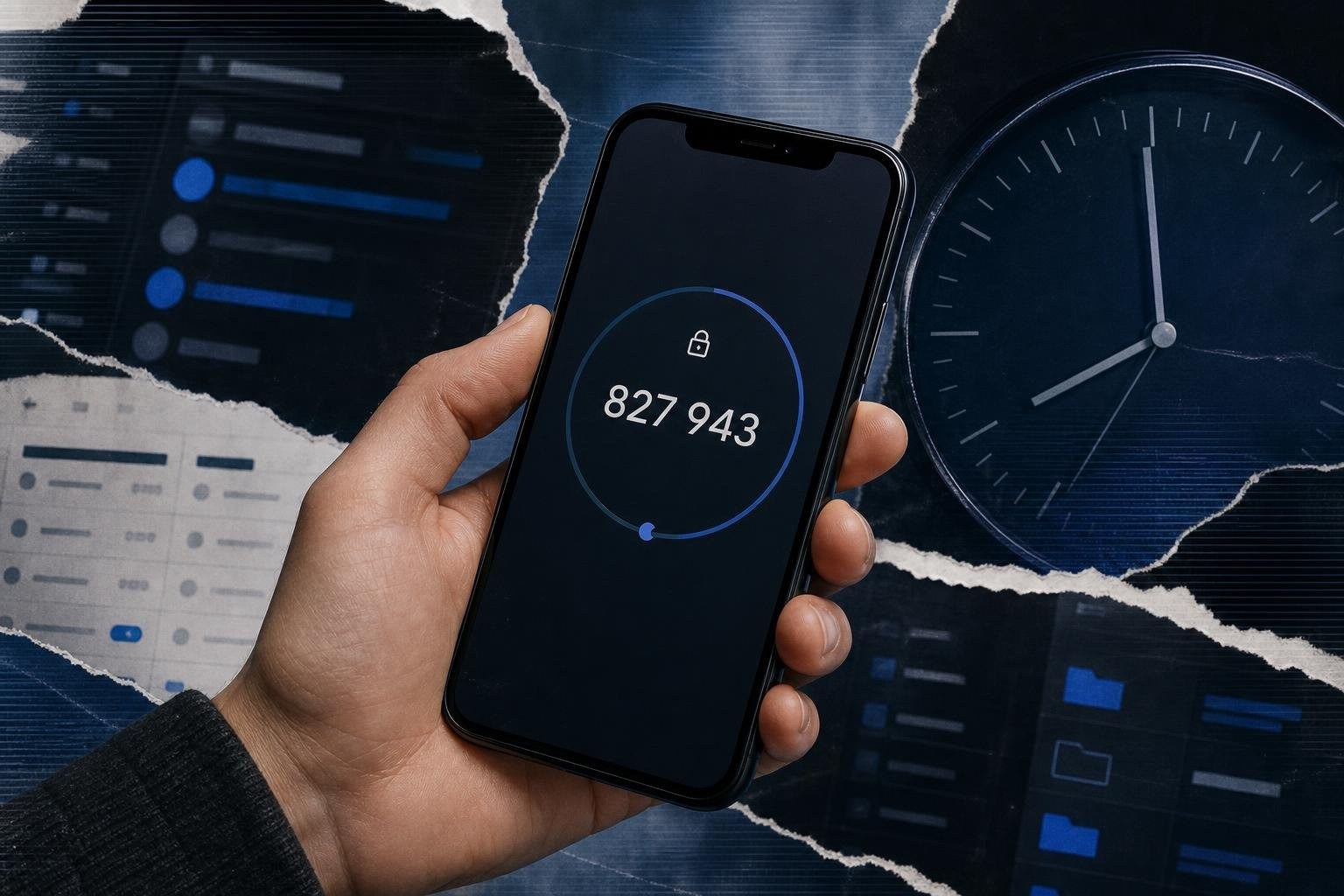
TOTP apps (such as Google Authenticator, Microsoft Authenticator, or Bitwarden) generate a unique, short-lived code (usually 6 digits) that rotates every 30 to 60 seconds. This method relies on a shared secret key (the seed) exchanged between the server and the app during initial setup (typically via a QR code).
The mathematical engine behind this is standardized. The app and the server independently calculate the OTP using the RFC 6238 - TOTP Specification, which builds upon the counter-based RFC 4226 - HOTP Specification. Because the code is calculated locally using the Unix epoch time and the shared secret, the app requires no cellular service or internet connection to function.
- Vulnerabilities: While immune to SIM swapping, TOTP is not phishing-resistant. Attackers using Adversary-in-the-Middle (AiTM) phishing kits can easily capture both the user's password and the active 6-digit TOTP code in real-time, immediately replaying them to the legitimate service to establish a session.
- Best Practices: Ensure your TOTP secrets are at least 160 bits long and stored in an encrypted database. For recommendations on selecting enterprise-grade software authenticators, consult the Best 2-Factor Authenticator Guide 2026.
Push Notifications
Push-based authentication sends a real-time prompt to a dedicated app on the user's registered mobile device. The user simply taps "Approve" or "Deny" to complete the login attempt.
- Vulnerabilities: This method is highly susceptible to MFA fatigue (or push bombing). Attackers who have harvested a user’s primary credentials will trigger hundreds of push notifications in rapid succession, often in the middle of the night, until the frustrated user taps "Approve" to stop the alerts.
- Mitigation: Modern deployments enforce number matching. When logging in on a browser, the user is shown a two-digit number. They must type this exact number into the mobile authenticator app to approve the request, neutralizing blind approval fatigue attacks.
High-Assurance Hardware: Security Keys and Biometric Two Factor Authentication Methods
High-assurance authenticators move beyond soft-tokens to leverage physical hardware and cryptographic proof of possession.
Hardware Security Keys
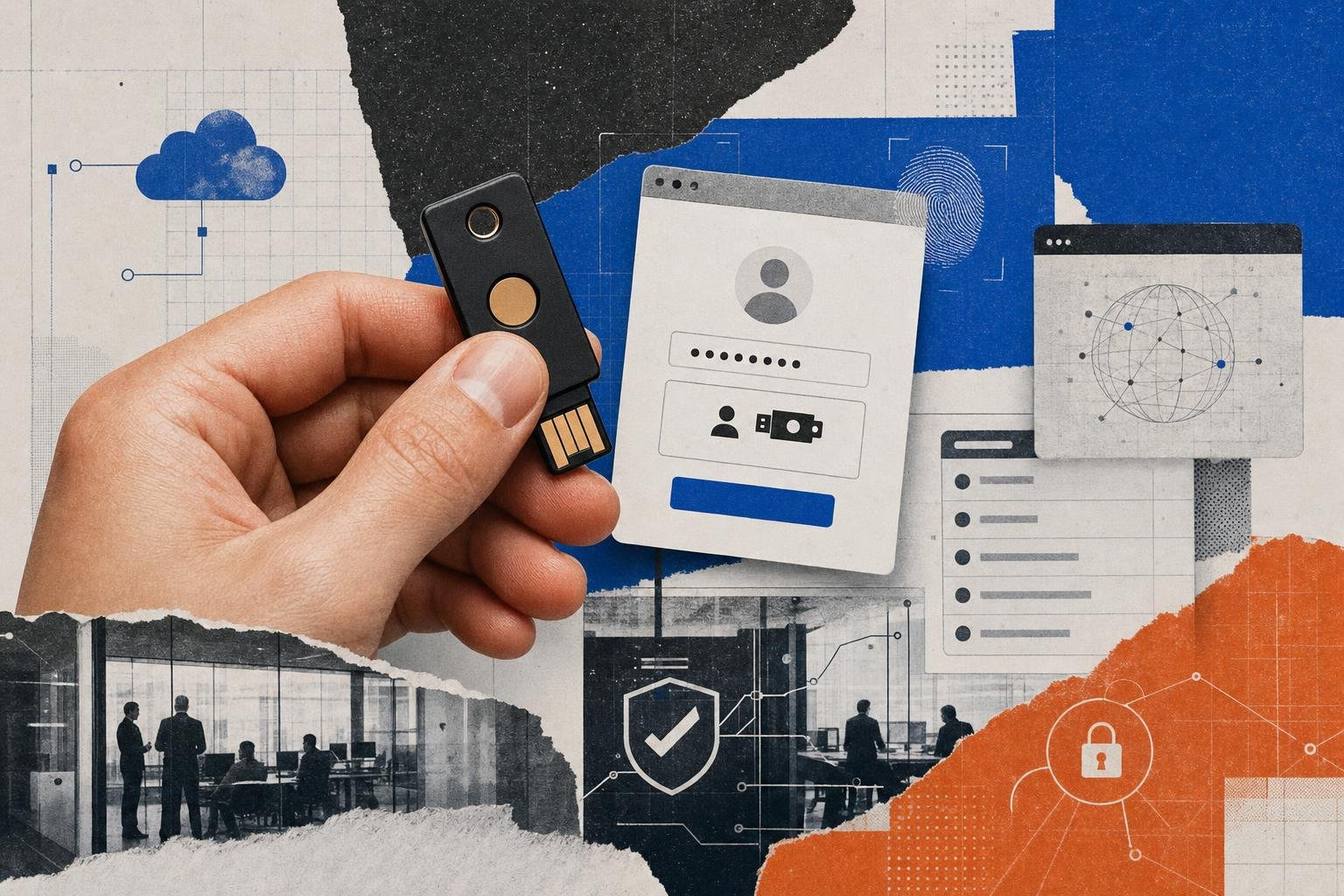
Devices like the EveryKey dongle or YubiKeys implement open standards like FIDO2 and WebAuthn. When a user authenticates, the browser communicates directly with the physical key over USB, NFC, or Bluetooth. The key uses an on-board cryptographic coprocessor to sign a challenge from the server using a unique private key. The private key never leaves the physical hardware.
- Phishing Resistance: Hardware security keys are inherently phishing-resistant. The cryptographic challenge is bound to the origin domain of the website. If an attacker tricks a user into using their key on a spoofed domain (e.g.,
login.microsoft.security-update.com), the browser sends the fake domain to the key. The key recognizes that the credentials are bound to the real domain (login.microsoft.com) and refuses to sign the challenge, completely blocking the attack.
Biometric Authentication
Biometrics leverage physical attributes (fingerprints, facial geometry, or iris scans) via platform authenticators like Apple Face ID, Windows Or Android Biometrics. These systems utilize the device's local Trusted Platform Module (TPM) or Secure Enclave to verify the user locally before releasing a cryptographically signed assertion to the relying service.
- Vulnerabilities: The primary risk of biometrics is permanence: you cannot change your fingerprint or facial structure if the raw data is compromised. However, modern implementations mitigate this by never sending raw biometric data over the network. Instead, the biometric check acts as a local "unlock" mechanism for a hardware-bound private key. For a deep dive into implementing high-assurance authentication in zero-trust architectures, refer to Two-Factor Verification in High-Threat Worlds.
Evaluating Security Vulnerabilities: Phishing Resistance vs. MFA Fatigue
As security controls have evolved, so have the tactics of modern cybercriminals. To secure enterprise resources, IT leaders must understand the anatomy of modern MFA bypass attacks.
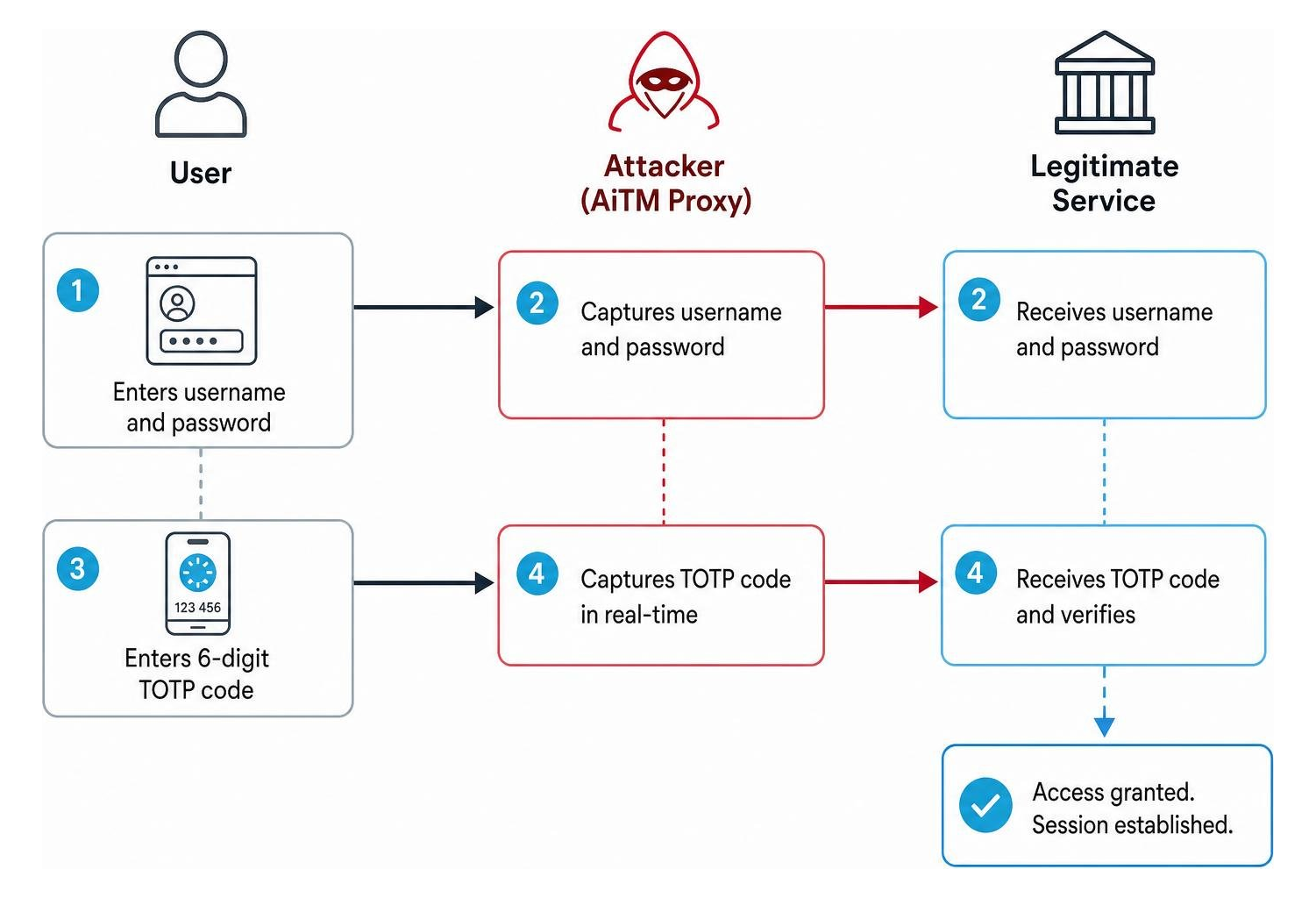
The most dangerous threat to traditional 2FA is the Adversary-in-the-Middle (AiTM) phishing attack. In this scenario, an attacker deploys a reverse-proxy framework (such as Evilginx or GoPhish) on a domain that looks identical to the target organization's login portal.
When the victim attempts to log in:
- The victim enters their username and password on the proxy site.
- The proxy site forwards these credentials to the legitimate service in real-time.
- The legitimate service issues a 2FA challenge (such as a TOTP code or SMS prompt).
- The victim enters the 2FA code on the proxy site.
- The proxy site forwards the code to the legitimate service, which completes the login and issues a session cookie.
- The proxy site intercepts the session cookie and forwards it to the attacker, who imports it into their own browser, completely bypassing the need to authenticate again.
Because SMS, email, TOTP, and traditional push notifications do not verify the destination domain, they are completely vulnerable to this flow.
To mitigate these risks, organizations must deploy phishing-resistant authentication methods. FIDO2/WebAuthn-compliant methods are the only standard-based authenticators that successfully defeat AiTM attacks by cryptographically binding the credential to the specific origin domain.
For technical teams looking to harden their systems against these and other bypass vectors, the OWASP Multifactor Authentication Cheat Sheet provides an excellent, developer-focused reference for implementing secure, replay-resistant authentication protocols.
How Organizations Should Choose and Deploy 2FA at Scale
Selecting the right two factor authentication methods requires a structured decision-making framework that balances regulatory compliance, operational costs, and the user enrollment lifecycle.
1. Compliance and Regulatory Alignment
Different industries face strict mandates regarding identity assurance:
- PCI-DSS (v4.0): Mandates multi-factor authentication for all access to cardholder data environments (CDE), with strict requirements for administrative access.
- GDPR: Requires state-of-the-art technical and organizational measures, with European data protection authorities increasingly viewing SMS-based 2FA as insufficient for protecting sensitive personal data.
- FTC Safeguards Rule: Mandates that financial institutions under its purview implement MFA for any system containing customer information.
2. Enrollment, Lifecycle Management, and Recovery
The hidden cost of any 2FA deployment is not the licensing fee, but the operational overhead of account recovery. If an employee loses their hardware key or drops their phone in a lake, how do they regain access without introducing a massive security loophole?
- Backup Codes: During initial enrollment, force the generation of single-use, high-entropy backup codes. Instruct users to store these in an offline, secure location (such as a physical safe or an encrypted corporate password manager).
- Self-Service Portals: Implement secure, self-service recovery portals that allow users to register secondary backup factors (such as registering both a primary hardware key and a backup authenticator app) before an emergency occurs.
- Strict Verification Policies: Never allow helpdesk personnel to reset an MFA factor based on a simple phone call or email request. Attackers frequently social engineer helpdesk staff to bypass 2FA. Implement out-of-band identity verification (such as manager approval or live video verification) before resetting credentials.
For step-by-step instructions on structuring user enrollment flows and handling device transition lifecycles, refer to the GitHub 2FA Configuration Guide as an industry gold standard, and read our tactical Two-Factor Authentication Setup Guide 2026.
The Shift to Passwordless Authentication and FIDO Standards
As we look toward the future of enterprise security, the industry is moving away from pairing passwords with secondary codes, shifting instead toward true passwordless authentication.
Traditional 2FA still relies on a password as the foundational knowledge layer. This means organizations must still manage password policies, credential rotation, and database hashing. Passwordless authentication removes this administrative burden by replacing the password entirely with a single, high-assurance cryptographic challenge.
At the center of this revolution are passkeys, built on the FIDO2 and WebAuthn standards. Passkeys use public-key cryptography to authenticate users. The user's device creates a unique public-private key pair for every website. The public key is shared with the server, while the private key remains securely locked inside the device's hardware (such as a TPM chip, Secure Enclave, or hardware key).
To log in, the user simply verifies their presence on their device using a biometric scan (fingerprint or face) or a local PIN. The device then signs a cryptographic challenge from the server using the private key.
For enterprises seeking to transition to a zero-trust architecture, hardware-based passwordless solutions like EveryKey provide a powerful bridge. By combining physical proximity, military-grade encryption, and biometric validation, EveryKey allows employees to automatically unlock their workstations, web applications, and password managers only when they are physically present. This eliminates password reuse, defeats AiTM phishing attacks, and dramatically reduces login friction for end-users.
To understand how passwordless architectures are redefining identity security, read our strategic analysis on Auth 2FA in the Modern Age.
Frequently Asked Questions about Two-Factor Authentication
Why is SMS-based 2FA considered insecure by NIST?
NIST classifies SMS as a "restricted authenticator" because the underlying transmission channels are highly vulnerable to interception. Attackers can execute SIM swap scams to reroute messages, exploit routing vulnerabilities within the global SS7 cellular network to capture OTPs in transit, or intercept messages via malware installed on the user's mobile device.
How do authenticator apps work offline?
Authenticator apps use the Time-Based One-Time Password (TOTP) algorithm. During setup, the app and the server share a cryptographic secret key (the seed). To generate a code, both the app and the server use the current Unix time (divided into 30- or 60-second intervals) and hash it with the shared secret. Because the computation happens locally on the device using the system clock, no internet connection or cellular signal is required.
What is the difference between TOTP and HOTP?
The primary difference lies in the moving factor used to calculate the one-time code. HOTP (defined in RFC 4226) is counter-based; the code changes every time the user requests a new one by pressing a button on a token. TOTP (defined in RFC 6238) is time-based; the moving factor is the current system time, meaning codes rotate automatically at set intervals (typically 30 seconds) regardless of user action.
Conclusion
Securing digital identities in 2026 requires moving past the outdated assumption that any second factor is a safe second factor. While legacy methods like SMS and email OTPs are better than relying on passwords alone, they leave organizations highly exposed to sophisticated SIM swapping and AiTM phishing campaigns.
To future-proof your organization's security posture, security leaders must actively transition toward phishing-resistant architectures. By deploying authenticator apps with number matching, adopting modern FIDO2 hardware keys like EveryKey, and embracing passwordless passkeys, you can close critical security gaps while delivering a frictionless login experience for your workforce.
Stay ahead of evolving threat vectors by exploring our curated comparison of the Best Authentication Methods of 2026, and join the Unlocked platform to access exclusive technical toolkits and threat intelligence reports.