
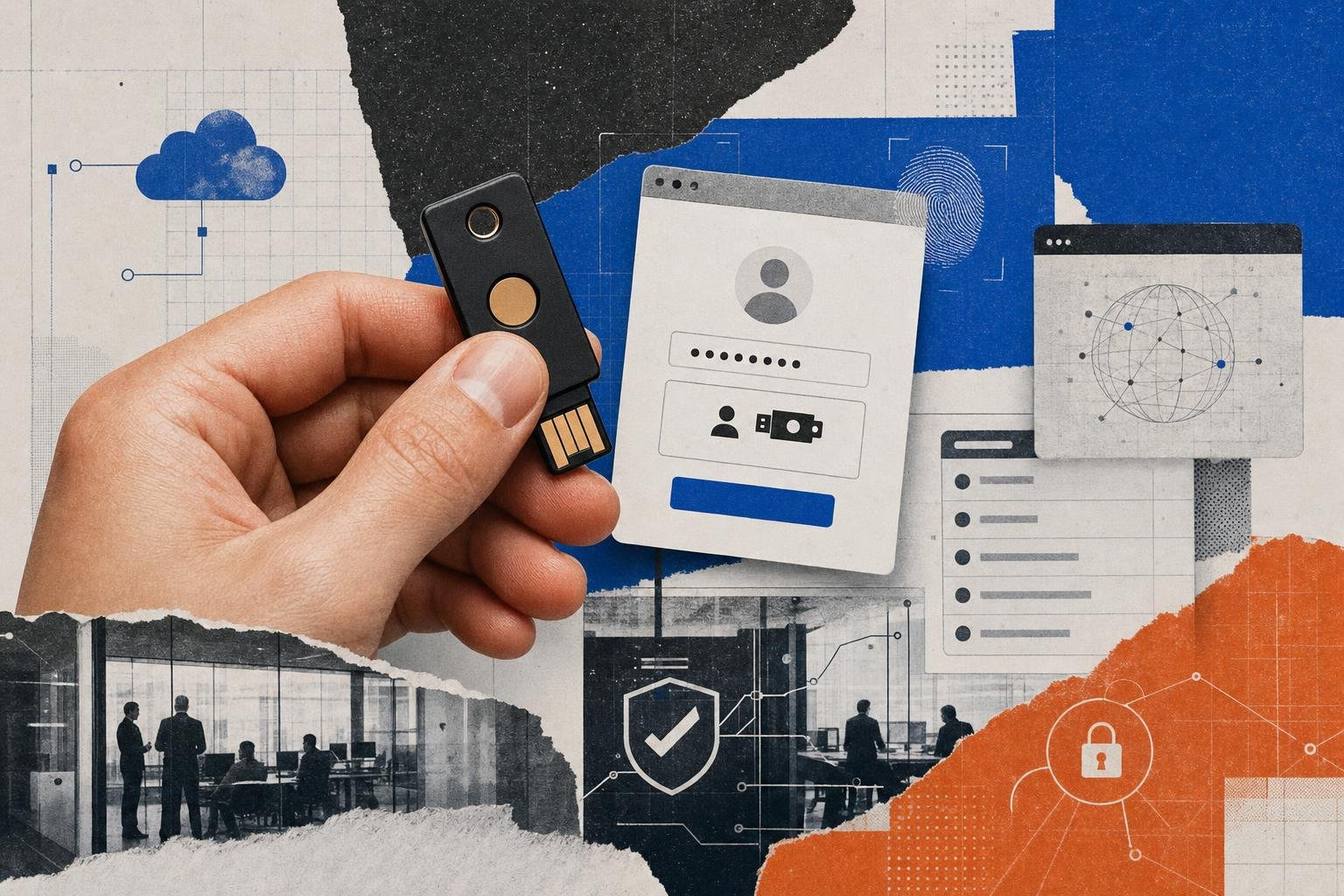
The Ultimate Showdown: YubiKey vs FIDO2 Roaming Authenticators

Why the YubiKey vs FIDO2 Roaming Authenticators Debate Actually Matters Right Now
YubiKey vs FIDO2 roaming authenticator is one of the most common points of confusion in enterprise authentication - and it's a meaningful distinction, not just a terminology quibble.
Here's the short answer before we go deeper:
| Concept | What It Is |
|---|---|
| FIDO2 roaming authenticator | An open standard category - any portable hardware key that authenticates across multiple devices via USB, NFC, or BLE |
| YubiKey | A specific product line by Yubico - hardware keys that implement FIDO2, among other protocols, and therefore qualify as FIDO2 roaming authenticators |
| Key relationship | All FIDO2-capable YubiKeys are roaming authenticators - but not all FIDO2 roaming authenticators are YubiKeys |
So when you're evaluating hardware security keys, you're really asking two separate questions:
- Do I need a FIDO2 roaming authenticator, rather than a platform authenticator like Windows Hello or Touch ID?
- If yes, is a YubiKey the right roaming authenticator for my use case, or is an alternative a better fit?
Both questions matter. And in 2026, they're more urgent than ever.
Adversary-in-the-Middle (AiTM) phishing kits have become commodity tooling. Traditional MFA - SMS codes, push notifications, TOTP apps - no longer reliably stops a motivated attacker. The U.S. Cybersecurity and Infrastructure Security Agency (CISA) explicitly recommends phishing-resistant MFA based on FIDO/WebAuthn or PKI-based authentication, and NIST SP 800-63B defines Authenticator Assurance Levels that push high-risk environments toward hardware-bound authenticators.
The question isn't whether you need phishing-resistant hardware authentication. It's which hardware, and why.
This guide breaks down the real architectural differences, protocol support, certification levels, competitive alternatives, and deployment trade-offs - so you can make a well-grounded decision rather than defaulting to brand recognition.
Understanding the Core Concepts: YubiKey vs FIDO2 Roaming Authenticator
To understand the difference between a brand-name key and a protocol standard, we must look at the FIDO2 architecture. FIDO2 is an umbrella project developed by the FIDO Alliance and the W3C. It is designed to eliminate credential theft by replacing shared secrets (like passwords and OTP seeds) with asymmetric public-key cryptography.
FIDO2 is comprised of two core technical specifications:
- WebAuthn (Web Authentication API): A W3C standard built directly into modern web browsers. It defines how a web application (the "relying party") requests cryptographic assertions from a client device.
- CTAP2 (Client-to-Authenticator Protocol 2): A protocol defined by the FIDO Alliance that enables an external authenticator (such as a physical USB key) to communicate directly with a client device (like a laptop or smartphone).
When a user registers a FIDO2 device, the authenticator generates a unique cryptographic key pair. The private key remains locked inside the authenticator's secure hardware element, while the public key is sent to the relying party's server.
The security secret here is origin binding. During both registration and authentication, the browser appends the web origin (the exact domain name, e.g., login.microsoft.com) to the cryptographic challenge. The authenticator signs the challenge alongside this origin.
If an attacker lures a user to a perfectly cloned phishing site (e.g., login.micros0ft.com), the browser detects the mismatch. The authenticator will not find a matching credential for that domain, and the authentication attempt fails automatically. This protocol design is what makes FIDO2 completely immune to real-time proxy phishing attacks.
For a deeper dive into how these hardware layers protect your organization, consult our Hardware Authentication Guide 2026.
What is a FIDO2 Roaming Authenticator?
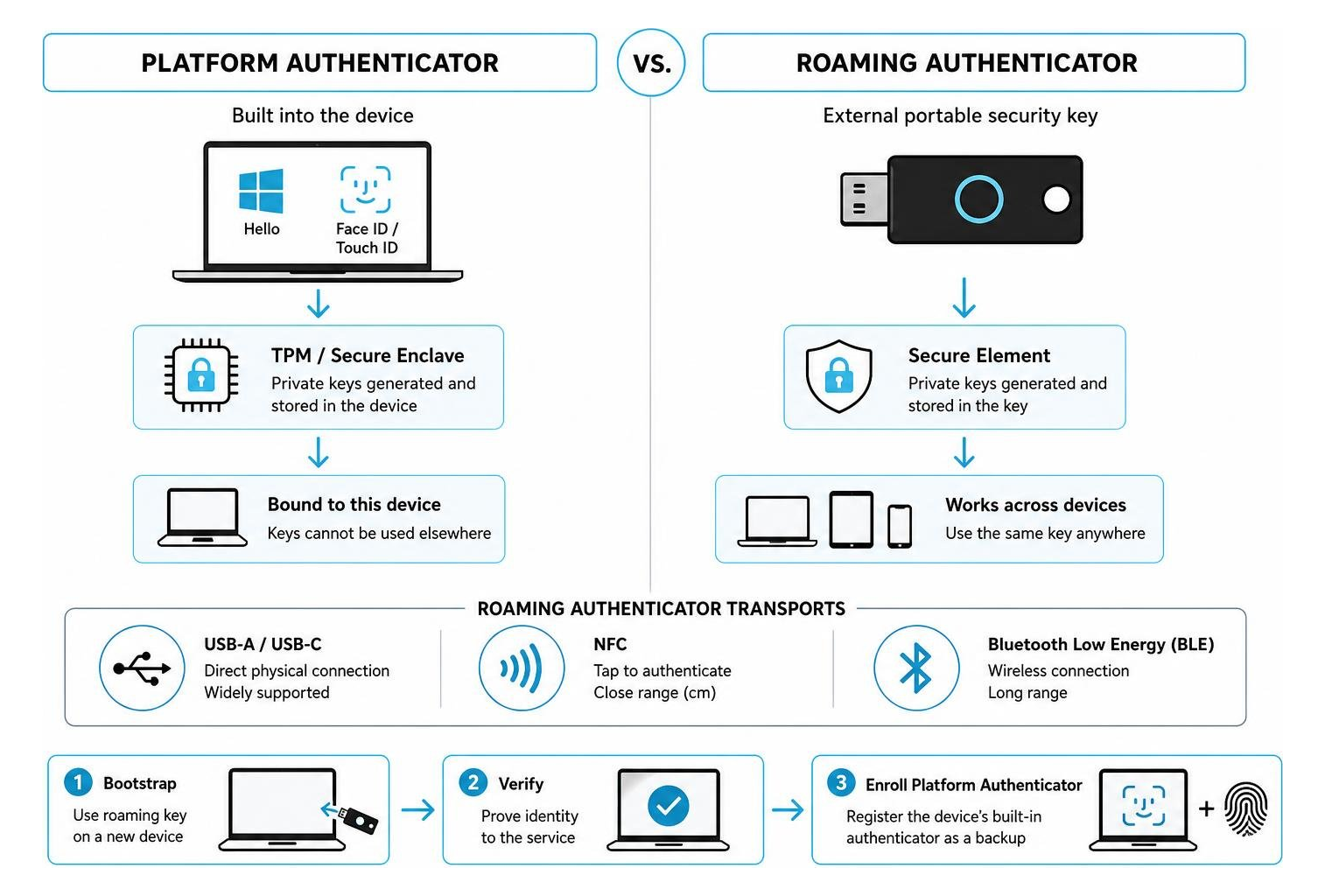
Under the FIDO2 standard, authenticators are divided into two distinct categories based on their mobility: platform authenticators and roaming authenticators.
A FIDO2 roaming authenticator (also known as a cross-platform authenticator) is a portable, external hardware device designed to act as a "portable root of trust." Because it is not bound to any single host device, a user can carry it on a keychain and use it to authenticate across multiple laptops, tablets, smartphones, and shared terminals.
These devices communicate with host systems using standardized physical and wireless transport protocols:
- USB-A and USB-C: Direct physical connection, universally supported across desktop and laptop operating systems.
- NFC (Near Field Communication): Wireless, close-range (a few centimeters) communication, ideal for tapping against smartphones and modern laptops.
- Bluetooth Low Energy (BLE): Long-range wireless communication, though less common in modern enterprise deployments due to pairing complexity and battery requirements.
Is Every YubiKey a FIDO2 Roaming Authenticator?
A common misconception is that purchasing any YubiKey automatically gives you a FIDO2 roaming authenticator. This is not the case. Yubico has been manufacturing security keys since 2007, and older or highly specialized models do not support the FIDO2 standard.
- YubiKey 5 Series and YubiKey 5 FIPS Series: These are multi-protocol flagship keys. They fully support FIDO2 (CTAP2), FIDO U2F (CTAP1), and legacy protocols. They are complete FIDO2 roaming authenticators.
- Security Key Series by Yubico: These are streamlined, lower-cost keys designed specifically for FIDO-only environments. They support FIDO2 and FIDO U2F, but lack legacy enterprise protocols like PIV or OTP. They are excellent FIDO2 roaming authenticators.
- YubiKey Bio Series: These keys feature built-in fingerprint sensors for biometric user verification. They support FIDO2 and U2F, making them dedicated biometric FIDO2 roaming authenticators.
- Legacy YubiKeys (e.g., YubiKey 4, YubiKey Standard, YubiKey Neo): These older models do not support FIDO2. While they support FIDO U2F (which only provides second-factor authentication), they cannot execute passwordless or multi-factor FIDO2 authentication because they lack CTAP2 capabilities.
To verify the protocol support and firmware capabilities of your specific model, refer to the manufacturer's official support documentation.
Architectural Differences: Roaming vs. Platform Authenticators
To appreciate the value of a physical roaming key, it helps to contrast it with a platform authenticator. Platform authenticators are embedded directly into a device's hardware. Examples include Apple's Touch ID and Face ID, Windows And Android's biometric login systems.
Platform authenticators leverage the device's built-in Trusted Platform Module (TPM) or Secure Enclave to protect the private keys. While highly convenient, they are physically bound to that single machine.
To bridge this gap, roaming authenticators are used for bootstrapping trust. When a user logs onto a brand-new corporate laptop, they cannot use the built-in Windows Hello sensor because no credential has been registered for them on that machine yet. By inserting their YubiKey (the roaming authenticator), they prove their identity securely. Once authenticated, they can perform progressive enrollment, registering the laptop's built-in platform authenticator as an authorized backup factor for faster daily sign-ins.
Security Advantages of a YubiKey vs FIDO2 Roaming Authenticator on a Platform
While platform authenticators are highly secure, a dedicated hardware key like a YubiKey offers distinct security advantages:
- Cryptographic Isolation: On a platform authenticator, the cryptographic operations occur within the host operating system's processor architecture (even if isolated in a secure enclave). A YubiKey executes all cryptographic operations entirely inside its own dedicated secure element chip. The private keys never touch the host computer's RAM or operating system.
- Malware and Host Compromise Resistance: If an attacker gains administrative or root access to a computer, they can potentially bypass platform-based authentication sessions by hijacking session cookies or manipulating local authentication APIs. They cannot, however, extract the private keys from a physical YubiKey, nor can they force the YubiKey to sign an assertion without physical user interaction (a physical touch or fingerprint scan).
- Unclonable Firmware: YubiKeys are manufactured with closed-source, cryptographically signed firmware that cannot be read, modified, or upgraded after leaving the factory. This completely eliminates the risk of post-manufacturing firmware tampering, software supply chain exploits, or physical cloning of the key.
- Zero-Knowledge Architecture: The physical key does not store personal identifiable information (PII) or user account names in a readable format. Even if an attacker physically steals a YubiKey, they cannot determine which accounts or services the key is registered to without knowing the user's accounts and local PIN.
Practical Use Cases: When Roaming Trumps Platform
Relying solely on platform authenticators is impractical in several common enterprise environments:
- Shared Workstations and Shift Environments: In healthcare clinical stations, retail points of sale, or call centers, multiple employees share the same physical computer terminal throughout the day. Setting up individual platform authenticators (like Windows Hello) for dozens of users on a single machine causes massive administrative overhead. A roaming key allows employees to tap or insert their personal key to access their workspace instantly, leaving no cached credentials on the terminal.
- Air-Gapped and Mobile-Restricted Zones: In secure government facilities, manufacturing plants, or financial trading floors, smartphones and personal mobile devices are often prohibited due to espionage or distraction risks. In these environments, software-based authenticator apps are not an option. Highly durable, physical USB keys provide the only viable path to multi-factor authentication.
- High-Privilege Administrative Access: IT administrators, database managers, and security officers hold keys to the entire corporate kingdom. Securing these accounts requires the highest level of cryptographic assurance. Mandating a physical roaming key for administrative consoles blocks remote attackers from leveraging session hijacking or platform vulnerabilities to compromise the infrastructure.
To explore how these use cases fit into a broader corporate security policy, see our guide on Beyond Passwords The Complete Guide to Security Keys Dongles and Next-Generation Authentication.
Feature Deep Dive: Multi-Protocol Support and User Verification
One of the primary reasons enterprises choose YubiKeys over generic FIDO2 roaming authenticators is multi-protocol capabilities. Generic keys are typically single-purpose devices built solely for the FIDO2/U2F standards. A YubiKey 5, however, is a multi-protocol security engine.
Simultaneous Protocol Execution: FIDO2, PIV, and OTP
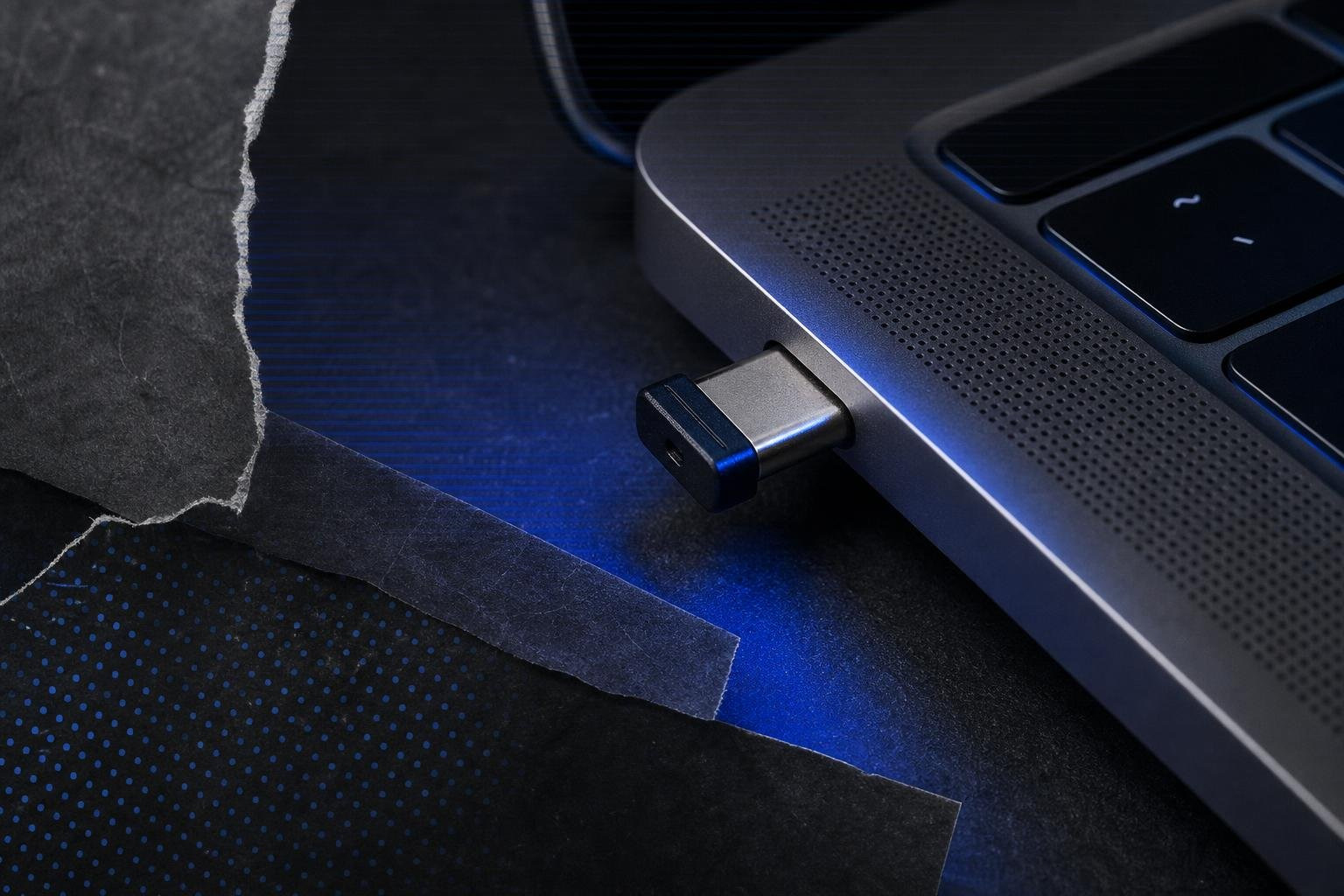
The YubiKey 5 series can execute multiple authentication protocols simultaneously, allowing organizations to bridge the gap between legacy systems and modern passwordless architectures:
- PIV (Personal Identity Verification) Smart Card: Supports certificate-based authentication, allowing users to log into Windows Active Directory, secure VPNs, and sign code or emails using standard smart card infrastructure.
- OATH-TOTP and HOTP: Stores up to 64 time-based or event-based one-time password seeds. Using the Yubico Authenticator software, users can generate OTP codes. Critically, the cryptographic seeds are stored securely on the hardware key itself, not on the host computer or phone, preventing seed theft via malware.
- OpenPGP: Enables developers and system administrators to secure SSH sessions, sign Git commits, and encrypt sensitive data using physical private keys.
- Yubico OTP: A proprietary protocol that generates a secure, one-time 44-character passcode with a physical touch, commonly used for legacy enterprise web portals.
Crucially, using a YubiKey as a FIDO2 roaming authenticator does not consume any of its physical configuration slots. YubiKeys feature two physical slots used for OTP or static password configurations. FIDO2 credentials (and PIV certificates) reside in separate, dedicated memory spaces on the secure element, allowing all protocols to run side-by-side without interference.
The Role of User Verification: PINs and Biometrics
In FIDO2, there is a critical distinction between user presence and user verification:
- User Presence (UP): Requires a simple physical interaction, such as touching the gold contact sensor on a YubiKey. This proves that a physical human is interacting with the device and prevents remote automated malware from triggering authentication. However, it does not prove who is touching the key.
- User Verification (UV): Proves the identity of the specific user. This is achieved by requiring a local PIN or a biometric scan (fingerprint).
By combining User Verification with the physical possession of the key, FIDO2 achieves single-step multi-factor authentication. The physical key satisfies "something you have," while the PIN or fingerprint satisfies "something you know" or "something you are."
On the YubiKey Bio Series, fingerprint matching occurs entirely on the physical key's secure element. The biometric template never leaves the key and is never transmitted to the host computer or network. If a biometric scan fails (or if the user is wearing gloves), the system gracefully falls back to the user's configured FIDO2 PIN. This local verification completely mitigates the risk of "shoulder surfing" in public places.
For an in-depth comparison of biometrics and other authentication methods, read our analysis on the Best Authentication Methods of 2026 MFA Biometrics Passkeys More.
The Competitive Landscape: YubiKey vs. Other FIDO2 Roaming Authenticators
While Yubico is the market leader, several other manufacturers produce reliable FIDO2 roaming authenticators. Choosing between them requires balancing features, firmware openness, and budget constraints.
| Criteria | YubiKey 5 Series | Google Titan | SoloKeys Solo V2 | Token2 T2F2 |
|---|---|---|---|---|
| Primary Target | Enterprise / Power Users | General Consumers | Open-Source Enthusiasts | Budget-Conscious Enterprise |
| Firmware Type | Proprietary (Closed-Source) | Proprietary (Feitian-built) | Fully Open-Source | Proprietary |
| Protocols | FIDO2, U2F, PIV, OTP, OpenPGP | FIDO2, U2F | FIDO2, U2F | FIDO2, U2F |
| NFC Support | Yes (select models) | Yes | Yes | Yes |
| BLE Support | No | No | No | No |
| Approx. Price | $45 - $95 | $30 - $35 | $32 | $22 - $28 |
Evaluating FIDO2 Roaming Authenticator Alternatives: Open-Source vs. Proprietary Standards
When selecting an authenticator fleet, organizations face a strategic choice between open-source and proprietary hardware:
- SoloKeys: Represents the gold standard for open-source hardware security. Its firmware and hardware schematics are public on GitHub, allowing independent security researchers to audit the code continuously. This is highly attractive to organizations that want to avoid vendor lock-in and verify that no backdoors exist in their hardware.
- Google Titan: Built under license by Feitian, the Titan key is a streamlined, consumer-focused FIDO2 key. It is highly secure but lacks the advanced multi-protocol features (like PIV and OpenPGP) required for complex enterprise IT environments.
- Token2: Based in Switzerland, Token2 offers a budget-friendly alternative for enterprises that only require FIDO2/U2F protocols. They provide GDPR compliance and Swiss data sovereignty, making them popular among European organizations.
While generic keys are significantly cheaper, they are single-purpose tools. If your organization requires smart card integration or legacy OTP support during a multi-year migration to passwordless, the higher upfront cost of a multi-protocol YubiKey is often justified.
To compare these options in greater technical detail, read our FIDO2 Security Key Comparison.
FIDO2 Certification Levels (L1, L2, L3) and NIST Compliance
The FIDO Alliance certifies authenticators under three distinct security levels to help organizations evaluate their physical and logical resistance to attacks:
- FIDO L1 (Baseline): Verifies that the authenticator correctly implements FIDO protocols and protects against basic software-based attacks.
- FIDO L2 (Restricted Operating Environment): Requires the authenticator to execute cryptographic operations within a secure, isolated environment (such as a secure enclave or chip) to protect against scalable software attacks.
- FIDO L3 (Physical Tamper Resistance): The highest level of certification. It requires the device to withstand sophisticated physical hardware attacks, such as chip probing or side-channel analysis.
For organizations working with federal contracts or highly regulated industries, alignment with NIST SP 800-63B is mandatory. To achieve Authenticator Assurance Level 3 (AAL3)—the highest tier of security—the organization must deploy a hardware-based authenticator that features FIPS 140-2 or FIPS 140-3 validation.
Yubico addresses this with its specialized YubiKey FIPS Series, which holds FIPS 140-2 Overall Level 2 (with Physical Security Level 3) certification. FIPS-validated hardware is typically slower to receive new firmware features due to the lengthy federal recertification process, so it is only recommended for environments where compliance mandates require it.
Enterprise Deployment: Limitations, Recovery, and Lifecycle Management
Deploying physical security keys across a large enterprise requires careful planning around device lifecycle management, user onboarding, and recovery.
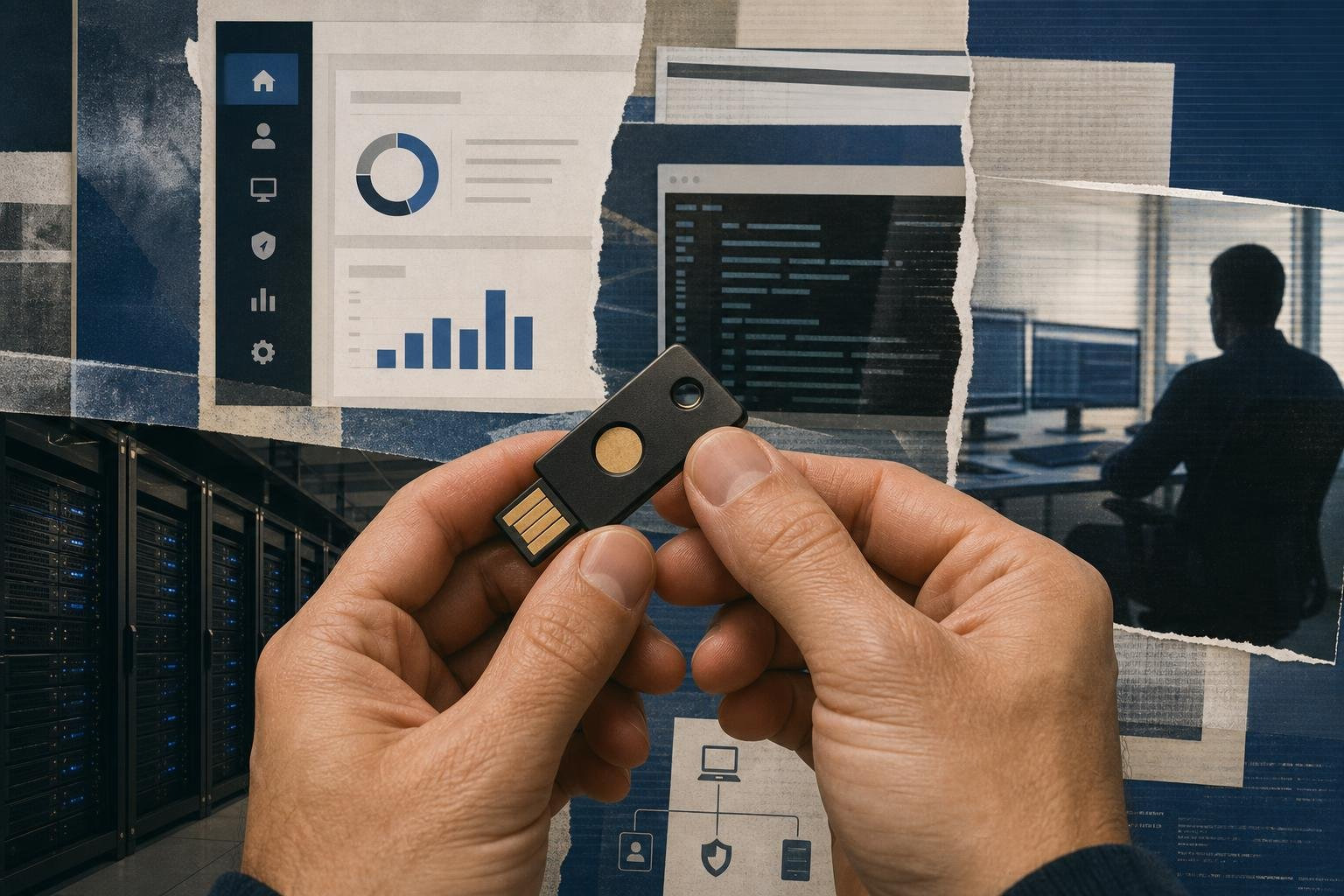
To manage a fleet of keys, IT administrators leverage enterprise attestation and the FIDO Metadata Service (MDS). When a user registers a key, the authenticator provides an attestation certificate signed by the manufacturer. This allows the identity provider (IdP) to cryptographically verify the exact make, model, and certification level of the key. If security policy dictates that only FIPS-validated YubiKeys are allowed, the IdP can block generic or uncertified keys from registering.
Trade-offs: Cost, Form Factor, and Compatibility
While physical roaming keys offer unmatched security, they come with practical trade-offs:
- Upfront Capital Costs: Deploying physical keys to thousands of employees is a significant hardware expense, especially when accounting for spare keys.
- Physical Compatibility: mixed fleets of hardware require different connectors. While USB-C has become the modern standard, legacy machines may require USB-A, and older mobile devices may require Lightning or NFC.
- Platform Limitations: Certain platforms have strict hardware limitations. For example, Apple iPads do not support NFC communication with external security keys, forcing users to rely on physical USB-C connections.
- User Friction: Employees must carry a physical object with them at all times. If a user leaves their key at home, they cannot work until they receive a temporary bypass or a replacement key.
For a comprehensive analysis of these deployment challenges, read Yubikeys and Alternatives Exploring Hardware-Based Authentication.
Account Recovery and Backup Strategies
The shift away from passwords introduces the "Day Two" recovery paradox: if you completely eliminate shared secrets and passwords, how does a user recover their account if they lose their physical key?
If your recovery flow falls back to SMS or email-based resets, you have bypassed your security and re-exposed your organization to phishing. A secure recovery strategy requires:
- Pre-Registered Backup Keys: During onboarding, users must register at least two keys simultaneously: a primary key for their keychain and a backup key to be kept in a secure location (such as a home safe).
- Out-of-Band Identity Proofing: If a user loses all registered keys, recovery must involve a high-assurance process, such as a video verification call with the IT helpdesk or physical identity verification.
- Immediate Revocation: Administrators must have clear, automated workflows within their IdP to immediately revoke lost keys, terminating all active sessions associated with that physical device.
For a complete blueprint on setting up enterprise-grade multi-factor recovery, consult our Multi-Factor Authentication Complete Guide.
Frequently Asked Questions
Can a YubiKey be cloned or duplicated?
No. The private cryptographic keys generated during registration are written directly to the YubiKey's secure element chip. The hardware and firmware are designed with read protection, meaning there are no physical interfaces, commands, or software tools that can extract or read the private key from the device. To create a backup, you must physically register a second, independent security key with your accounts.
What happens to my credentials if I lose my YubiKey?
Because of its zero-knowledge architecture, a lost YubiKey does not expose your accounts. It does not store recognizable usernames or passwords in plain text. An attacker who finds your key cannot use it unless they also know your target accounts and your local FIDO2 PIN. If you lose your key, you should immediately log into your accounts using your backup key or recovery codes, and delete the lost key from your security settings.
How many passkeys can a YubiKey 5 store?
YubiKey 5 series devices running firmware 5.7 or newer can store up to 100 discoverable credentials (passkeys) in their FIDO2 application. They can also store up to 64 OATH-TOTP credentials, 24 PIV certificates, and 2 OTP configurations. Legacy FIDO U2F credentials do not consume physical storage space on the key; they use a scalable cryptographic model where the key pair is generated algorithmically on-demand.
Conclusion
The choice between a YubiKey vs FIDO2 roaming authenticator ultimately comes down to your organization's infrastructure complexity and compliance requirements. FIDO2 is the open standard that makes passwordless, phishing-resistant authentication possible. Any certified FIDO2 roaming authenticator will protect your users against modern credential theft.
However, if your organization operates in a hybrid environment where you must secure legacy Windows logins, SSH developer terminals, and certificate-based VPNs alongside modern web portals, the YubiKey 5 series remains the industry standard.
For organizations looking to deploy a highly secure, modern authentication strategy without the physical management overhead of a massive hardware fleet, EveryKey offers elegant, hardware-based authentication solutions. These tools bridge the gap between enterprise security requirements and seamless user experiences, helping you achieve Zero Trust compliance without introducing administrative friction.
Explore your options and read more about hardware integrations by browsing our resources on Yubikeys and Alternatives on Unlocked, or sign up for our knowledge platform at Unlocked.