Detailed Guide to Hardware Authentication
Passwords and SMS codes keep failing against modern phishing. Hardware authentication ties each login to a physical key and cryptography attackers can't replicate remotely — here's how it works and when to deploy it.

Passwords Alone Are Failing — Here's What Hardware Authentication Does Instead
Hardware authentication is a method of proving your identity using a physical device — like a USB security key, smart card, or NFC token — that you must physically possess to log in.
Quick answer:
| Question | Answer |
|---|---|
| What is it? | A login method requiring a physical device (token, key, smart card) as proof of identity |
| How does it work? | The device uses cryptography to prove your identity — no password alone can replicate it |
| Is it phishing-resistant? | Yes — the key verifies the actual website domain before signing in |
| Common examples | YubiKey, RSA iShield, smart cards, CAC/PIV cards |
| Who needs it most? | Privileged users, regulated industries, anyone with high account takeover risk |
Here's the problem hardware authentication solves: 77% of hacking-related breaches involve stolen credentials, and 81% of all hacking breaches involve passwords in some form. Phishing kits, SIM swapping, and AI-powered attacks — which have surged by 3,000% — can defeat SMS codes and even many authenticator apps.
A physical hardware token is fundamentally different. The private key never leaves the device. It can't be phished over email. It can't be stolen remotely. An attacker would need to physically take your key and know your PIN or biometric — a much harder bar to clear.
This guide covers everything security practitioners need to know: how hardware authentication works at the protocol level (FIDO2, WebAuthn, CTAP), which devices and certifications matter, how it compares to software MFA, and how to roll it out across an organization without breaking things.
What Hardware Authentication Is and Where It Fits in Modern Identity Security
In the framework of Multi-Factor Authentication (MFA), hardware authentication represents the "possession factor." While passwords represent "something you know," a hardware token is "something you have." In 2026, this distinction is more critical than ever as attackers use AI-powered spear phishing—which currently boasts a 47% success rate even against trained professionals—to bypass traditional knowledge-based security.
What hardware authentication means in practice
In a typical workflow, a user enters their username and then interacts with a physical token. This might involve plugging a USB key into a laptop, tapping an NFC-enabled card against a smartphone, or entering a code from a dedicated One-Time Password (OTP) fob. Unlike a smartphone running an app, these devices are purpose-built for security. They often lack a general-purpose operating system, making them virtually immune to the malware that plagues modern mobile devices and PCs.
How hardware authentication differs from passwords, SMS, and authenticator apps
Traditional MFA methods like SMS or authenticator apps rely on "shared secrets." For example, with SMS, the service provider and your phone both "know" a six-digit code. However, this secret is vulnerable to SIM swapping or interception.
Hardware authentication (specifically modern FIDO2 keys) changes the game by using asymmetric cryptography. The device creates a unique key pair for every service. The "private key" never leaves the hardware. Furthermore, hardware keys use "origin binding," meaning the key will only respond to the specific website it was registered with. If a user is tricked into visiting googIe.com (with a capital 'I') instead of google.com, the hardware token simply won't authenticate, effectively neutralizing the phishing attempt.
Common forms of hardware authentication devices
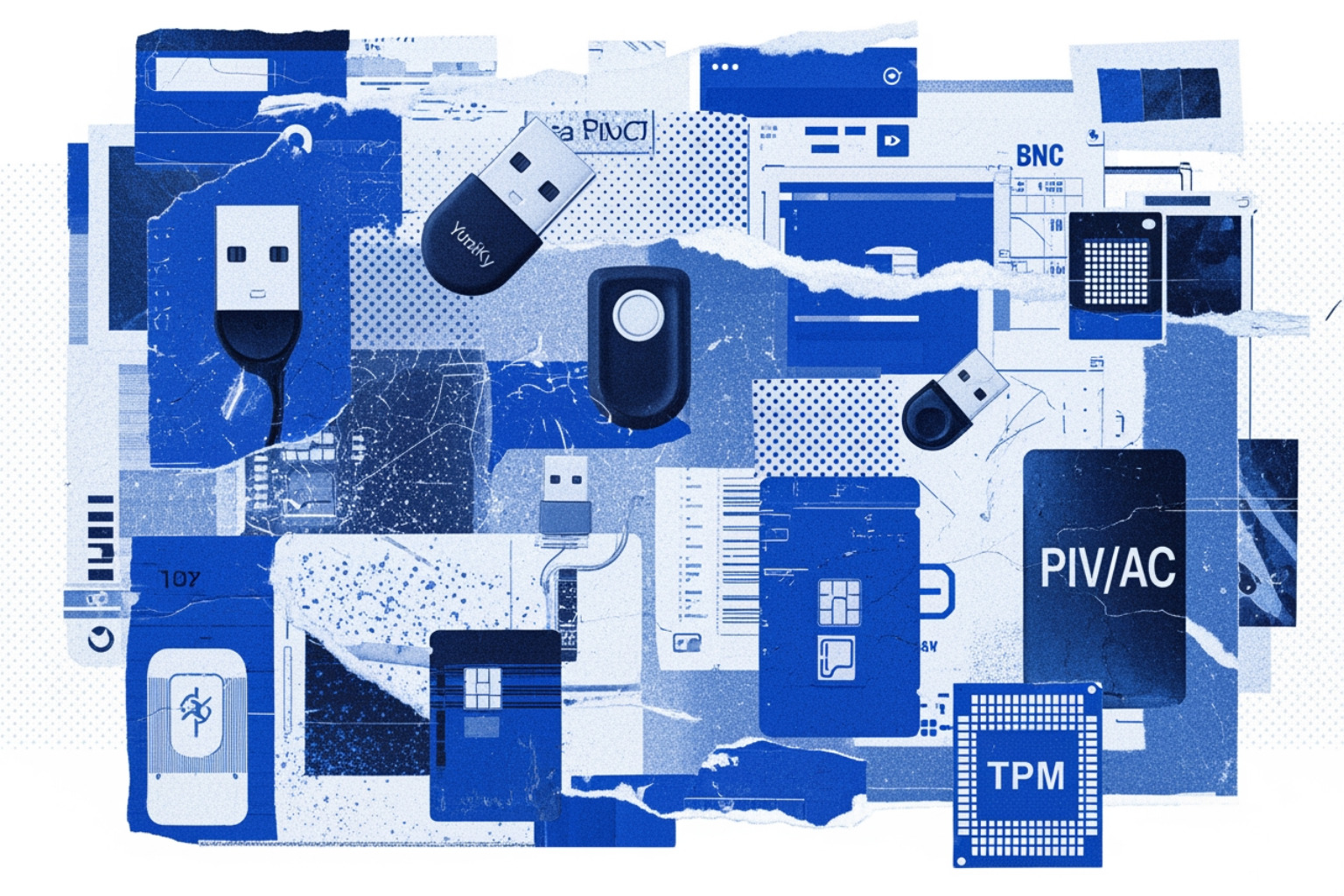
The ecosystem has evolved far beyond simple RSA fobs. Today, organizations choose from a variety of form factors:
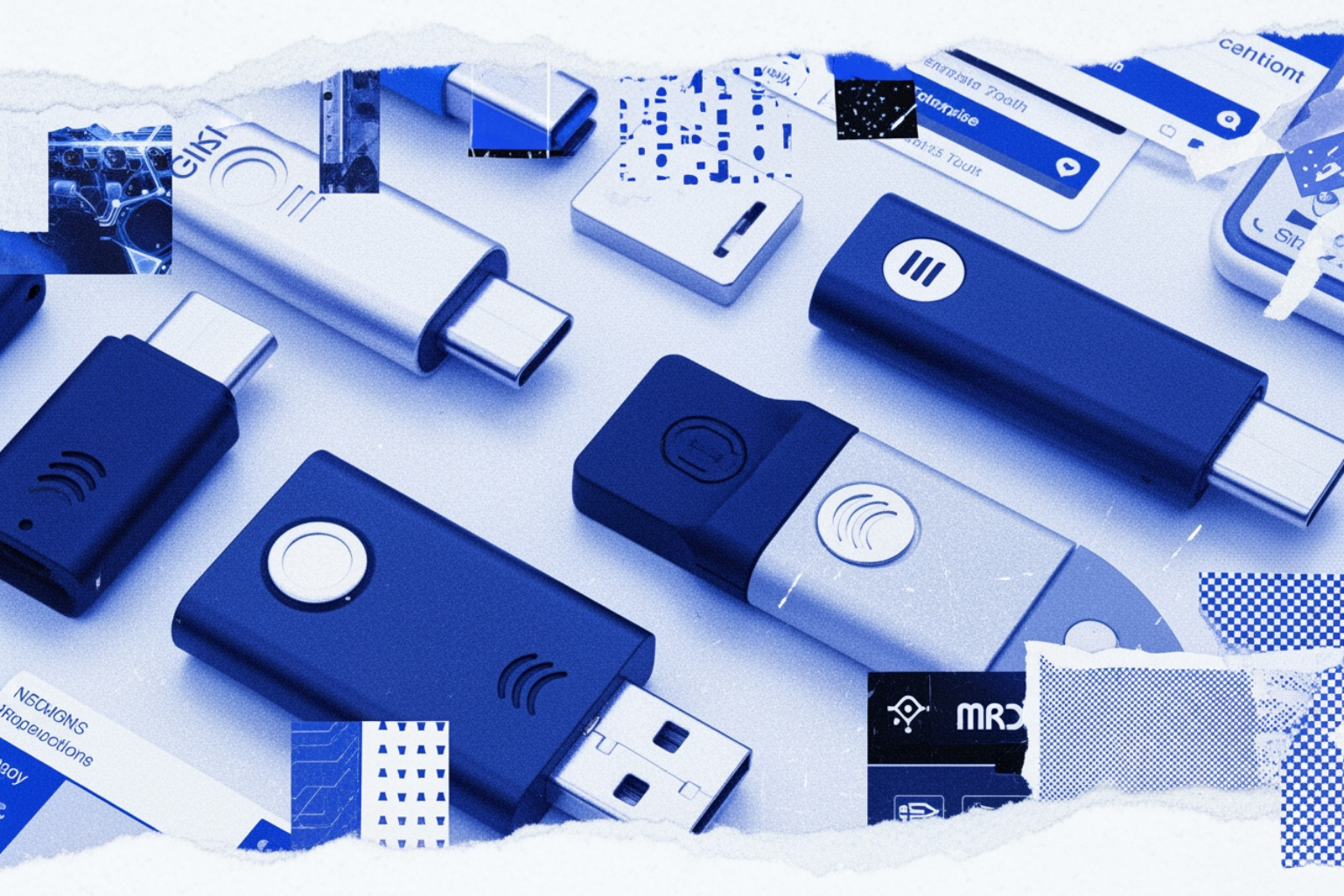
- USB Security Keys: Devices like the YubiKey or TKey that plug directly into ports.
- NFC Tokens: Cards or keys that work wirelessly with mobile devices.
- Smart Cards: PIV (Personal Identity Verification) and CAC (Common Access Card) used extensively in government and defense.
- TPMs (Trusted Platform Modules): Secure chips embedded in motherboards that act as internal hardware authenticators.
For a deeper dive into how these devices establish trust, see our guide on Device Authentication Building Trust In Every Connection.
How Hardware Authentication Works: Cryptography, FIDO2, WebAuthn, and CTAP
To understand why hardware authentication is so resilient, we have to look under the hood at the FIDO2 standard. FIDO2 is an umbrella term that includes WebAuthn (the API for browsers) and CTAP (the protocol for the device itself).
Registration flow for hardware authentication
When you register a hardware key with a service (the "Relying Party"), the following happens:
- The service sends a challenge and its "Relying Party ID" (the domain name).
- The hardware token generates a new, unique ECC (Elliptic Curve Cryptography) key pair.
- The token sends the "public key" back to the service, along with an "attestation certificate" that proves the device is a genuine, secure piece of hardware.
- The "private key" is stored securely on the device and is never shared.
Authentication flow: challenge signing, origin checks, and anti-phishing protections
When you log in later, the service sends a new challenge. The browser uses the WebAuthn API to talk to the hardware token via CTAP2 (Client-to-Authenticator Protocol). The token checks the domain name provided by the browser. If it matches the one stored during registration, the token asks for a "user presence" gesture—usually a physical touch. Once touched, the token signs the challenge with its private key and sends it back.
This process provides "replay resistance." Since every challenge is unique, an attacker can't record your login and try to use it later.
Legacy and parallel methods: OTP, HOTP/TOTP, PKI, and smart cards
While FIDO2 is the modern gold standard, many organizations still use legacy methods:
- HOTP/TOTP: Event-based or time-based codes. While better than passwords, they are still vulnerable to "man-in-the-middle" phishing where a fake site asks the user to type in the code.
- PKI/Smart Cards: These use digital certificates. They are highly secure but often require specialized readers and complex middleware, making them harder to deploy for a general workforce compared to USB keys.
Why passkeys matter in 2026
By May 2026, passkeys have become the primary way most people interact with hardware authentication. Passkeys are essentially FIDO2 credentials. They can be "synced" (stored in a cloud vault like iCloud or Google) or "device-bound" (locked to a specific hardware key like a YubiKey).
The statistics are undeniable: passkeys result in 6x faster sign-in times and a 4x improvement in success rates compared to passwords. For enterprises, this translates to a 50% reduction in login abandonment. To understand how these fit into a broader strategy, check out Top Passwordless Login Solutions For Enhanced Security In 2025 and our analysis of Biometrics For Authentication How Biometric Systems Are Transforming Secure Identity Verification.
Benefits and Limitations of Hardware Authentication
Security advantages over legacy MFA
The primary benefit is phishing resistance. Because the hardware token validates the domain, it is immune to the "proxy" phishing kits used by modern attackers. It also prevents "MFA fatigue" attacks, where an attacker spams a user's phone with push notifications until they accidentally hit "Approve." With a hardware key, you must be physically present to tap the device. This has led to a 98% reduction in mobile account takeover fraud in organizations that mandate hardware tokens.
Operational drawbacks: loss, replacement, cost, and compatibility
The biggest hurdle is the "human factor."
- Loss: If a user loses their only key, they are locked out. Organizations must issue at least two keys or have a robust recovery process.
- Cost: While software apps are "free," hardware tokens cost between $25 and $100 per user.
- Portability: Users must remember to carry the device. While NFC helps, compatibility with older legacy systems or specific mobile browsers can still be a headache.
Hardware authentication vs software MFA: a practical comparison
| Feature | SMS / Voice | Authenticator App | Push MFA | Hardware Key (FIDO2) |
|---|---|---|---|---|
| Phishing Resistance | Low | Medium | Medium | Very High |
| SIM Swap Protection | None | High | High | Total |
| Offline Use | No | Yes | No | Yes |
| Setup Friction | Low | Medium | Low | Medium |
| Device Security | Low (Mobile OS) | Low (Mobile OS) | Low (Mobile OS) | High (Isolated) |
Where hardware authentication is the wrong fit
It isn't a silver bullet. For temporary contractors or users on unmanaged BYOD (Bring Your Own Device) setups, the logistics of shipping hardware may be prohibitive. Similarly, legacy SaaS applications that don't support modern standards like SAML or OIDC may not be able to "talk" to a security key without expensive middleware.
Hardware Tokens, Passkeys, and Device Choices for Enterprises and High-Risk Users
Popular hardware authentication devices
- YubiKey 5 Series: The industry standard, supporting FIDO2, OTP, and Smart Card protocols.
- TKey: An open-source hardware option from Tillitis. It uses a "Unique Device Secret" to derive keys based on the specific application being run, offering a high level of transparency for security-conscious developers.
- RSA iShield Key 2: A ruggedized option designed for regulated environments. It is FIPS 140-3 Level 3 certified and features a sensor that works even with latex gloves—perfect for clean rooms or hospitals.
- OpenTitan: An open-source silicon project that provides a "Root of Trust," ensuring the hardware itself hasn't been tampered with at the factory.
Certifications and standards that matter
For enterprise and government use, certifications are non-negotiable. FIPS 140-2 and the newer FIPS 140-3 (Level 2 or 3) ensure the cryptographic module is tamper-resistant. NIST SP 800-63B defines "Authenticator Assurance Levels" (AAL). To achieve AAL3—the highest level of identity assurance—you generally must use a hardware-based cryptographic physical tokens.
Specialized hardware: smart cards, TPMs, and HSMs
In high-security server environments, we use HSMs (Hardware Security Modules) like the YubiHSM 2. These are "nano" HSMs that protect the root keys of a Certificate Authority or a database. On the client side, TPMs protect disk encryption (like BitLocker). However, be aware that discrete TPMs can sometimes be vulnerable to physical "bus interception" attacks; newer technologies like HP's TPM Guard attempt to solve this by encrypting the communication between the TPM and the CPU.
For more on choosing the right device, see Yubikeys And Alternatives Exploring Hardware Based Authentication.
Real-World Use Cases and How to Deploy Hardware Authentication Successfully
Real-world use cases by sector
- Finance: Bank employees use FIDO2 tokens to authorize high-value wire transfers, preventing "man-in-the-browser" attacks.
- Healthcare: Clinicians use smart cards to tap into Electronic Health Record (EHR) terminals, maintaining HIPAA compliance while moving quickly between patient rooms.
- DevOps: Engineers use hardware keys to sign git commits and access production CI/CD pipelines, ensuring a compromised laptop doesn't lead to a supply chain attack.
- Government: Federal agencies use YubiKeys | Two-Factor Authentication for Secure Login to meet the phishing-resistant MFA requirements of Executive Order 14028.
Deployment architecture and integration points
Most modern Identity Providers (IdPs) like Okta, Entra ID (Azure AD), and Google Workspace have native support for FIDO2/WebAuthn. You can set "Conditional Access" policies that require a hardware key only when a user is accessing sensitive data or logging in from a new location.
Rollout best practices: issuance, backup, revocation, and recovery
- The Two-Key Policy: Always issue a primary key and a backup key.
- Inventory Management: Track serial numbers. If an employee leaves, revoke the key's access in your IdP immediately.
- Self-Service Portals: Allow users to register their own keys to reduce help desk tickets.
- Recovery Identity Proofing: If a user loses both keys, how do you verify them? Usually, this requires a video call or an in-person meeting with IT.
Implementation checklist for security teams
- [ ] Audit apps for WebAuthn/FIDO2 support.
- [ ] Purchase a pilot batch of keys (test different form factors).
- [ ] Define "Break-Glass" accounts that use hardware keys stored in a physical safe.
- [ ] Train users on the difference between "touching the key" and "entering a PIN."
For more on the logistical side of password management hardware, read Why A Hardware Password Manager Might Be Your Best Security Investment In 2025.
Frequently Asked Questions About Hardware Authentication
Is hardware authentication truly phishing-resistant?
Yes, against the vast majority of modern attacks. Because the protocol binds the credential to the specific domain (example.com), a fake site (examp1e.com) cannot trick the key into signing a challenge. While "session theft" (stealing a cookie after the user logs in) is still possible, the initial credential theft is blocked.
Can passkeys replace traditional hardware tokens?
For many users, yes. "Platform passkeys" (stored in your phone or laptop) provide excellent security. However, for "high-value" targets or regulated industries, "roaming" hardware tokens (like a YubiKey) are still preferred because they are physically isolated from the computer's OS and can't be synced to a personal cloud account.
What should an organization do if a hardware token is lost or stolen?
The IT department must immediately revoke that specific device's association with the user's account in the IdP. Because the key requires a PIN or biometric to use, a thief who finds a lost key generally cannot use it before it is deactivated.
Conclusion: When Hardware Authentication Is Worth the Investment
Hardware authentication is no longer just for "paranoid" security researchers. With credential-based attacks accounting for over 80% of breaches, moving to a possession-based, phishing-resistant model is a business necessity. While the initial cost and logistical hurdles of physical tokens are real, they are dwarfed by the average cost of a data breach in 2026.
For most organizations, the path forward is a hybrid approach: platform passkeys for the general workforce and dedicated hardware tokens for admins, executives, and those in highly regulated roles. By removing the "shared secret" from the equation, you aren't just making it harder for hackers — you're making it mathematically impossible for them to phish your credentials.
For further exploration of the next generation of identity, read our Beyond Passwords The Complete Guide To Security Keys Dongles And Next Generation Authentication. You can also explore the TKey open-source project or the RSA iShield Key 2 for high-compliance environments.