
The Ultimate Guide to Centralized Access Control Administration
One console for every login, device, and door. This guide explains how centralized access control unifies identity and SSO, supports Zero Trust, and cuts the sprawl that slows hybrid enterprises down.

Why Centralized Access Control Is the Foundation of Modern Enterprise Security
Centralized access control is the practice of managing all user permissions, authentication policies, and access decisions from a single unified system — rather than scattering that control across dozens of independent tools, local servers, or siloed applications.
Quick answer: Here's what it means in practice:
| Concept | What it means |
|---|---|
| What it is | One system governs who can access what, across all apps, locations, and devices |
| How it works | Users authenticate once; a central policy engine grants or denies access in real time |
| Why it matters | Consistent policy enforcement, faster incident response, and simpler compliance auditing |
| Who uses it | Enterprises, multi-site organizations, property managers, and cloud-native teams |
| Key risk without it | Fragmented permissions, orphaned accounts, and undetected lateral movement |
If you manage access across more than a handful of systems, you already feel the problem.
Users have credentials scattered across cloud apps, VPNs, on-premises servers, and physical entry points. IT teams manually provision and deprovision accounts. Audit logs live in five different places. And when something goes wrong — a former employee's account still active three months after they left, an overprivileged service account exploited in a breach — the investigation takes weeks because no one has a single view of who had access to what.
This isn't a niche problem. The 2024 Snowflake credential stuffing campaign — where attackers used infostealer-harvested credentials to compromise hundreds of customer environments — succeeded largely because organizations lacked centralized visibility into which accounts were authenticating, from where, and with what level of trust. No single pane of glass meant no early warning.
The shift to hybrid work has made this worse. When your workforce is distributed across home offices, branch locations, and co-working spaces, the old network perimeter is gone. Identity is the new perimeter — and if your identity and access infrastructure is fragmented, your security posture is fragmented with it.
Centralized access control is the structural answer to identity sprawl. This guide breaks down exactly how it works, where it fits, and how to implement it without creating new bottlenecks or single points of failure.
Basic centralized access control terms:
What is Centralized Access Control?
At its core, centralized access control consolidates the administration, enforcement, and auditing of security policies into a single, cohesive architecture. In a centralized model, identity verification and authorization decisions do not happen at the individual application or doorway level. Instead, they are routed back to a central authority—a "single pane of glass"—that evaluates the request against global security policies.
To understand how this changes the game for an IT department, we have to look at how decisions are made. In a traditional setup, every application behaves like a standalone fortress with its own gatekeeper. In a centralized system, those gatekeepers are replaced by a single, highly intelligent command center. For a deeper look at this mechanism, read our guide on Access Security Control Explained: How Modern Systems Decide Who Gets In and Who Doesn’t.
To see where centralization fits in the broader landscape, it helps to compare it directly to distributed and decentralized architectures:
| Architectural Attribute | Centralized Access Control | Distributed Access Control | Decentralized Access Control |
|---|---|---|---|
| Control Authority | Single central directory/policy engine | Multiple local servers with synchronized policies | No central authority; peer-to-peer or local cryptographic ownership |
| Policy Enforcement | Real-time query to central system | Handled locally based on periodic syncs | Verified cryptographically by local nodes or user-held tokens |
| Management Overhead | Low (changes propagate instantly) | Medium (requires maintaining sync pipelines) | High (requires manual coordination or complex trust networks) |
| Primary Use Cases | Enterprise SaaS, modern hybrid offices, cloud infrastructure | Multi-site branch offices, retail chains with local offline needs | Blockchain networks, open-source peer-to-peer protocols |
| Single Point of Failure | High (mitigated by high-availability cloud deployments) | Low (local sites can run independently if the WAN goes down) | None (highly resilient against systemic downtime) |
Centralized Access Control vs. Distributed Models
The primary tension between centralized and distributed models comes down to the balance between administrative overhead and local survivability.
In a distributed model, access control databases are replicated across multiple local nodes, such as branch office servers or regional data centers. While this reduces network latency—because a user in a Tokyo office doesn't have to wait for an authorization check to travel to a London server—it introduces massive synchronization latency. If an administrator revokes an employee's access in London, it might take minutes, or even hours, for that update to propagate to Tokyo. During that window, a terminated employee could theoretically still access sensitive local resources.
Centralized models eliminate this synchronization gap. Because there is only one authoritative database, policy changes are enforced globally and instantaneously. The challenge, however, is ensuring local survivability. If a branch office loses WAN connectivity, a purely centralized system might lock users out unless a hybrid local-cache or failover mechanism is in place.
Centralized Access Control vs. Decentralized Models
Decentralized access control takes the elimination of a central authority to its logical extreme. In this model, there is no root administrator. Instead, access is governed peer-to-peer or through cryptographic verification, similar to how Bitcoin or BitTorrent operate.
In a decentralized system, users hold their own cryptographic credentials (such as public/private key pairs or decentralized identifiers) and present them directly to resources, which verify the signature without querying a central directory.
While decentralized models offer unparalleled local autonomy and eliminate systemic downtime, they are incredibly difficult to manage at an enterprise level. There is no simple way to run a global "deprovisioning" command if an employee leaves. For enterprise IT security, where compliance and rapid offboarding are non-negotiable, centralized control remains the gold standard, while decentralized models are reserved for specialized, trustless environments.
How Centralized Access Control Works in Practice
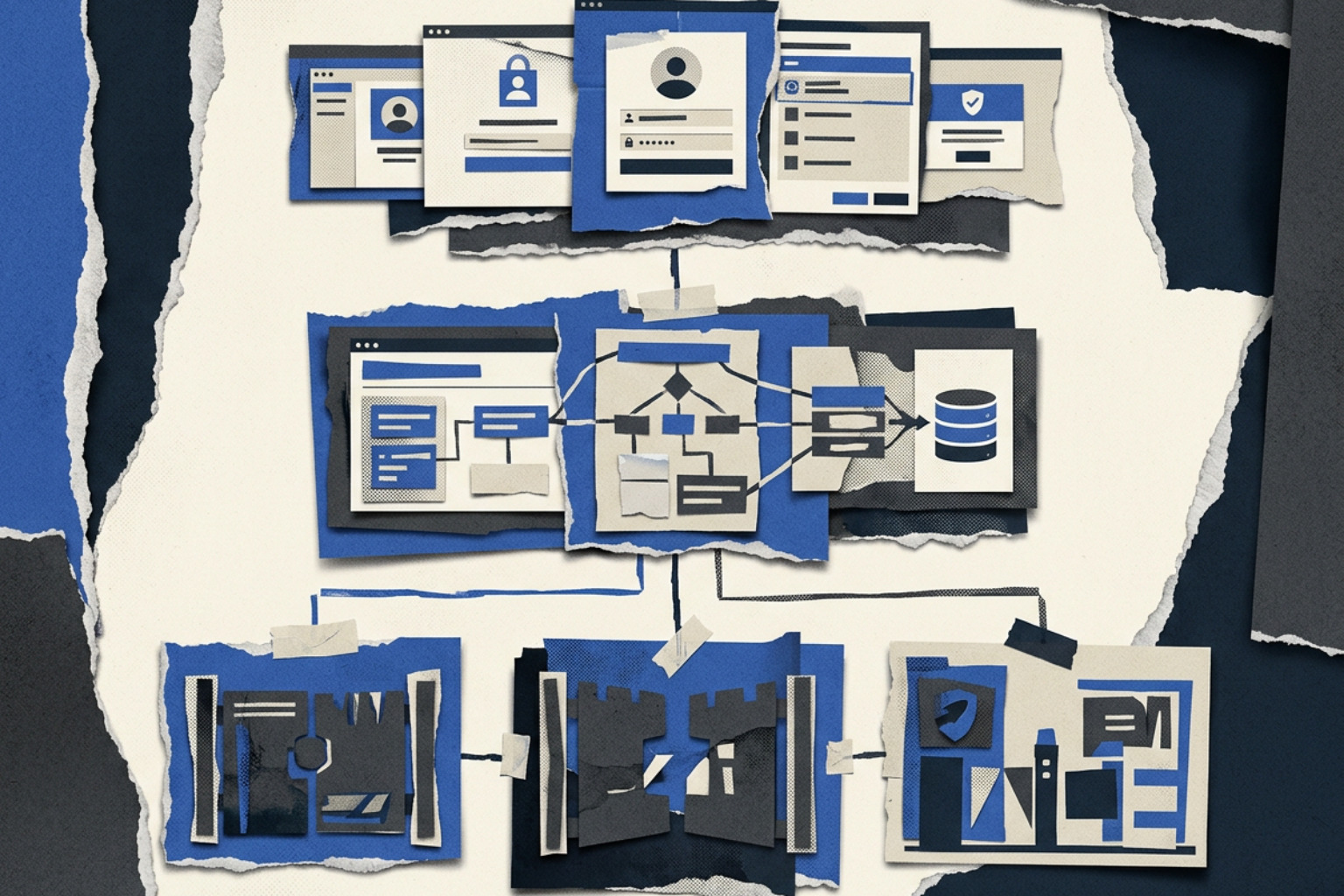
To understand how centralized access control functions under the hood, we have to look at the separation of duties between authentication (verifying who you are) and authorization (verifying what you are allowed to do).
In modern security architectures, this workflow is defined by two primary components:
- The Policy Decision Point (PDP): The brain of the system. It evaluates the user's identity, context, and requested resource against established security policies.
- The Policy Enforcement Point (PEP): The muscle. This is the gateway—such as an API gateway, a firewall, or a physical smart lock—that physically blocks or allows access based on the PDP's decision.
When a user attempts to access an asset, the PEP intercepts the request and asks the PDP for a decision. The PDP checks the central identity directory, evaluates the current security context, and returns a simple "yes" or "no" to the PEP, which then executes the command. This entire exchange happens in milliseconds. To explore the broader framework that supports this workflow, see our guide on Identity and Access Management (IAM): The Complete Guide to Security, Access, and Credential Management.
Unified Identity Management and Single Sign-On (SSO)
The foundation of any centralized access system is unified identity management. Instead of maintaining separate user databases for your CRM, your developer tools, and your HR portal, you connect everything to a central directory service like Active Directory, OpenLDAP, or cloud-based identity providers.
This central directory enables Single Sign-On (SSO) using federated protocols like SAML 2.0 and OpenID Connect (OIDC). From a user experience perspective, SSO is a massive convenience—one password to rule them all. But from a security perspective, it is a powerful defensive tool.
By routing all login attempts through a single SSO portal, security teams can implement robust credential stuffing mitigations and session hijacking defenses. If an attacker attempts to use leaked credentials harvested from an external data breach (as seen in the Snowflake incident), the centralized SSO portal can detect the anomalous login pattern, enforce an immediate Multi-Factor Authentication (MFA) prompt, or block the connection entirely before the attacker ever reaches the target application.
Context-Aware and Adaptive Authorization
Static permissions (e.g., "User X has read access to Folder Y forever") are no longer sufficient in a hybrid work environment. Modern centralized access control relies on context-aware and adaptive authorization.
Instead of just checking a user's role (Role-Based Access Control, or RBAC), the central policy engine evaluates dynamic attributes (Attribute-Based Access Control, or ABAC) and continuous trust levels. This is where we transition from simple permissions to Context-Aware Access: Smarter, Safer Control for the Modern Enterprise and Adaptive Access Control: Smarter Security Through Context and Continuous Trust.
These systems evaluate real-time signals such as:
- Geographical Location: Is the user logging in from their usual home office, or did they suddenly appear in a different country?
- Device Health: Is the laptop running an up-to-date operating system with active endpoint protection?
- Time of Request: Is a database administrator attempting to download a massive client list at 3:00 AM on a Sunday?
At the code level, enterprise systems use relationship-based access control (ReBAC) models and policy-as-code engines like Open Policy Agent (OPA) to manage these rules at scale.
A prime example of this is the open-source permission server Ory Keto, which is built on Google's highly scalable "Zanzibar" authorization framework. Ory Keto protects over 7 billion API requests every day across thousands of companies, supported by a community of over 50,000 members. It demonstrates how modern centralized engines can perform complex, fine-grained permission checks in under 10 milliseconds, showing that centralization does not have to mean a drop in application performance.
Real-Time Monitoring and Proactive Threat Detection
Because all authorization requests route through a single central hub, security teams gain unprecedented visibility. Every single access decision—whether granted, denied, or flagged for step-up authentication—is logged in a standardized format (such as syslog standards) and sent directly to a Security Information and Event Management (SIEM) system.
This enables proactive threat detection. In a fragmented environment, an attacker attempting to move laterally across your network might generate a few failed login warnings on three different servers—events that look like minor typos to isolated systems.
In a centralized system, the SIEM can correlate those events in real time. It sees that the same user account just tried to access a financial database, an engineering repository, and an HR server within two minutes. Recognizing this as a classic lateral movement pattern (as defined by the MITRE ATT&CK framework), the central system can automatically trigger an incident response playbook, revoking the user's active SSO session and isolating their device from the network.
The Strategic Benefits and Challenges for Modern Enterprises
Implementing centralized access control is a major strategic decision. While the security benefits are clear, organizations must weigh these advantages against the operational challenges of migrating legacy systems.
Security, Operational, and Compliance Advantages
The most immediate benefit of centralization is the dramatic reduction in IT administrative workload. When an employee leaves an organization, IT doesn't have to hunt down accounts across thirty different platforms. They disable the user in the central directory, and access to everything—from Slack to the physical office door—evaporates instantly.
This consistency is critical for satisfying modern compliance frameworks like SOC 2, ISO 27001, GDPR, and HIPAA. Auditors do not want to see manual spreadsheets showing who has access to what. They want to see repeatable, automated policies. A centralized system provides a single, immutable audit log of all access events, making compliance reporting a matter of running a single query rather than a multi-week data-gathering exercise.
Furthermore, we are seeing a rapid convergence of physical and digital security. Modern enterprises are moving away from proprietary legacy keycard systems and adopting open physical security standards like OSDP (Open Supervised Device Protocol) and BACnet.
This allows physical smart locks, elevators, and building automation systems to connect to the same central identity provider used for IT applications. In commercial real estate and multifamily properties, this is a massive differentiator: statistics show that 75% of renters want advanced access control in their communities.
Integrating physical access with IoT systems can also prevent physical disasters; for instance, linking water leak sensors to a centralized building controller can cut water damage by 50% by automatically shutting off main valves when a leak is detected, all managed from the same console used to grant access to maintenance technicians.
Key Challenges and Mitigation Strategies
The most common argument against centralization is the "all eggs in one basket" problem. If the central authorization server goes down, does everyone get locked out of both their email and the building?
This is a valid risk, but it can be mitigated through resilient architectural design:
- Single Point of Failure (SPOF): Mitigate this by deploying highly available, multi-region cloud identity providers that guarantee 99.99% uptime.
- Hybrid Cloud Failover: For physical access points, use hybrid systems where local edge controllers cache access permissions locally. If the internet connection drops, the doors still open for authorized employees, syncing the offline audit logs back to the cloud once connectivity is restored.
- API Vulnerabilities: Centralized systems rely heavily on APIs to communicate between PEPs and the central PDP. Secure these pathways by enforcing strict mutual TLS (mTLS) authentication and rate-limiting all API endpoints.
- User Resistance: Employees and tenants often resist new security measures if they add friction. Mitigate this by pairing centralization with user-friendly credentials, such as biometric phone unlocking or hardware tokens, demonstrating that stronger security can actually mean fewer passwords to remember.
Cloud-Based vs. On-Premises Centralized Architectures
When planning a centralized migration, one of the most critical decisions is choosing where the central authority lives: on-premises or in the cloud.
On-premises systems (like traditional local Active Directory deployments) give organizations complete physical control over their identity data. This is often preferred by highly regulated industries like defense or healthcare. However, on-premises centralization requires significant capital expenditure (CapEx) for hardware, along with constant maintenance overhead for patching, backups, and physical security. It also struggles to support remote workers gracefully, often requiring slow, cumbersome VPNs to route authentication traffic back to the local data center.
Cloud-based centralized systems (Identity-as-a-Service, or IDaaS) shift the model to operational expenditure (OpEx). They offer native scalability, updating automatically to handle spikes in user activity without administrative intervention. They are built from the ground up for remote-ready access management, allowing users to authenticate securely from anywhere in the world without a VPN. For a deep dive into how cloud architectures handle this scalability, read our comprehensive guide on Cloud-Based Access Control: The Future of Scalable, Secure, and Remote-Ready Access Management.
Best Practices for Implementing Centralized Access Control
Migrating to a centralized access control model is a journey, not an overnight switch. To ensure a smooth transition, IT teams should follow a structured, phased roadmap.
Step 1: Assess Security Needs and Define Objectives
Before buying any software or hardware, you must understand your current landscape. Begin with an exhaustive asset discovery phase to map every application, server, database, and physical door that requires protection.
Identify your compliance requirements (e.g., SOC 2, HIPAA) and align your stakeholders across IT, security, and facilities management. Pay special attention to legacy systems that do not natively support modern protocols like SAML or OIDC—you will need to plan for gateway integration layers to bring these systems into the central fold. For detailed guidance on structuring this phase, see our guide on User Permission Management: Access Control Best Practices for IT Teams.
Step 2: Design a Role-Based and Context-Aware Policy Framework
Once you have mapped your assets, design your policy framework around the principle of least privilege. Group users based on their actual job functions and assign permissions to those roles, rather than to individual users.
Incorporate dynamic attributes (like device health and location) to ensure that access is granted only under secure conditions. Before pushing these policies live, test them thoroughly in a staging environment to ensure you don’t accidentally lock out critical service accounts or disrupt employee workflows.
Step 3: Deploy, Integrate, and Continuously Optimize
Do not attempt a "big bang" migration where everything changes on a single weekend. Instead, execute a phased rollout. Start by centralizing your most critical cloud applications, then move to on-premises servers, and finally tackle physical access points.
During this phase, ensure you deploy a Secure Access Portal: Features, Benefits, and Best Practices to give users a single, intuitive dashboard for all their digital and physical keys.
This is also where specialized hardware integrations can bridge the physical-digital divide. For example, EveryKey's Bluetooth-enabled hardware credentials integrate directly with centralized digital SSO portals and physical smart locks.
When an employee walks up to their laptop or a secure server room door, their EveryKey hardware credential automatically authenticates them through the central policy engine via Bluetooth, unlocking the asset without requiring a typed password or a separate keycard. When they walk away, the asset locks instantly. This demonstrates how a centralized system can actually reduce physical friction while dramatically tightening security.
Frequently Asked Questions About Centralized Access Control
What is the main difference between centralized and distributed access control?
In a centralized system, all access policies, user credentials, and authorization decisions are managed and evaluated in a single central console in real time. In a distributed system, access databases are replicated across multiple local servers that make authorization decisions independently, introducing synchronization latency and administrative complexity when policies change.
How does centralized access control support a Zero Trust architecture?
Centralized access control is the core engine of Zero Trust Security: Building a Stronger Future with Zero Trust Architecture. Zero Trust operates on the principle of "never trust, always verify." A centralized policy engine enables this by continuously evaluating the identity, device health, and context of every access request before granting access, ensuring that trust is never assumed based on network location alone.
Can centralized access control manage both physical and digital assets?
Yes. Through modern API integrations and open standards like OSDP and BACnet, physical smart locks, IoT devices, and OT (Operational Technology) systems can connect to the same central identity provider used for digital applications, creating a fully converged physical-digital security posture.
Conclusion
Managing access in a hybrid world doesn't have to be a recipe for operational madness. By consolidating your permissions, identity management, and physical gateways into a centralized access control framework, you eliminate the security blind spots of identity sprawl while giving your IT team the agility they need to respond to modern threats.
As an independent cybersecurity knowledge platform, Unlocked is dedicated to providing security practitioners and business leaders with the deep, actionable insights needed to navigate this shifting landscape. Whether you are securing enterprise cloud infrastructure or upgrading physical access points, the path to resilient security starts with a unified control plane.
Ready to streamline your enterprise access? Explore our comprehensive resources on building a Secure Access Portal: Features, Benefits, and Best Practices, or take the next step in securing your organization by signing up for the Unlocked Portal today.