Compare 2 Factor Authentication Types: A Comprehensive Guide
SMS codes, authenticator apps, push prompts, hardware keys, biometrics, and passkeys compared on security, phishing resistance, compliance fit, and helpdesk cost for enterprise teams.

Why 2 Factor Authentication Types Matter in 2026
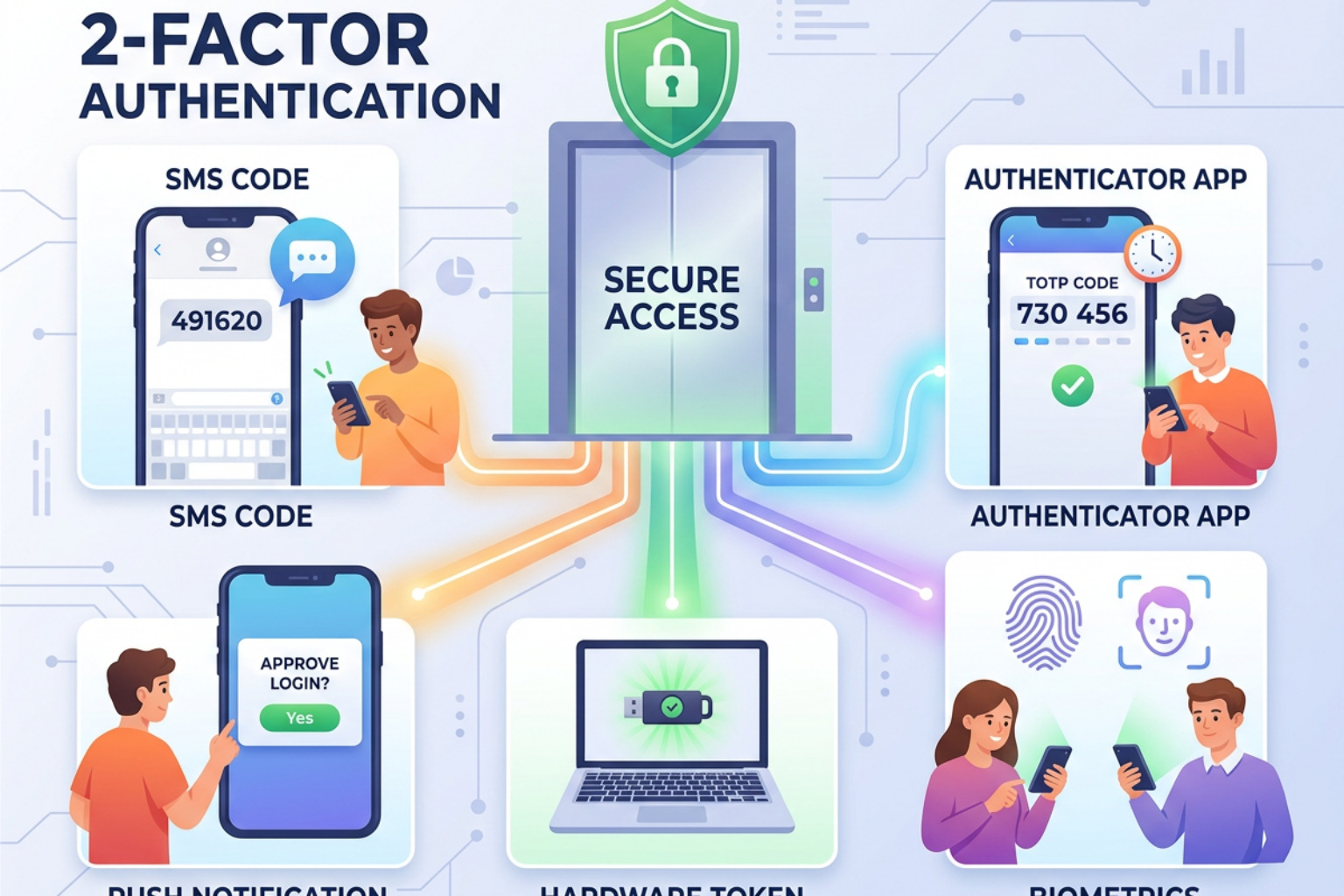
2 factor authentication types include SMS codes, email codes, authenticator apps, push notifications, hardware security keys, biometrics, and passkeys.
- SMS and email codes: Familiar and low cost, but vulnerable to interception, SIM swapping, and phishing.
- Authenticator apps (TOTP): Generate short-lived codes on a device; stronger than SMS but still phishable.
- Push notifications: Fast for users, but can be abused through MFA fatigue or push-bombing attacks.
- Hardware security keys: Physical FIDO2 or U2F devices that provide strong phishing resistance.
- Biometrics: Fingerprint or face verification, usually used to unlock a device-held credential.
- Passkeys: Cryptographic, domain-bound credentials that can replace passwords and resist phishing.
Passwords remain a major access risk, especially when they are reused, stolen, or entered into a convincing fake login page. MFA can block the vast majority of automated account-takeover attempts, but not every second factor provides the same protection.
That difference matters more in 2026. Adversary-in-the-middle phishing kits can relay passwords and one-time codes in real time, while push attacks pressure users to approve a login they did not initiate. Choosing a method is not simply about adding another prompt. It is about matching the authenticator to the account, attacker risk, user workflow, and compliance requirement.
2 factor authentication types glossary:
Core Categories of Two-Factor Authentication
Authentication is built upon proving an identity claim through specific forms of evidence. Security architectures evaluate authenticators by mapping them to core physical and operational domains. Understanding these categories allows security teams to build resilient access models that prevent account takeovers even when primary passwords leak. For a foundational analysis on identity verification, review the overview on What is 2FA (Two-Factor Authentication)? | IBM and Unlocked's guide on what is 2FA and why it's essential for your online security.
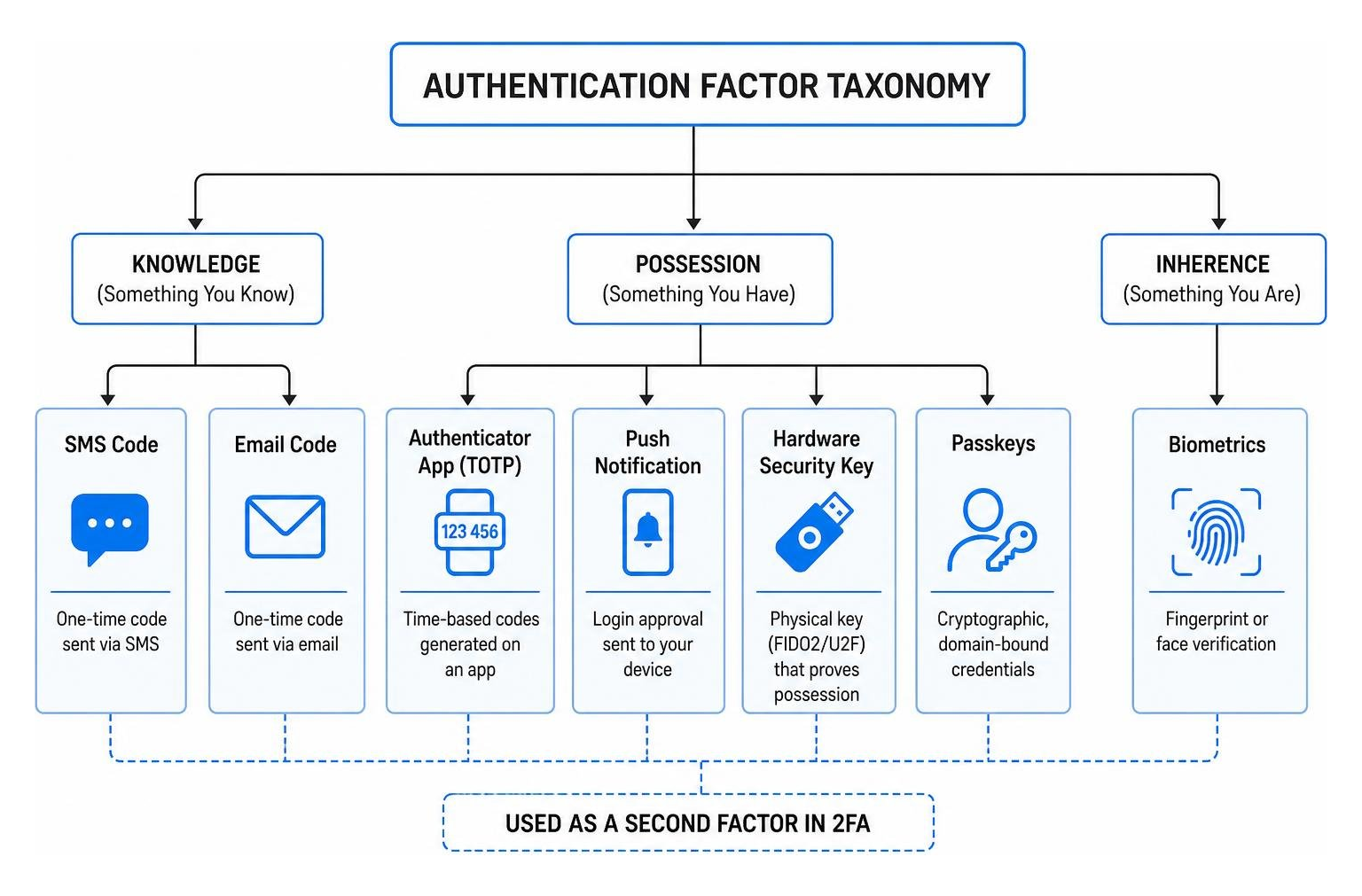
Primary Factor Categories: Knowledge, Possession, and Inherence
True multi-factor authentication mandates combining elements from at least two distinct factor categories. Applying multiple checks from a single category does not create true 2FA. The three primary authentication categories are:
- Knowledge Factors (Something You Know): Information a user memorizes and recalls, such as passwords, personal identification numbers (PINs), or answers to security prompts. While universal, knowledge factors suffer from inherent vulnerabilities like social engineering, brute-force cracking, and dark web credential dumps.
- Possession Factors (Something You Have): Physical or digital assets held exclusively by the user. Examples include hardware security tokens, physical smart cards (PIV/CAC), mobile devices receiving Time-based One-Time Passwords (TOTP), or cryptographic keys stored in a hardware Trusted Platform Module (TPM).
- Inherence Factors (Something You Are): Biological traits unique to an individual, verified via hardware sensors. Common implementations include fingerprint scans, facial geometry recognition, and iris matching. Inherence factors provide low user friction but require secure local processing so biometric templates are never exposed centrally.
Secondary and Contextual Signals: Location and Time
Modern Zero Trust architectures supplement primary factor categories with contextual runtime signals. Rather than granting static access based solely on initial login prompts, access engines continuously analyze dynamic parameters:
- Location-Based Signals (Somewhere You Are): Evaluates access requests using IP geolocation data, network subnet origin, cell tower triangulation, or GPS coordinates. Geofencing policies dynamically trigger additional authentication prompts or drop connections if a access attempt originates outside authorized corporate jurisdictions.
- Time-Based and Behavioral Signals (Something You Do): Assesses the timing and physical velocity of access attempts. For example, if a user logs in from New York and attempts another login from London two hours later, anomalous travel velocity triggers automated access blocking. Behavioral profiling also measures mouse dynamics, keystroke rhythm, and navigation habits to detect automated bot sessions.
Detailed Evaluation of 2FA Authentication Methods
Different 2 factor authentication types offer varying trade-offs across phishing resistance, deployment overhead, user friction, and operational costs. Security teams must balance these factors against organizational risk tolerances. To explore core implementation patterns, reference NIST SP 800-63B assurance-level guidance and Unlocked's comprehensive Two-Factor Authentication Guide 2026.
| 2FA Method | Factor Category | Phishing Resistance Level | NIST SP 800-63B Alignment | User Friction | Enterprise Cost |
|---|---|---|---|---|---|
| SMS / Voice OTP | Possession (Network) | Vulnerable | Restricted (AAL1) | Very Low | Low (Telecom fees) |
| Email OTP | Possession (Digital) | Vulnerable | Low (AAL1) | Low | Very Low |
| Software TOTP Apps | Possession (Local App) | Moderately Vulnerable | Medium (AAL2) | Moderate | Low |
| Push Notifications | Possession (Device) | Vulnerable (without matching) | Medium (AAL2) | Very Low | Low |
| Push + Number Matching | Possession (Device) | Moderate | Medium High (AAL2) | Moderate | Low |
| Biometrics (Platform) | Inherence + Possession | High | High (AAL2/AAL3) | Very Low | Moderate |
| Hardware Keys (FIDO2) | Possession + Inherence/Knowledge | Phishing-Resistant | High (AAL3) | Low | High (Hardware provisioning) |
| Passkeys (WebAuthn) | Possession + Inherence/Knowledge | Phishing-Resistant | High (AAL2/AAL3) | Very Low | Low to Moderate |
Software and Possession-Based Methods
Software-based authenticators leverage consumer smartphones or software applications to receive or compute one-time codes. While cost-effective, their resistance to modern attacks varies significantly. Practitioners should consult Unlocked's SMS 2-Factor Authentication Guide 2026 for granular protocol analyses.
- SMS and Voice-Based Verification: Delivers dynamic passcodes via short message service or automated telephone calls. Pros: Universal compatibility on mobile devices and minimal user training required. Cons: Highly vulnerable to SIM swapping, carrier social engineering, cellular network interception via Signaling System No. 7 (SS7) vulnerabilities, and lack of domain binding; classified as a restricted authenticator under NIST SP 800-63B.
- Email-Based Verification: Transmits single-use codes or magic links to a registered email account. Pros: Simple deployment and zero hardware costs. Cons: Introduces severe risk dependencies; if the recipient's email account is compromised, shares credentials, or lacks strong MFA, attackers gain access to all linked services.
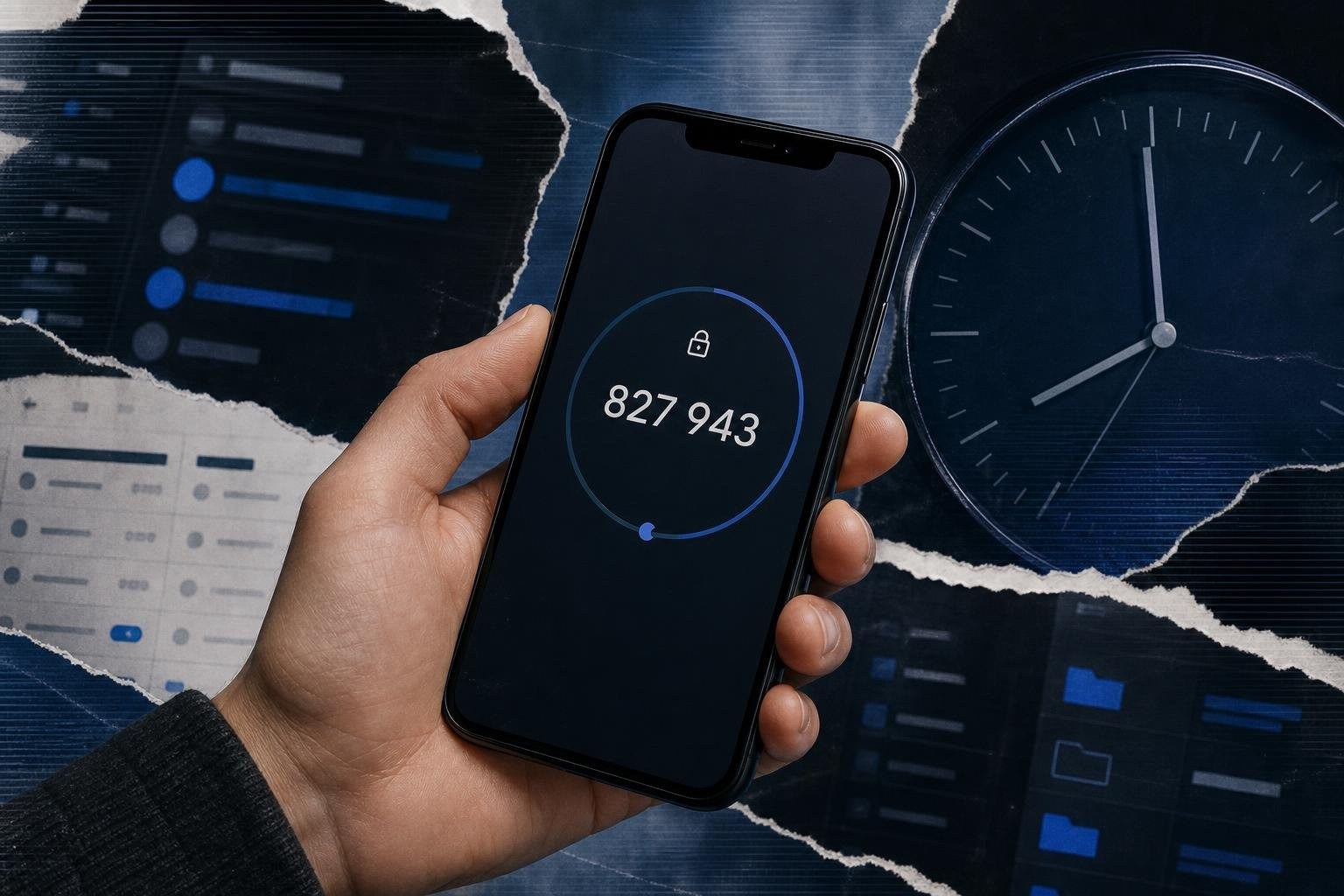
- Authenticator Apps (Software TOTP): Governed by IETF RFC 6238, Time-Based One-Time Password (TOTP) generators derive temporary 6-digit codes every 30 seconds using a shared base32 cryptographic seed and synchronized Unix time. Pros: Operates fully offline without cellular network dependencies or telecom costs. Cons: Dynamic TOTP passcodes remain vulnerable to real-time Adversary-in-the-Middle (AitM) phishing proxies that relay harvested codes immediately to active authentication endpoints.
- Push Notification Approvals: Displays a pop-up alert on a registered mobile device prompting the user to approve or deny a login attempt. Pros: High user convenience with low friction. Cons: Basic push notifications are susceptible to push-bombing (MFA fatigue) attacks; mitigating this requires enforcing number matching, which slightly increases user friction.
Passwordless and Biometric Methods
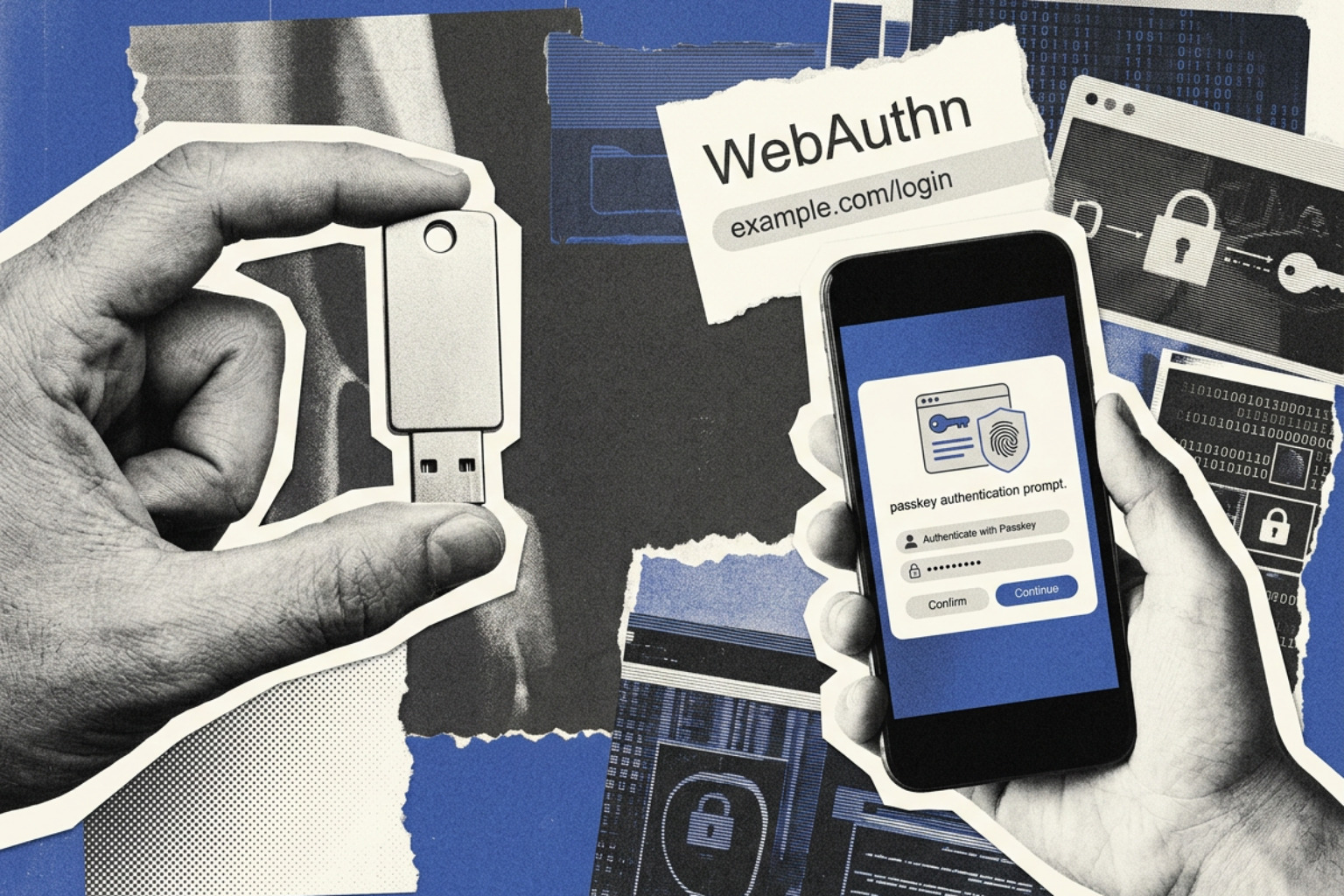
Modern passwordless authentication eliminates shared secrets like passwords entirely, shifting identity verification to public-key cryptography bound directly to hardware enclaves.
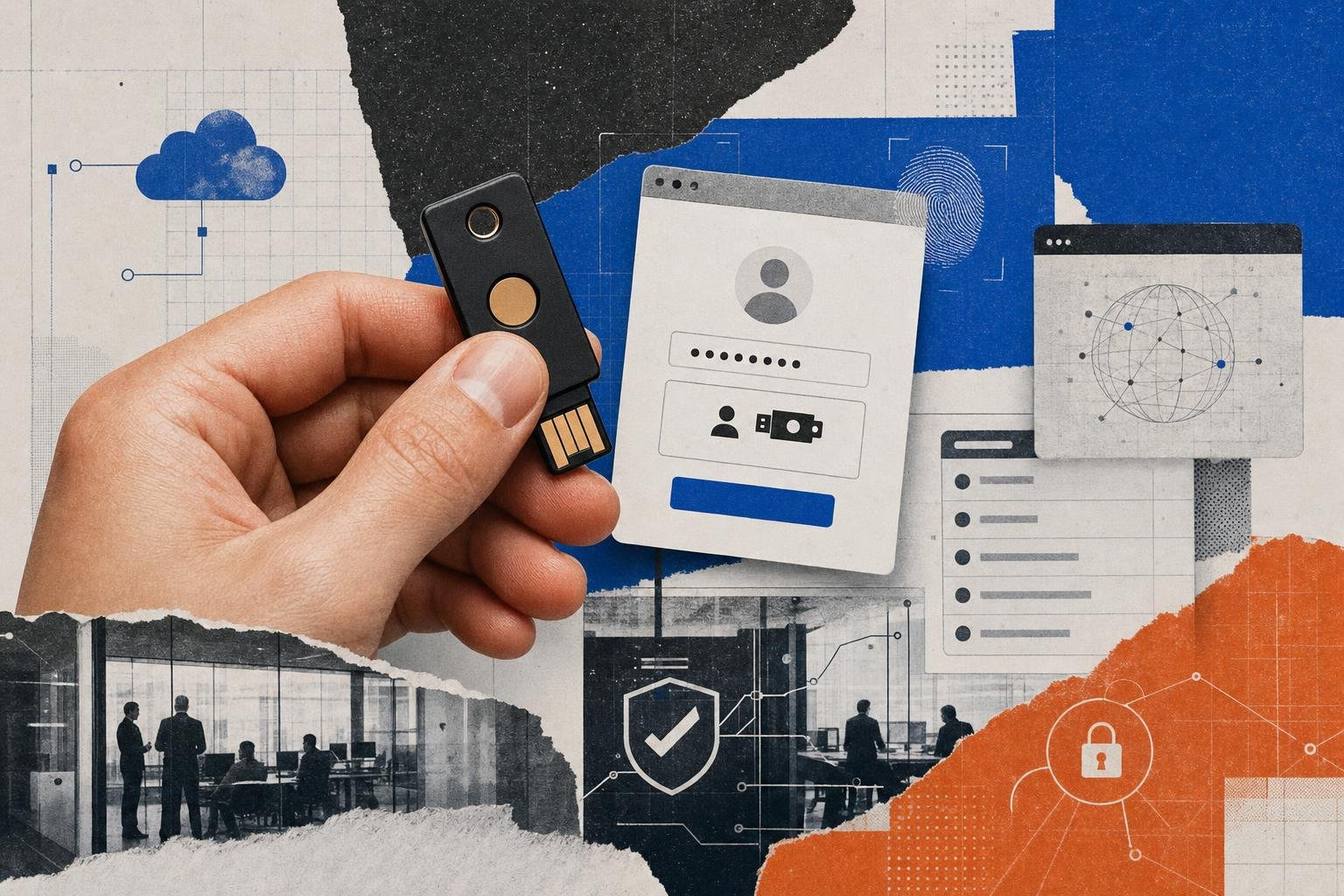
- FIDO2 and U2F Hardware Security Keys: Physical USB, Lightning, or NFC devices executing the Fast IDentity Online (FIDO2) and WebAuthn standards. The security key stores private cryptographic keys within tamper-resistant hardware chips. During authentication, the browser queries the token to sign a challenge strictly bound to the origin URL domain, making hardware keys immune to phishing. Organizations can review implementation models in Unlocked's Hardware Authentication Guide 2026. Pros: Maximum phishing resistance, high cryptographic security, and hardware isolation. Cons: High procurement and lifecycle management costs, risk of physical token loss or damage, and complex initial provisioning and account recovery workflows.
- Passkeys (FIDO2 / WebAuthn): Passkeys build on the FIDO2 standard to replace passwords with asymmetric key pairs that can be device-bound or synced across cloud account ecosystems (e.g., Apple Keychain, Google Password Manager, or Microsoft Entra ID). Unlocking a passkey requires local verification via platform biometrics or device PINs. In April 2026, the UK National Cyber Security Centre (NCSC) updated its guidance to recommend passkeys as a primary consumer login mechanism due to their resistance to credential harvesting. Pros: Strong phishing resistance, seamless cross-device authentication, and low operational friction. Cons: Cross-ecosystem synchronization challenges (such as authenticating across different operating systems), limited enterprise management visibility over cloud-synced keys, and complex account recovery when a user loses access to their primary cloud ecosystem.
- Platform Biometrics: Utilizes local hardware chips such as Apple's Secure Enclave or Windows Hello TPMs to verify fingerprint or facial geometry. Raw biometric vectors are never transmitted across networks; local verification releases an encrypted private key to sign the WebAuthn authentication payload. Pros: Zero-friction user experience, high phishing resistance, and elimination of physical tokens. Cons: Hardware dependency on supported endpoint devices, failure modes in shared workstation environments, and reliance on fallback PINs or passwords if biometric matching fails or sensors encounter hardware issues.
Security Vulnerabilities and Threat Vectors

Despite stopping automated brute-force scripts, legacy 2FA implementations face targeted exploitation from sophisticated threat actor tactics, techniques, and procedures (TTPs). Security engineering teams should cross-reference controls against the Multifactor Authentication - OWASP Cheat Sheet Series and Unlocked's analysis of Common Mode of Two-Step Authentication Methods: Security Levels and Best Practices.
- Adversary-in-the-Middle (AitM) Reverse Proxy Phishing: Reverse-proxy tools like Evilginx and Modlishka sit between the victim and a legitimate service page. When the victim enters credentials and a valid TOTP code on the proxy site, the proxy forwards the payload to the actual application, captures the returned session token cookie, and drops the connection. The attacker then injects the stolen session cookie directly into their own browser, bypassing 2FA entirely. In January 2026, CISA released a joint threat intelligence advisory highlighting a 45% surge in AitM phishing toolkits targeting corporate single sign-on (SSO) portals.
- MFA Fatigue and Push Bombing: Threat actors who acquire valid user passwords trigger automated login scripts late at night, flooding the target's smartphone with dozens of push approval alerts. Intimidated, confused, or annoyed into silence, the employee eventually clicks "Approve," granting the attacker network access.
- SIM Swapping and SS7 Exploitation: Cybercriminals impersonate victims or bribe telecom employees to transfer a target's mobile phone number to an attacker-controlled SIM card. Once completed, all SMS-based 2FA passcodes stream directly to the adversary's device.
- Infostealer Malware and Session Hijacking: Infostealer malware families (such as RedLine, Lumma, and Vidar) do not attempt to bypass 2FA prompts directly. Instead, they extract authenticated session tokens, browser cookies, and local storage state directly from infected endpoints post-authentication, allowing remote access without ever interacting with MFA mechanisms.
Enterprise Decision Framework: Choosing the Right 2FA Strategy
Selecting an enterprise authentication architecture requires evaluating technical parameters against organizational maturity, regulatory obligations, and operational costs. Security architects should consult NIST SP 800-63B, PCI-DSS 4.0, sector-specific regulatory guidance, and Unlocked's Multi-Factor Authentication: Your Complete Guide to Enhanced Security.
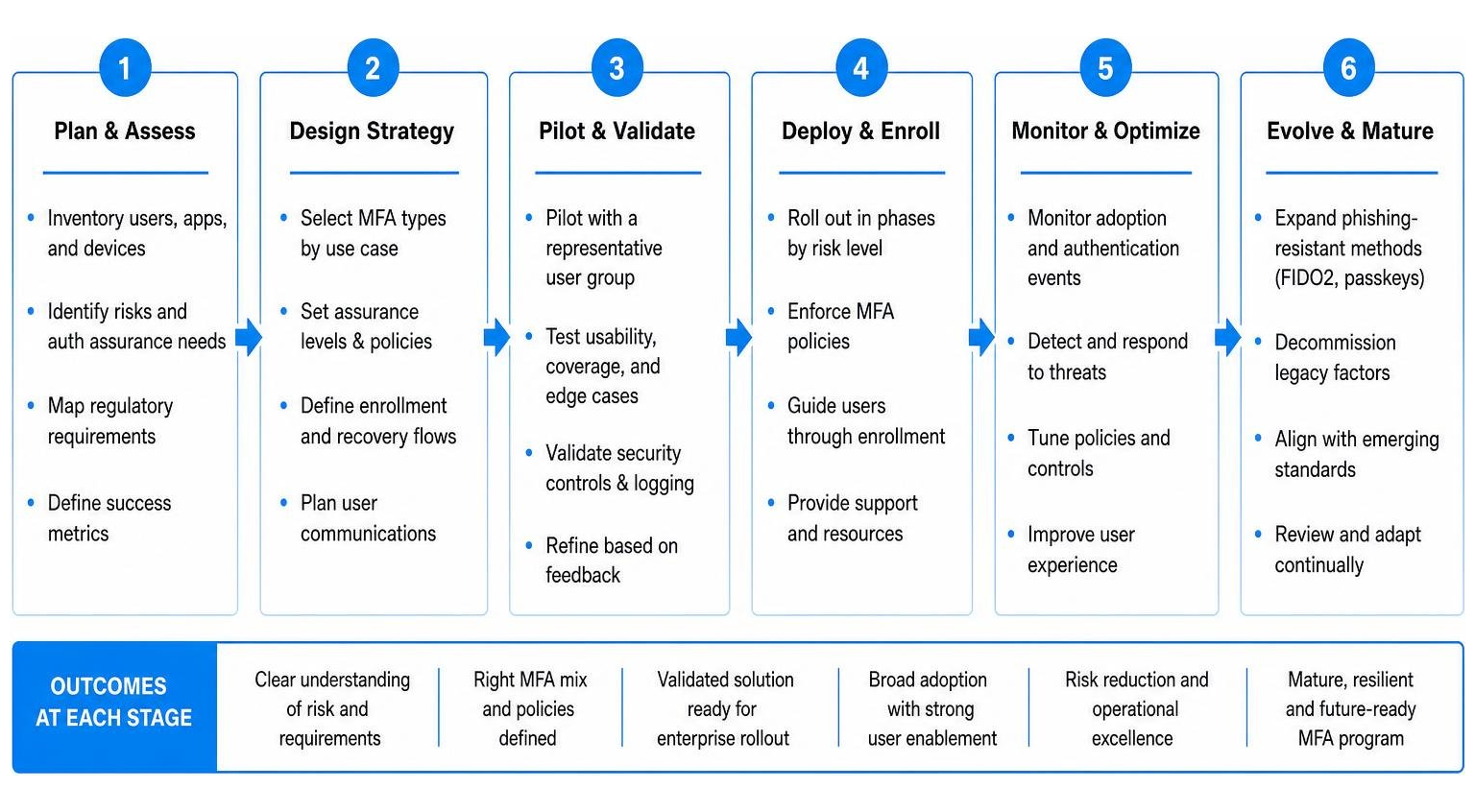
Alignment with Compliance and Regulatory Frameworks
Enterprise deployments must satisfy strict regulatory baselines depending on industry jurisdiction:
- PCI-DSS 4.0: Mandates multi-factor authentication for all access into the Cardholder Data Environment (CDE). Requirement 8.3 requires MFA solutions to resist relay attacks and prevent single-factor bypasses.
- NIST SP 800-63B (Digital Identity Guidelines): Establishes Authenticator Assurance Levels (AAL). AAL1 permits basic OTPs, AAL2 requires secure software authenticators or hardware tokens, and AAL3 strictly mandates hardware-backed, phishing-resistant authenticators (FIDO2 or smart cards).
- European Union PSD2 / NIS2 Directives: Mandates Strong Customer Authentication (SCA) combining two independent factors for financial transactions and critical infrastructure access.
Operational Overhead, Helpdesk Costs, and Account Recovery
Deploying hardware keys or biometric systems incurs distinct cost profiles. While software TOTP apps carry minimal licensing fees, token provisioning for 10,000 employees with FIDO2 security keys can cost between $500,000 and $1,500,000 in hardware procurement and lifecycle management.
A critical design gap in many enterprise deployments is the account recovery workflow. If an employee loses a phone or hardware key, self-service recovery procedures must not default to weak fallback verification (such as email links or security questions). Attackers routinely target weak helpdesk procedures to bypass primary FIDO2 keys. Enterprise recovery workflows must enforce out-of-band identity verification, such as video identity verification, supervisor approval, or temporary hardware bypass codes issued in person.
When evaluating hardware provisioning and credential management, organizations can assess platform tools like EveryKey. EveryKey integrates physical hardware-based access with enterprise password and identity management, giving IT administrators unified control over physical tokens and digital login workflows.
Frequently Asked Questions About 2FA
What is the difference between two-factor authentication and two-step verification?
Two-factor authentication (2FA) strictly requires credentials from two distinct factor categories—such as something you know (password) combined with something you have (hardware security key) or something you are (fingerprint). Two-step verification (2SV) simply requires two sequential verification steps, which may originate from the exact same factor category (for example, entering a password followed by answering a pre-set security question, both of which are knowledge factors).
Why is SMS-based two-factor authentication considered vulnerable?
SMS-based 2FA relies on public cellular networks that lack end-to-end cryptographic encryption. Attackers exploit telecommunications vulnerabilities through SIM swapping, carrier social engineering, or wiretapping SS7 routing protocols to intercept text messages containing passcodes. Additionally, SMS codes do not offer cryptographic domain binding, making them easy to harvest via real-time phishing proxies.
What makes hardware security keys and passkeys phishing-resistant?
Hardware keys and passkeys utilize the FIDO2 and WebAuthn standards, which rely on asymmetric public-key cryptography and origin domain binding. During authentication, the hardware token cryptographically signs a challenge payload sent by the browser. The token checks the browser's origin URL against the registered web domain. If a user enters credentials on a spoofed phishing domain, the domain mismatch causes the key to reject the request, neutralizing the attack.
Choosing the Right 2FA Mix
Selecting the right 2 factor authentication types is the most effective control an organization can implement to block identity-driven attacks. While legacy options like SMS and email OTPs provided an initial upgrade over static passwords, modern threat vectors—including real-time AitM phishing proxies and push-bombing campaigns—demand a transition toward phishing-resistant authenticators.
Security practitioners should focus on migrating high-privilege administrative accounts and critical systems to FIDO2 hardware keys, platform biometrics, and passkeys. By pairing robust authentication factors with contextual zero-trust signals and hardened account recovery protocols, enterprises can lock down their identity perimeter against modern credential attacks.
Explore Unlocked's complete research library on the Best Authentication Methods of 2026: MFA, Biometrics, Passkeys & More to refine your security architecture. For continuous technical deep dives, visit the Unlocked Knowledge Base or sign up directly at the Unlocked Portal.