Best Enterprise Password Managers of 2026
CyberArk, Delinea, BeyondTrust, HashiCorp Vault & 3 more enterprise password managers compared. Privileged access vaults, SSO integration & compliance features for IT teams in 2026.

Introduction to Enterprise Password Management
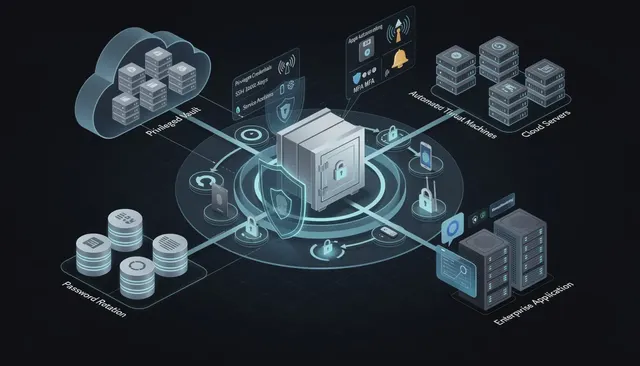
Enterprise password management is a cornerstone of modern organizational security. As businesses handle an ever-increasing number of online accounts and sensitive data, the need for a robust password manager becomes clear. An enterprise password manager provides a centralized solution for storing, managing, and sharing enterprise passwords, SSH keys, and other critical credentials. By utilizing an encrypted password vault, organizations can safeguard sensitive data against unauthorized access and potential data breaches. Effective enterprise password management not only streamlines the process of handling credentials but also ensures that all sensitive information is protected within a secure, encrypted environment. As cyber threats evolve, adopting a comprehensive password management strategy is essential for maintaining security hygiene and protecting valuable assets across the enterprise.
Enterprise Password Storage
Enterprise password storage is a core component of modern cybersecurity architecture. As organizations expand their digital infrastructure, the number of online accounts, service accounts, and privileged credentials grows rapidly. Without centralized password management, sensitive credentials often end up in spreadsheets, unsecured browser extensions, or even plain text passwords stored in shared documents.
Passwords should never be stored in plain text and should utilize strong, slow-hashing algorithms like Argon2id, bcrypt, or scrypt, in conjunction with salting. Developers should follow OWASP recommendations to ensure proper password storage methods and avoid plaintext storage. These practices protect account passwords from attackers who attempt to extract sensitive credentials from compromised systems.
Enterprise password management helps mitigate security risks by providing centralized control over credentials and access management. Enterprise password managers provide centralized management of passwords, which helps reduce the risk of unauthorized access for large, distributed enterprise teams.
EPM solutions provide a secure, encrypted vault for storing and sharing credentials across teams. An enterprise password vault serves as a comprehensive, centralized, encrypted solution for storing passwords and managing password security, offering granular access controls, robust encryption standards, and seamless integration with various deployment options. Enterprise password managers use AES-256 encryption to secure sensitive data, ensuring that login credentials, SSH keys, and privileged credentials remain protected inside an encrypted password vault. Access to the encrypted vault is typically controlled by a master password, which is used to unlock the vault and enable users to securely access stored credentials and sensitive information.
Centralized password management allows IT teams to monitor password health and usage, which helps in identifying potential security issues. Enterprise password managers securely store and manage login credentials and sensitive data within encrypted vaults, ensuring best practices for storing passwords are followed. Enterprise password managers often include breach detection features to alert users of compromised passwords that may appear in data breaches or dark web leaks.
Enterprise password management software provides visibility and control to lower privileged account risk. Strong password security practices and granular controls are essential to protect credentials, prevent unauthorized access, and maintain compliance with industry mandates.
Enterprise Password Manager
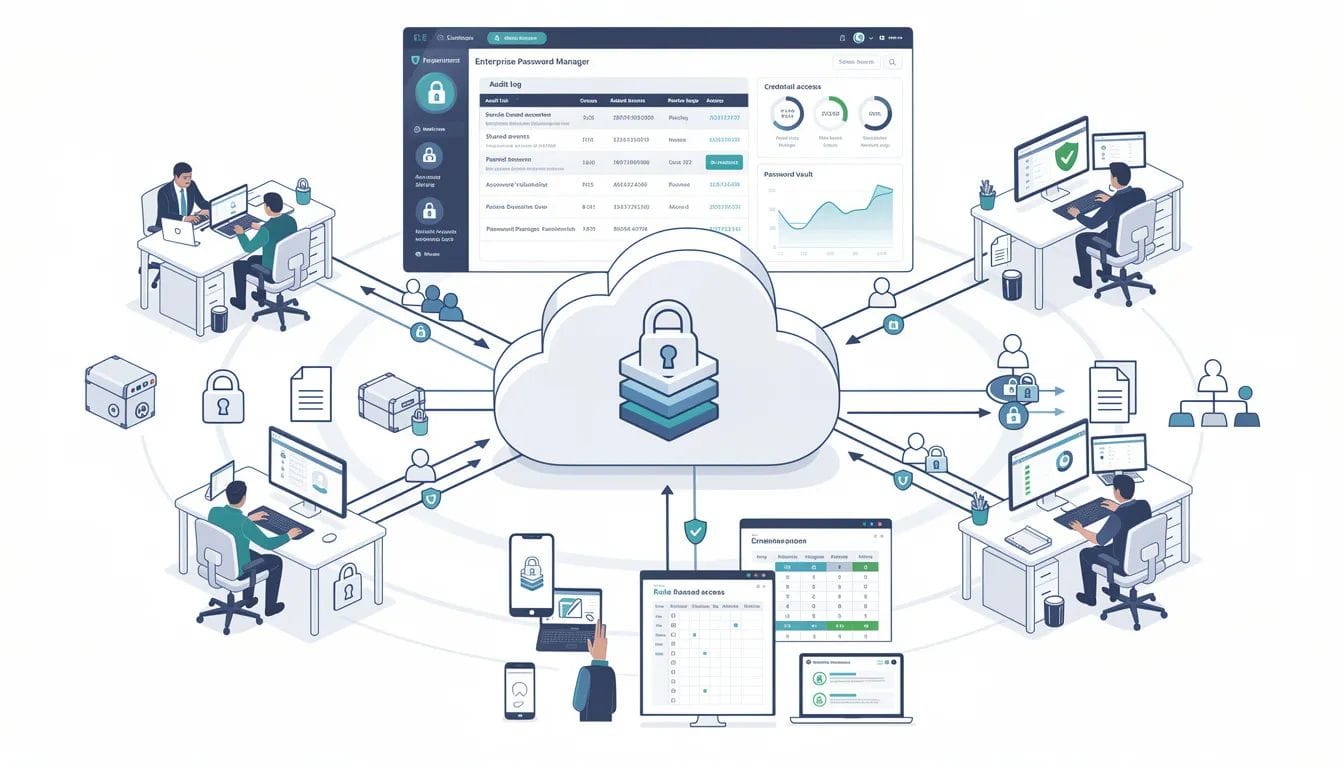
An enterprise password manager is designed to help security teams manage passwords across large organizations. These tools provide secure password sharing, automated password rotation, and role-based access to sensitive accounts, making them robust enterprise solutions for managing security and password policies.
An effective enterprise password manager should allow you to create secure, shared accounts and be scalable as your business grows. Ease of use is key for password managers used in business, otherwise, you might have a tough time getting team members to adopt the system. A user-friendly user interface is essential for accessibility and efficient password management, ensuring employees can easily navigate and utilize the software.
Enterprise password managers provide centralized control over user access to sensitive information. Granular access controls enable administrators to define specific permissions for users within the password manager.
Enterprise password managers should allow for secure password sharing among team members. Enterprise password managers should support multi-factor authentication to enhance security. The authentication process in enterprise password managers often involves multiple verification methods, such as fingerprint scans, hardware tokens, or one-time passwords, to provide additional security layers and prevent unauthorized access. Multi-factor authentication (MFA) is commonly supported by enterprise password managers to enhance security, and understanding the benefits of multifactor authentication in modern security helps organizations design stronger access controls.
Enterprise password managers should integrate with existing security solutions to enhance overall security posture. Advanced enterprise solutions offer features like role-based access, real-time password updates, and activity monitoring to further strengthen organizational security. Evaluate the compatibility and integration of the password manager with your existing infrastructure and applications.
Consider scalability and user management capabilities to facilitate efficient administration and access control. Review user experience and accessibility to ensure easy adoption by employees.
Enterprise Password Management Software
Enterprise password management software provides organizations with tools to manage passwords, enforce security policies, and protect sensitive credentials. Broader resources on password managers and modern authentication methodscan further inform enterprise strategy.
Enterprise password management requires enforcing 16+ character, unique, and random passwords for all accounts, secured via a centralized, encrypted password manager with multi-factor authentication (MFA) enabled.
Key practices in enterprise password management include using SSO, automating credential lifecycle management, adopting phishing-resistant MFA, and educating employees to eliminate password reuse. Organizations should also stay current on Multi-Factor Authentication (MFA) trends and guidance to continuously improve their defenses.
Enterprise password management software provides visibility and control to lower privileged account risk. Enterprise password management software allows you to change or remove passwords in real time as people leave the organization or projects change.
Automated provisioning/deprovisioning ensures access is granted or revoked immediately when employees join or leave, preventing orphaned accounts. Just in time access is another important feature, providing real-time, granular control over user or third-party access to sensitive credentials, allowing access only when needed and supporting audit trails for compliance and risk management.
Automated password rotation in enterprise password management reduces the risk of credential theft and enhances overall security posture. Automated solutions help organizations rotate passwords regularly to enhance security and reduce manual effort. Many enterprise password managers offer automated password rotation to enhance security and reduce the risk of breaches.
Password management software for enterprises must provide automated password rotation to maintain security hygiene. Secure file storage is also a key feature, safeguarding sensitive data, ensuring compliance, and supporting large teams with controlled access.
Enterprise password management software can be deployed on-premise or in the cloud. The choice between a cloud password manager and an on-premises password manager depends on an organization’s security, compliance, and operational needs.
On-premises or self-hosted password managers allow organizations to retain complete control over their sensitive credentials and data.
Cloud password management is particularly important for enterprises that have privileged accounts managing cloud-based systems.
Enterprise password management solutions must be designed for both on-premise and cloud environments.
Enterprise password management solutions must be designed for both on-premise and cloud deployment.
Enterprise Password Management Solutions
Enterprise password management solutions enhance compliance by providing detailed reporting and auditing capabilities to support regulatory requirements. Choosing the right network password manager for enterprise environments is key to aligning these controls with broader security architecture.
Audit trails and reporting features are essential for tracking password-related activities and ensuring compliance. Audit trails and reporting are critical to enterprise password management for compliance and security.
Enterprise password managers often include features for auditing and reporting to help organizations maintain compliance and track password usage.
Enterprise password managers should support compliance with industry regulations through detailed reporting and auditing capabilities.
Check for audit and compliance capabilities to demonstrate compliance during audits and maintain regulatory requirements.
Enterprise password management solutions help organizations manage shadow IT risks by securing access to both managed and unmanaged applications, especially when combined with a Zero Trust security architecture that continuously verifies users and devices.
Enterprise password management solutions provide visibility and control to lower privileged account risk.
Enterprise password management can streamline the onboarding process for new employees by simplifying access to necessary credentials.
Using enterprise password management can improve operational efficiency by automating password management tasks such as provisioning and deprovisioning accounts.
Enterprise password management software allows you to change or remove passwords in real time as people leave the organization or projects change.
Best Enterprise Password Manager
The best enterprise password manager combines strong encryption, scalable user management, and enterprise-grade integrations.
Enterprise password managers can typically cost an average of $4-7 per user, per month. Many providers offer a dedicated business plan tailored for enterprise customers, which includes advanced features, enhanced support services, and flexible pricing structures.
Here are several of the top enterprise password managers used by IT teams in 2026. These solutions are considered among the top-tier options compared to other enterprise password managers, with a variety of alternatives to 1Password and similar tools and deployment models also available in the market.
1Password
1Password is recognized for its ease of use and strong security features, including multi-factor authentication. 1Password provides multi-factor authentication that supports various methods including TOTP and U2F.
1Password offers personal and business vaults, role based access controls, and secure password sharing capabilities.
EveryKey
EveryKey provides a modern approach to enterprise password storage by reducing reliance on traditional password vault workflows and enabling secure access through proximity-based authentication, making it comparable to a hardware password manager investment for organizations prioritizing device-based security.
EveryKey allows organizations to protect credentials and sensitive accounts without exposing plain text passwords or relying on shared accounts, helping security teams manage access privileges while strengthening overall password security through its Bluetooth-based multi-factor authentication approach.
Bitwarden
Bitwarden is an open-source password manager that offers strong security measures at an affordable price for enterprises.
Bitwarden provides encrypted vaults, unlimited passwords, and robust browser extensions across multiple platforms.
Many enterprise password managers implement zero-knowledge architecture to ensure that only users have access to their data.
Zero-Knowledge Architecture ensures that only the user can decrypt their data, not the vendor.
Dashlane Enterprise
Dashlane's Enterprise plan is customized to meet each business's specific needs, including user support. Dashlane's Enterprise plan includes a dedicated customer success manager for support.
Dashlane supports SSO integration and robust password health monitoring features.
NordPass Business
NordPass Business offers a balance between usability and security, making it suitable for enterprise teams.
NordPass supports unlimited users and shared folders with role-based access, making it scalable for enterprises.
NordPass Business supports unlimited users and shared folders with role-based access.
Keeper Security
Keeper is noted for its ease of use and management-focused feature set, making it a strong choice for enterprises.
Keeper offers encrypted vaults for every user and includes a policy engine for compliance.
RoboForm for Business
RoboForm for Business is a cost-effective enterprise solution that offers essential tools for large teams.
RoboForm for Business offers a centralized Admin Console for user provisioning and credential sharing.
Zoho Vault
Zoho Vault uses AES 256 encryption for all user passwords and allows users to store unlimited passwords in one vault.
Zoho Vault integrates with business tools like Google Workspace and Active Directory.
Securden Enterprise Password Manager
Securden Enterprise Password Manager allows organizations to centrally store, organize, and share passwords securely. Securden Password Vault can be accessed from various operating systems and mobile devices, including smartphones running Android and iOS, ensuring seamless mobile compatibility for managing passwords on the go.
Securden Password Vault for Enterprises serves as an enterprise password vault, providing a centralized, encrypted solution for managing and storing credentials. It offers both a fully self-hosted deployment model and a SaaS model.
Securden Password Manager provides role-based access controls to grant access to passwords based on job requirements.
Privileged Account
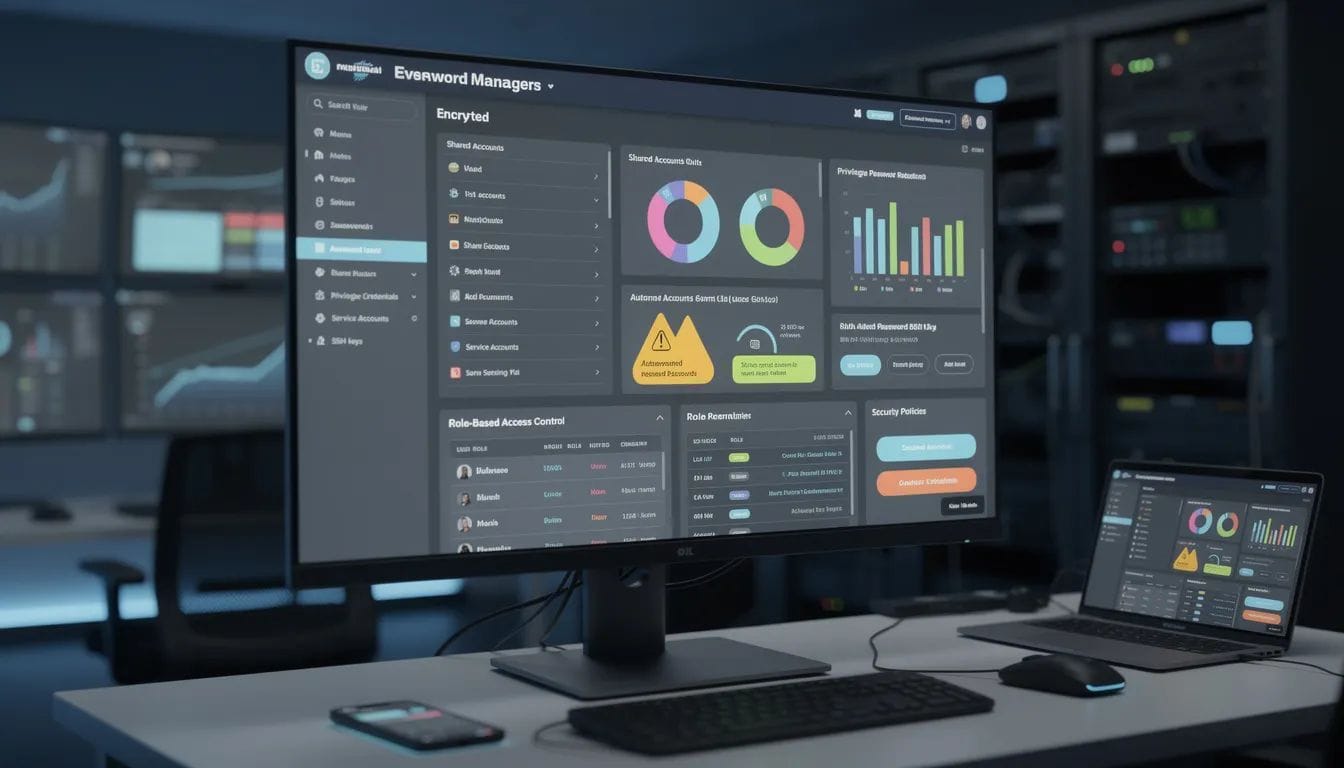
Managing human and non-human privileged accounts is critical for enterprise IT and security teams.
Privileged Access Management (PAM) solutions cater specifically to high-sensitivity accounts and can include automated password rotation and session recording.
Enterprise password management solutions provide visibility and control to lower privileged account risk.
Privileged credentials such as database admin logins, SSH keys, and infrastructure service accounts must be protected using strong encryption and strict access privileges.
Service Accounts
Service accounts often run critical processes across enterprise systems, software development pipelines, and cloud services.
Managing service accounts securely requires automated password rotation and strict role based access controls.
Enterprise password managers allow organizations to monitor sensitive accounts and enforce password rotation policies.
Data Breaches
Weak or reused passwords remain a major cause of data breaches. Weak passwords and exposing plain text passwords create significant security risks for organizations.
Enterprise password management reduces the risk of unauthorized access by enforcing strong password policies and access controls.
Automated tools can monitor for suspicious activities such as multiple failed login attempts or unusual login locations.
Dark Web Monitoring can alert organizations if their credentials appear in third-party data leaks, enhancing security management.
Password Generator
A password generator helps create strong passwords that meet enterprise security policies.
Enterprise password management requires enforcing 16+ character, unique, and random passwords for all accounts.
Password generators reduce the risk of vulnerable passwords and ensure that employees do not reuse passwords across systems.
Adopt a password policy that requires changes only upon potential compromise instead of frequent, forced password resets, as these can lead to weaker passwords.
Legacy knowledge-based hints for password recovery should be replaced with secure recovery links or MFA-based resets.
Industry Leading Security
Industry leading security in enterprise password managers includes AES-256 encryption, zero knowledge architecture, and multi factor authentication.
Strong encryption standards, such as AES-256, are critical for protecting sensitive data stored in enterprise password managers.
SSL/TLS encryption is enforced on all connections to ensure secure communication between users and the password manager.
Mandatory Multi-Factor Authentication (MFA) should apply across all sensitive systems, preferring authenticator apps or hardware keys over SMS while accounting for known multi-factor authentication vulnerabilities in design and rollout.
Passkeys utilize device-based biometric authentication to remove the need for password entry entirely and are a central pillar of emerging passwordless authentication strategies.
Security Policies
Strong security policies are essential for protecting sensitive data and critical systems.
Enterprise password managers allow organizations to enforce robust password policies, manage access privileges, and monitor password health across the organization.
Enterprise password management helps mitigate security risks by providing centralized control over credentials and access management.
Effective enterprise password management centers on moving away from human-dependent memory toward centralized, automated, and multi-layered security systems.
Single Sign On
Single Sign-On (SSO) reduces the number of passwords employees need, which decreases the risk of credential theft when implemented following enterprise SSO best practices.
EPMs can integrate with Identity Providers (IdP) like Microsoft Entra ID or Okta to streamline onboarding, offboarding, and Single Sign-On (SSO), often surfacing through a centralized enterprise SSO portal.
EPMs can integrate with Identity Providers like Microsoft Entra ID or Okta to streamline onboarding, offboarding, and SSO, which is especially important for MFA solutions supporting remote workers who access systems from outside the corporate network.
Best Password Manager
The best password manager for enterprise environments depends on an organization's infrastructure, security architecture, and compliance needs.
When choosing an enterprise password manager for your business, consider the security features and encryption standards.
Evaluate scalability, integrations, and user management capabilities to ensure the solution supports enterprise growth.
Enterprise password managers should integrate with existing security solutions to enhance overall security posture.
Role Based Access Controls
Role based access controls are a standard feature in enterprise password managers, allowing administrators to define who can access specific credentials.
Granular access controls enable administrators to define specific permissions for users within the password manager.
Securden Enterprise Password Manager allows for role-based access controls to manage user permissions.
Managing access with RBAC helps ensure that only authorized employees can access sensitive credentials.
Modern organizations are also moving toward access systems that remove password friction entirely. Platforms like EveryKey confirm user presence through proximity and device signals so employees gain secure access without relying on shared passwords. Within the Zero Trust framework, identity is continuously verified so trust remains constant while access stays effortless.
Benefits of Enterprise Password Managers
Adopting an enterprise password manager brings a host of benefits to organizations of all sizes. One of the primary advantages is secure password sharing without compromising security, which allows teams to collaborate efficiently while protecting sensitive data. Enterprise password managers are equipped with advanced features such as multi-factor authentication, automated password rotation, and role-based access controls, all designed to protect sensitive credentials and reduce the risk of data breaches. These tools also help organizations enforce strong password policies, minimizing the chances of weak or reused passwords that can lead to security incidents. With a user-friendly interface, employees can easily manage their passwords and access the resources they need, while IT teams maintain oversight and control. Ultimately, implementing an enterprise password manager strengthens the organization’s security posture, enhances data security, and supports compliance with industry regulations.
Implementation and Deployment
Successfully implementing and deploying an enterprise password manager involves a strategic approach tailored to the organization’s unique requirements, starting with selecting a network-aware enterprise password manager that fits existing infrastructure. The process typically begins with selecting a password manager that aligns with business needs, followed by setting up a secure password vault to store enterprise passwords and sensitive credentials. Configuring user roles and access privileges is a crucial step, ensuring that only authorized personnel can access specific information. Integration with existing systems — such as single sign-on solutions and business applications — further enhances security and streamlines user experience. Many enterprise password managers offer business plans that support unlimited users and provide enhanced security features to accommodate organizational growth. Providing comprehensive training and ongoing support for employees is essential to encourage adoption and promote best practices in password management. By following a structured deployment plan, organizations can maximize the benefits of their enterprise password manager and maintain robust protection for their critical data.
FAQ
What is enterprise password storage?
Enterprise password storage refers to systems that securely store and manage passwords, credentials, and encryption keys across an organization using encrypted vaults.
What features should enterprise password managers include?
Important features include encrypted password vaults, multi-factor authentication, password generators, role-based access controls, audit trails, and automated password rotation.
How much do enterprise password managers cost?
Enterprise password managers typically cost between $4 and $7 per user per month depending on features and deployment models.
Why is enterprise password management important?
Enterprise password management protects sensitive credentials, prevents weak or reused passwords, and reduces the risk of data breaches.
What encryption do enterprise password managers use?
Most enterprise password managers use AES-256 encryption along with zero knowledge architecture to protect stored credentials.