How to harden your endpoints without breaking your workflow
A practical guide to EDR deployment for security engineers: from pre-deployment planning and pilot strategy through policy optimization, SIEM integration, and ongoing sensor health monitoring.

Why EDR Deployment Best Practices Determine Whether Your Security Actually Works
EDR deployment best practices are the difference between a security tool that catches real threats and one that drowns your team in noise — or worse, gets quietly evaded.
Here is a quick-reference summary of the core practices before we go deep:
- Inventory all endpoints — workstations, servers, mobile, cloud, containers — before touching a single installer
- Start in Detect-Only mode — never push Prevention mode to production without a pilot phase first
- Pilot on 5%+ of endpoints — target power users and critical-application owners, not a random sample
- Define KPIs upfront — set baseline MTTD (Mean Time to Detect) and MTTR (Mean Time to Respond) before day one
- Remove conflicting AV/EDR tools — running two prevention-mode agents simultaneously causes CPU spikes and policy conflicts
- Tune before you scale — exclusions, alert thresholds, and behavioral baselines should be validated in the pilot before full rollout
- Integrate with SIEM and SOAR — EDR telemetry without correlation is just expensive log storage
- Map detections to MITRE ATT&CK — to find coverage gaps your out-of-the-box rules will miss
- Automate sensor health monitoring — agent deployment is not a one-time event; broken or missing sensors are silent blind spots
- Treat exclusions as a liability — every exception is a potential attacker hiding spot; require justification and expiration dates
Security breaches do not wait for rollout schedules. Attackers specifically exploit the gap between when an organization decides to deploy better endpoint protection and when that protection is actually working. That gap — sometimes weeks or months — is one of the most dangerous windows in any security program.
Modern EDR goes far beyond traditional antivirus. Where AV matches known signatures, EDR watches behavior: process execution chains, registry modifications, network connection patterns, lateral movement. But that depth comes with real operational complexity.
Done wrong, EDR becomes expensive shelfware — licensed, installed, and largely ignored because alert volume is unmanageable, tuning never happened, and the team was never trained on triage workflows.
This guide is written for security engineers, IT administrators, and security leaders who need to deploy EDR that actually functions under real-world conditions — covering everything from pre-deployment planning through full-scale rollout, policy optimization, SIEM integration, and ongoing maintenance.
Strategic Planning and EDR Deployment Best Practices
Effective EDR implementation begins long before the first agent is pushed via Intune or Jamf. It starts with a comprehensive understanding of the environment you are trying to protect. Without a clear asset inventory, "shadow IT" endpoints—unmanaged laptops or forgotten cloud instances—become the primary entry points for ransomware and Advanced Persistent Threats (APTs).
Organizations must conduct a risk assessment to group endpoints by criticality. A domain controller or a SQL server holding PII requires a different policy profile than a guest-facing kiosk. This foundational work aligns with the essential pillars of cybersecurity every organization should know, ensuring that visibility is prioritized where the risk is highest.
To measure success, define Key Performance Indicators (KPIs) early. The most critical metrics in May 2026 remain:
- Mean Time to Detect (MTTD): How long does it take for a malicious behavior to trigger an alert?
- Mean Time to Respond (MTTR): Once alerted, how long until the threat is contained?
A structured approach, as detailed in this EDR deployment and threat detection guide, ensures that the transition from legacy security to modern detection is measurable and defensible to stakeholders.
Selection Criteria for EDR Deployment Best Practices
Selecting the right tool is not just about the "Magic Quadrant" position; it is about environment fit. In 2026, feature parity across operating systems is a major differentiator. Many vendors offer robust Windows support but provide stripped-down functionality for Linux or macOS.
Key technical requirements include:
- Kernel-Level Attestation: The ability for the agent to verify its own integrity at the OS kernel layer, defending against "BYOVD" (Bring Your Own Vulnerable Driver) attacks like the recent EDRKillShifter tool.
- User-Mode Flexibility: As Windows 11 continues to evolve its architecture, look for agents that can operate effectively in user-mode to prevent system instability.
- API-First Architecture: Your EDR must talk to your other tools. Check out our list of the best cybersecurity software of 2026 to see which platforms offer the most mature API integrations for automated response.
Assessing Security Posture and Tool Compatibility
One of the most common causes of "Blue Screen of Death" (BSOD) events during rollout is agent conflict. If you are replacing a legacy Antivirus (AV) or another EDR, running both in prevention mode simultaneously is a recipe for disaster. Both tools will attempt to hook into the same kernel processes, leading to resource deadlocks.
Before deployment, audit your network architecture. EDR agents are "cloud-first," meaning they generate a steady stream of telemetry. A typical endpoint might generate ~54 cloud lookup queries per day. For a 10,000-endpoint enterprise, this adds up. Ensure your firewalls and proxies are configured to allow TLS-secured communication without interception, as TLS inspection often breaks the EDR's connection to its cloud intelligence engines. For more on coordinating these tools, see our ultimate guide to cybersecurity tools.
The Technical Rollout: From Pilot to Production
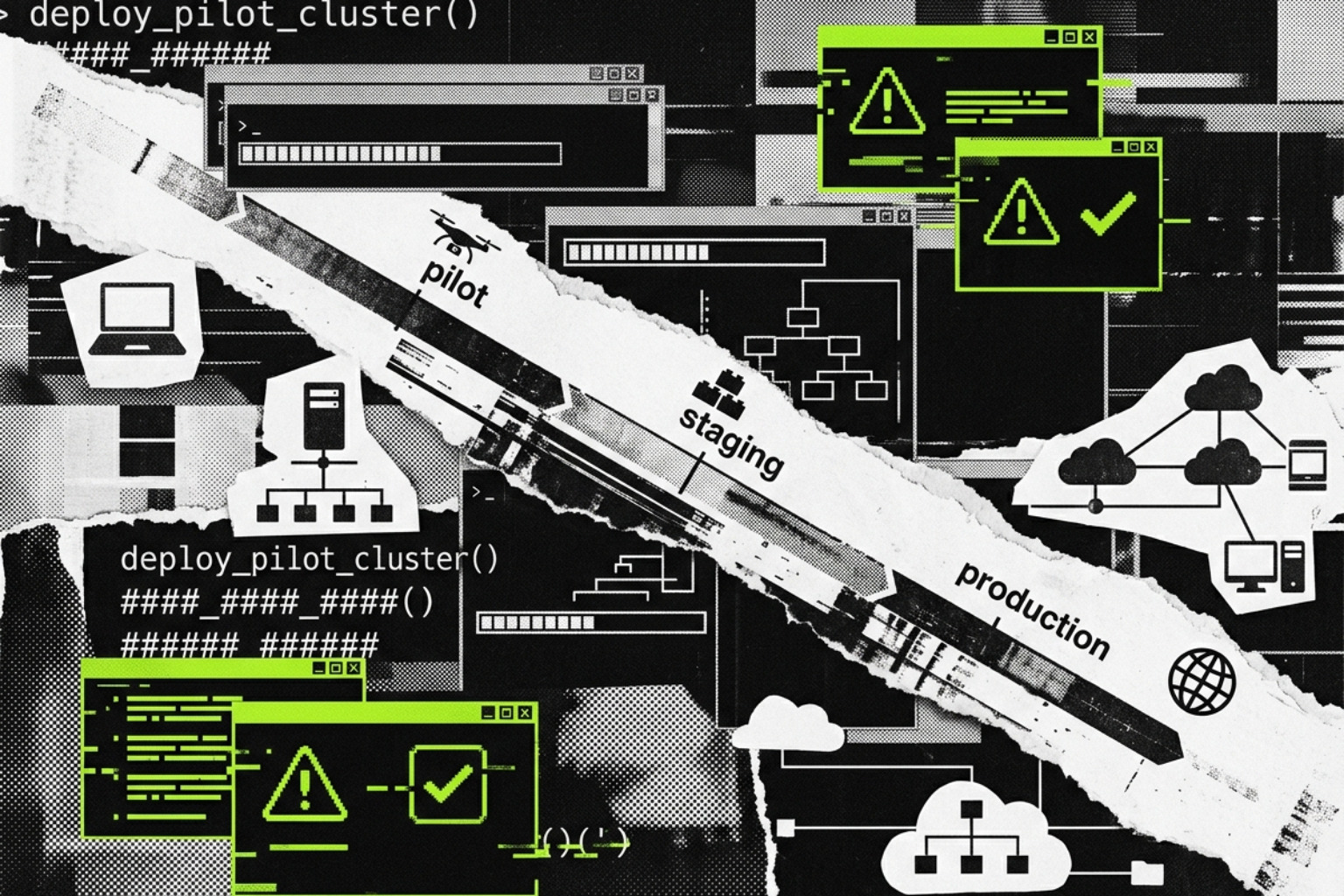
A "big bang" rollout is rarely successful in enterprise environments. Instead, a phased approach allows you to identify interoperability issues before they impact the entire workforce.
Managing Performance during EDR Deployment Best Practices
The initial deployment phase is the most resource-intensive. For example, an initial AV signature update can require 250-300MB per endpoint. In a bandwidth-constrained office, pushing this to 500 machines at once will crash the network.
Best Practices for Performance:
- Throttling: Stagger the rollout to prevent bandwidth exhaustion.
- On-Premises Update Servers: For remote sites with poor connectivity, use a local update server to host definitions.
- Monitor Disk I/O: High-load servers (like databases) are sensitive to EDR "scanning progression." Exclude high-disk-activity directories from real-time deep scans if they cause latency, provided you have other behavioral protections in place.
As noted in this EDR implementation guide, the pilot should include a 5% sample size that specifically targets "power users"—developers, system admins, and heavy application users—who are most likely to trigger false positives with custom scripts.
Deployment Automation and Gold Imaging
For modern DevOps and cloud environments, EDR should be "baked in."
- Gold Images: Include the EDR agent in your base AMIs (Amazon Machine Images) or VHDs.
- CI/CD Integration: Ensure every new container or virtual machine spun up via Terraform or Ansible automatically registers with the EDR console.
- Sensor Health Monitoring: Use automated scripts to check if the EDR service is running. If a sensor stops reporting for more than 24 hours, it should trigger an auto-repair or a ticket for manual intervention.
Optimizing EDR Policies for Performance and Security
Policy configuration is where the "Detection" and "Response" parts of EDR truly live.
| Feature | Detect-Only Mode | Prevention Mode |
|---|---|---|
| User Impact | Zero; alerts are logged but not blocked. | High; malicious-looking activity is killed. |
| Goal | Baseline "normal" behavior and find conflicts. | Stop active attacks and lateral movement. |
| Data Flow | Full telemetry sent to console. | Full telemetry + active process intervention. |
| Recommended Use | First 14–30 days of any new deployment. | Post-tuning and validation phase. |
Establishing a baseline of normal activity is essential. This prevents your SOC from being overwhelmed by "Indicators of Attack" (IOAs) that are actually just legitimate IT maintenance scripts. For a deeper look at these strategies, refer to our comprehensive guide to digital protection.
Managing Exclusions and Reducing False Positives
"Exception sprawl" is a silent killer of security posture. This occurs when security teams, tired of alert noise, create broad exclusions (e.g., excluding the entire C:\Windows\Temp folder). Attackers know these common exclusions and will specifically drop their payloads there.
Exclusion Pitfalls to Avoid:
- Broad Path Exclusions: Never exclude a whole directory if a specific file exclusion will work.
- Indefinite Exceptions: Every exclusion should have a "Review Date."
- Missing Justification: If an exclusion is made for a developer tool, document why and who requested it.
To mitigate threats like EDRKillShifter, which uses legitimate but vulnerable drivers to disable security agents, ensure your EDR policy includes "Anti-Tamper" and "BYOVD Protection" settings.
Mapping Detections to the MITRE ATT&CK Framework
Your EDR's out-of-the-box rules are just a starting point. To ensure full coverage, map your detections against the MITRE ATT&CK framework. This helps you identify blind spots. For instance, your EDR might be great at detecting Execution (T1059) but weak at detecting Exfiltration over C2 Channel (T1041).
Advanced teams use Sigma and YARA rules to create custom detections for threats specific to their industry. If a new vulnerability (like a 2026 Zero-Day) is disclosed, you can push a custom YARA rule to all endpoints to hunt for that specific file hash or memory string across the entire enterprise in minutes.
Integrating EDR into Modern Security Architectures
EDR does not live on an island. In 2026, the trend is moving toward XDR (Extended Detection and Response), which correlates endpoint data with network, cloud, and identity telemetry.
Operationalizing Incident Response and Training
A tool is only as good as the person behind the console.
- SOP Development: Create Standard Operating Procedures for common alerts (e.g., "Suspicious PowerShell detected").
- Tabletop Exercises: Run quarterly drills where the team must respond to a simulated ransomware event.
- Forensic Collection: Ensure your team knows how to use the EDR's "Remote Shell" or "Forensic Snap" capabilities to pull memory dumps and event logs without physically touching the machine.
For organizations looking for the top network and endpoint security tools, integration with a SIEM (Security Information and Event Management) for long-term log retention is mandatory for compliance with GDPR and HIPAA.
Frequently Asked Questions about EDR Deployment
How do I minimize the performance impact of EDR agents on legacy servers?
For legacy systems, disable "Deep File Inspection" on high-frequency write directories and prioritize "Behavioral Monitoring" instead. Use on-premises update servers to prevent the server from reaching out to the internet for every signature update.
What is the ideal duration for a "Detect-Only" pilot phase?
Most enterprises find that 14 to 30 days is sufficient. This provides enough time to capture monthly maintenance cycles and developer build scripts that might otherwise be flagged as malicious.
How does EDR integration differ between on-premises and multi-cloud environments?
In on-premises environments, bandwidth and internal log routing are the primary concerns. In multi-cloud (AWS, Azure, GCP), the focus shifts to Identity Normalization and ensuring that ephemeral nodes (like auto-scaling groups) are automatically licensed and monitored the moment they spin up.
Deploy EDR the Right Way
Successfully following EDR deployment best practices requires a shift in mindset: you aren't just installing software; you are building a telemetry pipeline. By prioritizing asset inventory, conducting a rigorous pilot, and committing to continuous tuning, you can harden your endpoints without breaking the workflows your business relies on.
As the threat landscape of 2026 evolves, the integration of EDR into a broader XDR and AI-powered security framework will be the standard for any organization serious about resilience. Stay proactive, keep your agents healthy, and never treat an exclusion as permanent.