
The Ins and Outs of Proximity-Based Authentication

Why Proximity-Based Authentication Is Reshaping Enterprise Access Control
Proximity-based authentication is a method of verifying a user's identity by confirming that a trusted device or token is physically near the system being accessed — no passwords typed, no codes entered, no buttons pushed.
Here's the short version of how it works:
- A user carries a trusted device (smartphone, key fob, wearable, or badge)
- The system continuously or periodically checks whether that device is within a defined physical range
- If the device is close enough, access is granted — or maintained; if it moves away, the session locks
- Some implementations add a second factor (biometrics, PIN, or domain validation) on top of the proximity check
This is meaningfully different from traditional MFA. With a one-time passcode or push notification, the system only verifies identity once at login — and that session can stay open for hours. With proximity-based authentication, the physical presence check is continuous, and access revokes the moment the user walks away.
The technology spans several protocols — Bluetooth Low Energy (BLE), NFC/RFID, Ultra-Wideband (UWB), Wi-Fi, and GPS/geofencing — each with different accuracy levels, security properties, and deployment tradeoffs.
For security teams, the appeal is clear: proximity shrinks the attack surface to a specific physical location, making remote phishing attacks and credential-stuffing attempts significantly harder to execute. For users, the appeal is equally obvious — no more fumbling with authenticator apps or waiting for SMS codes.
This guide breaks down exactly how proximity-based authentication works, where each technology excels or falls short, what threats it introduces, and how to deploy it in a real enterprise environment.
What Proximity-Based Authentication Is and Where It Fits in Modern MFA
Proximity-based authentication sits somewhere between classic MFA, passwordless access, and continuous authentication. In NIST terms, it is usually not a magic replacement for all assurance requirements on its own. Instead, it is best understood as a possession-driven control that proves a trusted device is physically nearby, then combines that proof with policy, device trust, and sometimes biometrics or a PIN.
That makes it especially useful in Zero Trust environments, where "logged in once" is not treated as "trusted forever." NIST SP 800-63 still pushes organizations to think in terms of authenticator strength, phishing resistance, and lifecycle management. Proximity fits that model well when it is layered correctly.
What proximity-based authentication actually verifies
At a technical level, proximity auth verifies one or more of these claims:
- A known token is near the verifier
- The token is within an allowed distance or zone
- The token is present continuously, not just at session start
- In stronger designs, the token is near the correct device and the correct origin
Security papers often describe this as a verifier-prover relationship. The verifier is the laptop, workstation, browser, reader, or service checking access. The prover is the phone, badge, key fob, or wearable proving it is close enough.
That means proximity auth is not really asking, "Does the user know a code?" It is asking, "Is the user's trusted thing physically here right now?"
For desktop and session unlock use cases, that distinction matters a lot.
Proximity-based authentication vs traditional MFA methods
Traditional MFA usually relies on:
- OTP apps
- SMS codes
- Push approvals
- Smart cards
- FIDO2 security keys
Those methods can be strong, but most are event-based. They validate the user during login, then stop checking. A session may remain active long after the user has walked away to get coffee, attend a meeting, or rescue a dying office printer.
By contrast, proximity can:
- unlock automatically when the user arrives
- lock automatically when the user leaves
- reduce repetitive prompts on shared systems
- add local presence checks that frustrate remote attackers
Compared with push MFA, proximity also reduces prompt fatigue. Compared with OTP, it removes code entry friction. Compared with FIDO2, it can be more passive and more convenient for workstation access, though FIDO2 still tends to be stronger for browser-centric phishing resistance.
When proximity should be a primary factor vs an added control
Proximity is strongest as a primary control in environments like:
- desktop unlock and relock
- shared nurse stations
- warehouse and frontline workstations
- kiosk and hot-desk environments
- VDI sessions with frequent walk-away risk
It is often better as an added control for:
- privileged access
- sensitive SSO sessions
- remote access
- high-risk workflows
- step-up authentication for regulated systems
A good rule is simple: the more damage a stolen nearby device could cause, the more that proximity should be paired with another factor.
How Proximity-Based Authentication Works Across BLE, NFC, Wi-Fi, Geolocation, and UWB
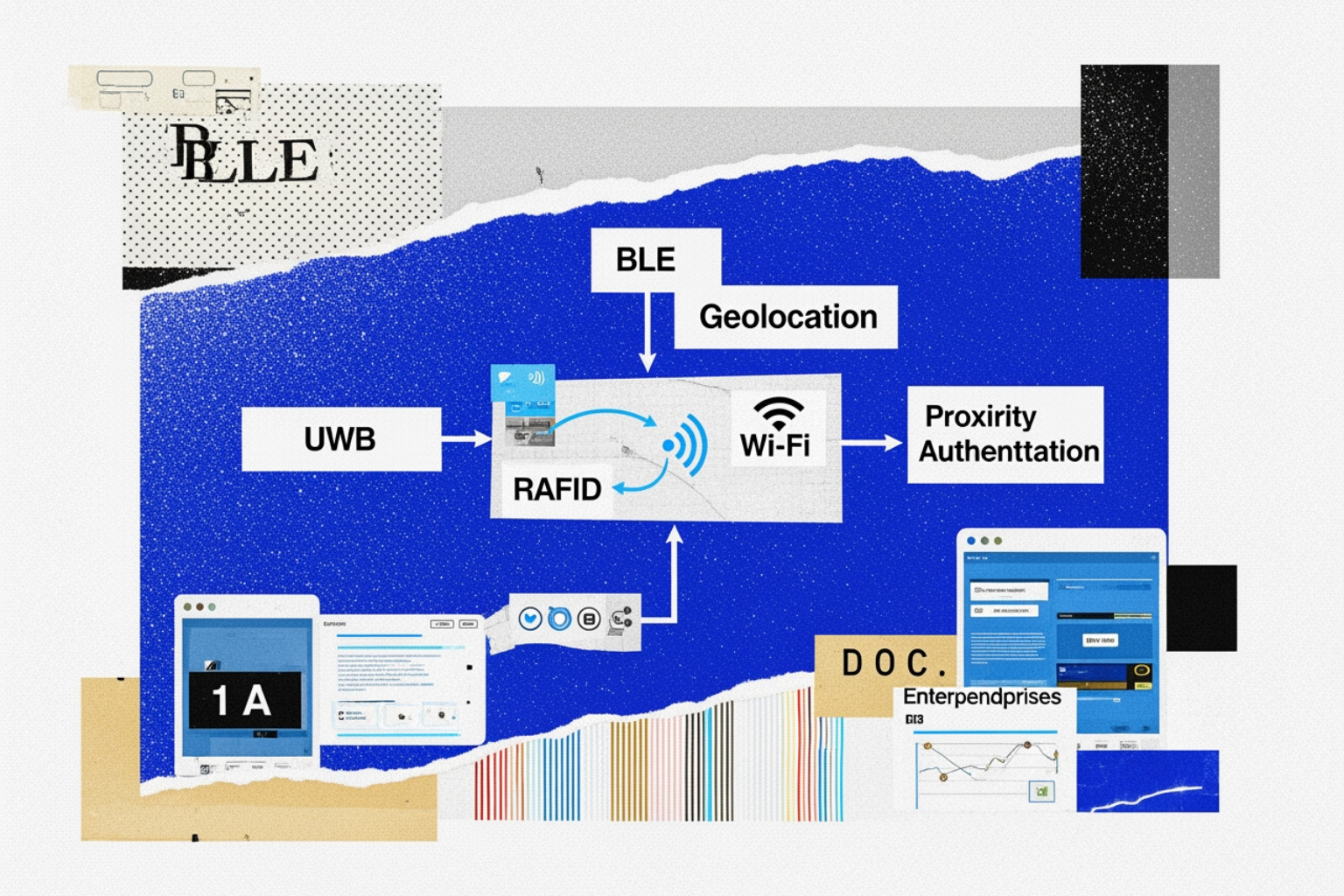
Different proximity systems answer the same question in different ways: "How close is the trusted device?" The answer depends heavily on the radio technology, the environment, and the quality of the implementation. Understanding these mechanics requires evaluating how different protocols handle signal propagation and distance bounding.
BLE proximity authentication for desktops, browsers, and mobile-assisted login
BLE is the most common enterprise starting point because phones already support it, battery use is modest, and deployment is relatively straightforward.
Typical BLE flow:
- A workstation agent or browser initiates an auth request
- A paired mobile app or token responds over BLE
- The system estimates nearness using signal data or a cryptographic exchange
- If policy conditions pass, login or unlock proceeds
BLE is popular for:
- phone-as-token desktop unlock
- browser-assisted MFA
- auto-filling verification workflows
- wake-from-sleep unlock on laptops
The catch is that many BLE systems historically relied too much on RSSI, or received signal strength. RSSI is useful but fuzzy. Walls, bodies, laptops, and even a metal filing cabinet can distort it. That is why stronger BLE systems add pairing, signed challenge-response, app integrity checks, and sometimes origin validation.
RFID, NFC, and badge-style proximity authentication
RFID and NFC are the old reliable cousins in this family.
RFID is common for physical access badges and reader-based entry. NFC typically requires very close range, often a tap or near-tap. That creates more user friction than BLE, but it also gives better assurance that the user is intentionally present.
These technologies work well for:
- door readers
- badge-based workstation unlock
- shared terminal sign-in
- logical access tied to physical badge infrastructure
NFC's biggest strength is short distance. Its biggest weakness is that it is not passive in the same way BLE or UWB can be. Someone usually has to tap. That may be exactly what a security team wants.
Wi-Fi, geofencing, and GPS-based location checks
Wi-Fi and geolocation-based methods are broader location controls rather than precise "device is 60 cm away" controls.
They are useful for:
- Conditional Access policies
- named locations
- geofenced workflows
- country or campus restrictions
- rough local presence enforcement
GPS can improve confidence over IP geolocation, especially where VPNs make IP-based location misleading. But GPS is poor indoors, and geofencing does not prove that a token is near a specific workstation. It only proves the user is somewhere inside a permitted zone.
Wi-Fi RTT can improve indoor accuracy, but enterprise support remains uneven. In practice, Wi-Fi and GPS are usually better for policy context than for precise authentication.
UWB proximity authentication for precise distance and angle verification
UWB is where proximity gets serious.
Instead of inferring distance from signal strength, UWB measures time of flight. Some systems also use phase difference of arrival and angle-of-arrival methods. In plain English: UWB can measure not just "near-ish," but "within this narrow physical zone and facing the right area."
That is a huge upgrade for anti-relay protection.
Research on UWB-based authentication shows strong promise. In one prototype, the full process completed in about 4 seconds, and the system rejected requests when the token was roughly 20 cm or 10 degrees outside the valid area. Reported false positives for unauthorized attempts were as low as 0.1% while keeping false negatives low. More detail is available in this UWB authentication paper.
UWB also benefits from IEEE 802.15.4z security improvements such as scrambled timestamp sequence features designed to make ranging harder to relay.
The downside, naturally, is cost, hardware support, and deployment complexity. Security teams do not get centimeter-level accuracy for free. Radio physics always sends the invoice eventually.
Security Benefits, Tradeoffs, and Why Proximity Can Beat One-Time MFA
Proximity does not make every authentication problem disappear. But in the right environment, it solves a set of problems that OTP and push MFA handle poorly.
For a related look at BLE-driven MFA models, see Bluetooth MFA devices are changing the multi-factor authentication game.
Speed and lower user friction without sacrificing control
The biggest operational benefit is less friction.
Users do not have to:
- type a password repeatedly
- copy OTP codes
- approve endless push requests
- badge in and then still type into the workstation
That matters in environments where seconds add up:
- healthcare shift changes
- legal offices moving between shared systems
- trading desks
- manufacturing terminals
- retail and frontline workstations
In these settings, "faster login" is not cosmetic. It reduces workarounds like shared passwords, unattended sessions, and sticky notes doing their usual terrible job as identity infrastructure.
Phishing resistance and protection against prompt bombing
Proximity can also strengthen phishing resistance, but only if implemented properly.
The best implementations do more than check radio distance. They also verify:
- the requesting device
- the requesting origin or domain
- the local nature of the request
- user intent through a second step, if needed
Some modern designs reverse the usual order of MFA. Instead of asking for a password first and a second factor second, they verify proximity before exposing the user to a password prompt. That means a fake login page is less likely to harvest credentials if the local proximity check fails.
This directly helps against:
- phishing pages
- MFA fatigue attacks
- push bombing
- remote adversaries without local presence
Continuous authentication and automatic lock when users walk away
This is where proximity really separates itself from conventional MFA.
Traditional MFA authenticates once per session. Proximity-based continuous authentication can re-check the token multiple times per second or at regular polling intervals. If the user leaves, the device locks or the session degrades automatically.
That is much stronger than relying on:
- 10-minute timeout policies
- users remembering to lock screens
- "nobody would touch my workstation" optimism
Continuous verification is increasingly aligned with Zero Trust thinking. It turns access into a maintained state, not a one-time event. For a broader view of where this is going, see the future of authentication.
Threats, Failure Modes, and Hardening Proximity-Based Authentication
Proximity is useful, but it is not invincible. A weak implementation can create a false sense of security, which is the cybersecurity equivalent of locking the front door and leaving the roof off.
Research on relay-resilient transparent authentication is useful here, especially STASH, which explores prover-side verification to reduce relay risk.
Relay attacks, spoofing, and why RSSI alone is not enough
The biggest technical risk is the relay attack.
An attacker does not need to steal the token outright. They may only need to capture and forward the communication fast enough to make a remote device appear local. RSSI-only systems are especially exposed because signal strength can be amplified or manipulated.
Common failure patterns include:
- BLE proxying
- signal amplification
- replay of weak challenge flows
- co-located attacker abusing a nearby victim token
- distance fraud against naive range checks
This maps well to MITRE ATT&CK themes around valid accounts, adversary-in-the-middle behavior, and abuse of trusted relationships. The defensive lesson is simple: presence should be cryptographically proven, not guessed from raw radio strength alone.
Lost phones, stolen tokens, and fallback-authentication risk
The second big risk is mundane but common: someone loses the phone, fob, badge, or wearable.
That introduces three separate problems:
- unauthorized use of the token itself
- weak fallback paths
- slow revocation
A strong deployment should require that the token is itself protected, ideally by device biometrics, secure enclave-backed keys, or MDM-enforced device posture. Recovery workflows should be tightly controlled. "Just call the help desk and answer a few easy questions" has ended badly more than once across the industry.
Hardening patterns for enterprise deployments
Enterprise-grade proximity systems should include as many of these controls as practical:
- cryptographic challenge-response
- PKI-backed enrollment
- X.509 certificates where applicable
- TLS over Bluetooth or similarly protected channels
- FIPS 196-style challenge mechanisms for beacon systems
- domain and origin validation for web workflows
- hysteresis buffers to avoid lock-unlock flapping
- audit logging and SIEM integration
- strong revocation and break-glass procedures
- policy mapping to ISO 27001 access control and asset handling requirements
Hysteresis is especially important in real offices. Without it, an employee leaning back in a chair can trigger a lock event, then unlock, then lock again, and eventually declare war on the security team.
Deployment Models, Integrations, and Real-World Enterprise Use Cases
Most organizations do not deploy proximity auth in isolation. They plug it into an existing IAM stack, endpoint management workflow, and workstation login process.
Integration with Duo, GateKeeper, and existing MFA or IdP stacks
In practice, proximity auth often integrates through:
- workstation agents for Windows or macOS
- browser extensions
- mobile authenticator apps
- RADIUS or SAML flows
- IdPs such as Entra ID or Okta
- PAM or privileged workstation policies
Some products use BLE-based phone verification for phishing-resistant login prompts. Others focus on shared workstations and automatic screen lock/unlock. The main architectural question is whether proximity is being used to authenticate the user to the IdP, unlock the local endpoint, maintain session trust, or all three.
Security teams should test carefully for:
- endpoint compatibility
- Bluetooth driver stability
- VDI behavior
- login screen support
- offline fallback behavior
- SIEM logging quality
Personal beacons vs organizational beacons vs UWB-based tokens
The older NIST mobile research usefully separates proximity designs into personal and organizational beacons.
| Model | What it is | Accuracy | Cost | Deployment effort | Best fit |
|---|---|---|---|---|---|
| Personal beacon | User-carried token paired to a device | Moderate | Low to medium | Low | Individual desktop or mobile workflows |
| Organizational beacon | Fixed beacon defines a trusted area | Zone-level | Medium | Medium to high | Secure rooms, location policy enforcement |
| UWB token | Precise ranging token with distance and angle checks | High | Medium to high | High | High-assurance workstations, labs, privileged access |
Personal beacons are simple and flexible. Organizational beacons help enforce room- or area-based policy. UWB tokens provide the best spatial precision but require more planning, hardware support, and budget.
For background on Bluetooth beacon models, see NIST's proximity-based authentication research.
Use cases: healthcare, finance, legal, engineering, and frontline environments
Real-world fit matters more than theory.
Good use cases include:
- nurse stations where clinicians move fast and unattended sessions are risky
- finance environments where walk-away lock matters on trading or analyst desktops
- law offices handling sensitive client material on shared or semi-shared machines
- engineering labs where physical presence needs to map tightly to data access
- hot-desk and frontline environments where users rotate across endpoints
- secure remote access with a proximity-driven VPN or tunnel kill-switch
For practical examples, Unlocked has additional reading on a financial firm case study and a law firm case study.
Choosing the Right Proximity-Based Authentication Approach for Your Environment
There is no single best model. The right answer depends on the threat model, physical layout, user behavior, and tolerance for operational complexity.
Selection criteria security teams should evaluate first
Before choosing a technology, teams should assess:
- required assurance level
- tolerance for false positives and false negatives
- building density and RF interference
- whether users are stationary or highly mobile
- acceptable unlock distance
- recovery and revocation maturity
- privacy expectations and employee monitoring concerns
- endpoint and mobile OS support
If the problem is "people keep leaving shared workstations unlocked," BLE may be enough. If the problem is "access must only work within a narrow operator zone in a secure lab," UWB is more realistic.
Where BLE is sufficient and where UWB or NFC is the better fit
BLE is usually sufficient for:
- general desktop unlock
- mobile-assisted MFA
- shared office workstations
- moderate-assurance environments
UWB is better for:
- high-assurance physical presence checks
- anti-relay-sensitive deployments
- narrow authentication zones
- premium executive, engineering, or lab use cases
NFC is better for:
- intentional tap-to-auth flows
- physical and logical access convergence
- highly controlled workstation sign-in
- scenarios where passive background auth is not desired
Geofencing and GPS are best treated as policy context, not primary proof of nearness.
Implementation checklist for pilot and production rollout
A clean rollout usually includes these prerequisites:
- inventory endpoints and supported radios
- define the exact use case and threat model
- choose token type and lifecycle process
- enroll and bind devices securely
- tune lock/unlock thresholds and hysteresis
- test across RF-noisy locations
- validate logs in the SIEM
- design break-glass access
- require MDM and screen-lock posture on mobile tokens
- train users on expected behavior and recovery
Pilot first. Measure false locks, missed locks, help desk load, and user bypass attempts. Proximity projects fail less from cryptography than from bad policy tuning.
Frequently Asked Questions About Proximity-Based Authentication
Is proximity-based authentication phishing-resistant by default?
No. It can be phishing-resistant, but only when the implementation binds the request to the right device, right origin, and right local context. A weak BLE check without origin validation is better than nothing, but it is not automatically equivalent to modern phishing-resistant MFA.
Can proximity-based authentication replace passwords entirely?
Sometimes, yes for workstation unlock and certain local access flows. But many enterprise deployments still pair proximity with biometrics, a PIN, device posture, or step-up controls. Passwordless is possible; recovery and assurance design still matter.
What is the biggest limitation of proximity-based authentication today?
For most environments, it is one of three things:
- relay and spoofing risk in weaker radio implementations
- inconsistent hardware support across endpoints and phones
- privacy and operational concerns around continuous location-aware checks
In 2026, UWB is improving the first issue, but cost and ecosystem maturity still limit broad rollout.
Conclusion
Proximity-based authentication is not a gimmick and it is not just a smarter badge reader. It is a practical way to tie access decisions to verified physical presence, reduce session exposure, and cut down the daily friction that makes users hate security controls.
For many enterprises, BLE-based proximity is enough to improve workstation security and user experience. For higher-assurance environments, UWB is emerging as the more precise and relay-resistant option. Over time, the likely direction is clear: more continuous authentication, tighter integration with biometrics, and better alignment with Zero Trust policies that care about where the user actually is, not just whether they passed MFA an hour ago.
Readers who want to explore related topics can browse more proximity coverage and more on access modernization.