
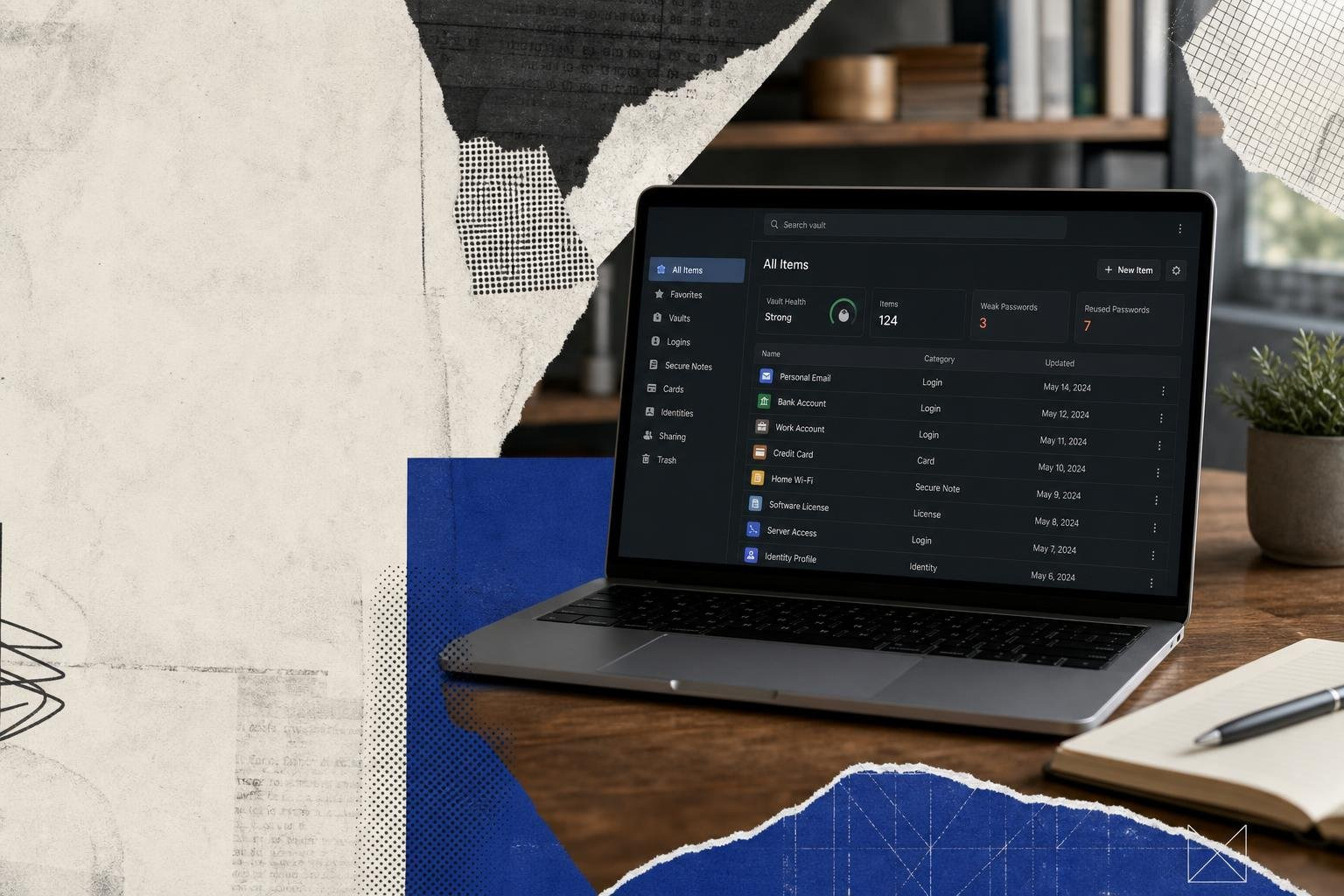
Hosting Your Own Password Manager: Security Heaven or IT Nightmare?

Self-Hosted Password Managers in 2026: Which One Should You Run?
A password manager self hosted on your own infrastructure gives you complete control over your credential vault — no third-party cloud, no vendor lock-in, no subscription dependency. Here's a quick orientation before we go deep:
| Option | Best For | Key Trade-off |
|---|---|---|
| Vaultwarden | Homelabs, solo devs, small teams | No official audit; community-maintained |
| Bitwarden (self-hosted) | Teams needing audited, enterprise-ready stack | Higher resource footprint (~200MB RAM) |
| KeePassXC | Offline-first, air-gapped environments | No built-in sync server |
| Passbolt | Team collaboration, SOC 2 compliance | Higher sync latency |
| SysPass | Enterprise scaling | Complex initial configuration |
| Keyper / Zero PM | Developer-first, metadata privacy | Early-stage, smaller communities |
Data breaches hit record levels in 2024 — over 2,300 confirmed incidents, with 81% tied to weak or stolen passwords. At the same time, interest in self-hosting has grown roughly 40% since 2023, driven by GDPR compliance pressure and mounting distrust of cloud services.
The appeal is real. When you run your own vault, you own the encryption keys, the infrastructure, and the audit logs. No cloud provider can be subpoenaed for your data. No breach at a vendor's data center exposes your credentials.
But self-hosting a password manager is not a free lunch. It introduces uptime responsibility, patch management, backup complexity, and — if done badly — a single catastrophic point of failure for your entire digital identity.
This guide cuts through the noise. We compare the leading options on security architecture, resource usage, usability, and real-world deployment complexity, so you can make the right call for your environment — whether that's a Raspberry Pi homelab or a 1,000-user enterprise deployment.
The Sovereign Vault: Why Choose a Password Manager Self Hosted Setup?
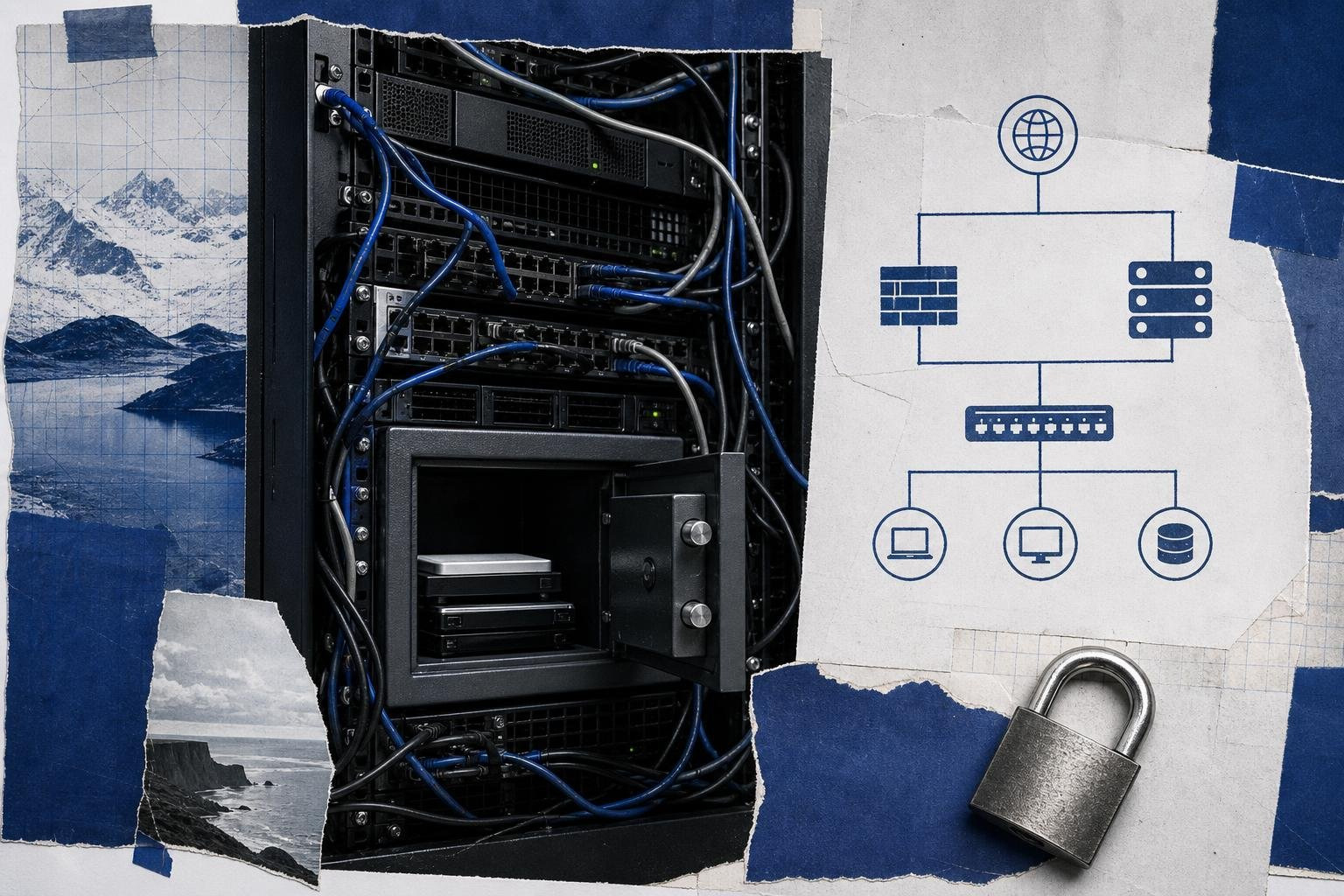
The core argument for deploying a password manager self hosted instance centers on data sovereignty. In a traditional cloud-hosted scenario, your encrypted database lives on someone else's hardware. While zero-knowledge architecture ensures the provider cannot read your master password, you still depend on their infrastructure to remain secure, online, and free from supply-chain attacks.
By taking your vault on-premises or into your private virtual private cloud (VPC), you gain absolute authority over access controls, geographic data residency, and compliance auditing. This is particularly critical for organizations adhering to strict regulatory frameworks like GDPR, HIPAA, or SOC 2, where third-party data processors introduce compliance risks. For more context on choosing the right storage philosophy, see Your Guide to Password Storage Software and Password Managers.
However, self-hosting requires an honest assessment of the following trade-offs:
- Security Responsibility: You are now the target. If you leave your server exposed to the public internet without proper hardening, a reverse proxy, or firewall rules, you are far more vulnerable than you would be using a major cloud service.
- Maintenance Overhead: According to Ponemon 2025 research, 30% of users who attempt self-hosting eventually abandon their setups due to the sheer overhead of maintenance, certificate renewals, and manual updates.
- High Availability and Reliability: If your homelab or office server goes offline during an ISP outage, you lose access to your credentials when you might need them most.
Head-to-Head: Benchmarking the Top Self-Hosted Password Managers
To help you decide which system fits your infrastructure, we have compiled a comprehensive breakdown of the market leaders. You can also explore our broader analysis of the Best Open Source Password Managers of 2026: Free, Secure, & Self-Hostable for a high-level view.
The following benchmarks demonstrate how the top options perform under real-world conditions:
- Vaultwarden: Scores 92/100 overall. It consumes under 50MB of RAM idle and boasts a sync latency of roughly 150ms. It is highly favored by the r/selfhosted community, holding a 65% preference rating over official setups.
- Bitwarden Self-Host: Scores 90/100 overall. It requires roughly 200MB of RAM idle (with the full multi-container stack demanding several gigabytes) and has a sync latency of 200ms. It holds a 95% satisfaction rate in enterprise surveys.
- KeePassXC: Scores 98/100 for offline security. Because it operates entirely locally with zero server footprint, idle server RAM is non-existent and sync latency is instant (local file access).
- Passbolt: Scores 92/100 for security. It is SOC 2 certified, features PGP-encrypted sharing, and has a sync latency of 280ms.
- SysPass: Scores 85/100 overall. It is a highly scalable enterprise option with a sync latency of 350ms, though configuring its granular user roles can be highly complex.
Vaultwarden vs. Official Bitwarden: The Lightweight Rust Alternative
For many homelab operators and small business sysadmins, the choice comes down to Vaultwarden versus the official Bitwarden self-hosted stack. While both are fully compatible with official Bitwarden browser extensions, desktop apps, and mobile clients, their underlying architectures are vastly different.
The official Bitwarden on-premises solution is built to scale across massive enterprises. It utilizes a multi-container Docker setup running Microsoft SQL Server, .NET APIs, and identity services. While incredibly robust, this stack is a heavyweight resource hog, easily devouring multiple gigabytes of RAM. For smaller teams or individuals, this is often overkill.
Enter Vaultwarden. Written in Rust, Vaultwarden is an alternative implementation of the Bitwarden web vault API. It is incredibly lightweight, running on less than 50MB of idle RAM—making it the undisputed king for Raspberry Pi deployments and low-resource virtual machines. In our testing, importing a vault of 500 credentials into Vaultwarden completed in under 10 seconds. For a deeper look at how this fits into your larger IT planning, read our guide on Alternatives to Bitwarden: A Complete Guide for IT Professionals.
KeePassXC and Passbolt: Offline Fortresses and Team Collaboration
If your threat model demands absolute isolation, KeePassXC is the gold standard. It is an offline, zero-network-activity fortress. Instead of syncing to a central server, KeePassXC stores your credentials in a single, highly encrypted local file (.kdbx). You can sync this file across your devices manually or via secure local-network tools like Syncthing. This approach completely eliminates the network attack surface, earning KeePassXC a 98/100 security score among offline purists.
On the other end of the spectrum is Passbolt, a European-designed manager engineered from the ground up for team collaboration. Passbolt relies on a unique PGP-based encryption model, allowing team members to share passwords securely without ever exposing the master key to the server. Because Passbolt is fully open-source and SOC 2 certified, it is a premier choice for compliance-heavy business environments. To see how to integrate these workflows into your development pipelines, refer to A Practical Guide to Open Source Password Managers for IT Teams.
The Next Generation: Cutting-Edge and Developer-First Self-Hosted Solutions

While established giants dominate the enterprise market, a new wave of developer-first, metadata-conscious projects is emerging. These platforms prioritize modern cryptographic primitives, stateless server architectures, and native integrations with developer tools.
Keyper and Zero Password Manager: Metadata Protection and Stateless Backends
Modern security is about more than just encrypting passwords; it is about hiding the metadata of your digital footprint. Two projects leading this charge are Keyper and Zero Password Manager.
The pinkpixel-dev/keyper project is a lightweight credential manager that supports AES-256-GCM encryption with Argon2id key derivation. Keyper is unique because it allows a stateless deployment: you can run a lightweight frontend locally via Docker or an Electron app, and connect it directly to serverless backends like SQLite, Supabase, or Neon Postgres. This eliminates the need to run and maintain a heavy database server on your own hardware.
Meanwhile, Zero Password Manager tackles metadata privacy through "blind site hashing." In standard password managers, if an attacker compromises the server database, they can see the URLs of the accounts you own, even if the passwords themselves are encrypted. Zero Password Manager, available on the SoulNaturalist/zeropasswordmanager repository (with legacy code details on the project's legacy repository branch), uses HMAC-SHA256 to hash site URLs. The server remains cryptographically blind, storing only hashed URLs and encrypted payloads. It also enforces mandatory TOTP 2FA at the database level, with optional per-operation OTP gating for sensitive entries.
For those who want to combine credential security with native privacy features, the aliasvault/aliasvault project offers a self-hostable, zero-knowledge vault that includes a built-in email server. This allows users to generate and manage unique email aliases directly alongside their passwords to prevent cross-site tracking.
passwd-sso and vaultctl: Enterprise SSO and Supply-Chain Hardening
For organizations that need to bridge the gap between human access and machine automation, the ngc-shj/passwd-sso project is a powerful modern option. It supports SAML 2.0, OIDC, and SCIM 2.0 provisioning, allowing it to integrate seamlessly with existing identity providers.
Remarkably, passwd-sso also features a Model Context Protocol (MCP) gateway. This allows developers to safely delegate credentials to AI agents (like Claude Desktop or Cursor) using short-lived, envelope-encrypted Redis caches, ensuring that the AI never exposes the master keys.
If supply-chain security is your primary concern, the vineethkrishnan/vaultctl project is a zero-knowledge password vault packaged as a single Go binary with an embedded React SPA, resulting in a tiny 45MB distroless container image. Vaultctl is built with SLSA-L3 (Level 3) provenance attestation and CycloneDX Software Bill of Materials (SBOM) compliance, addressing modern enterprise security requirements from the very first line of code.
The IT Nightmare: Critical Risks and Maintenance Pitfalls of Self-Hosting
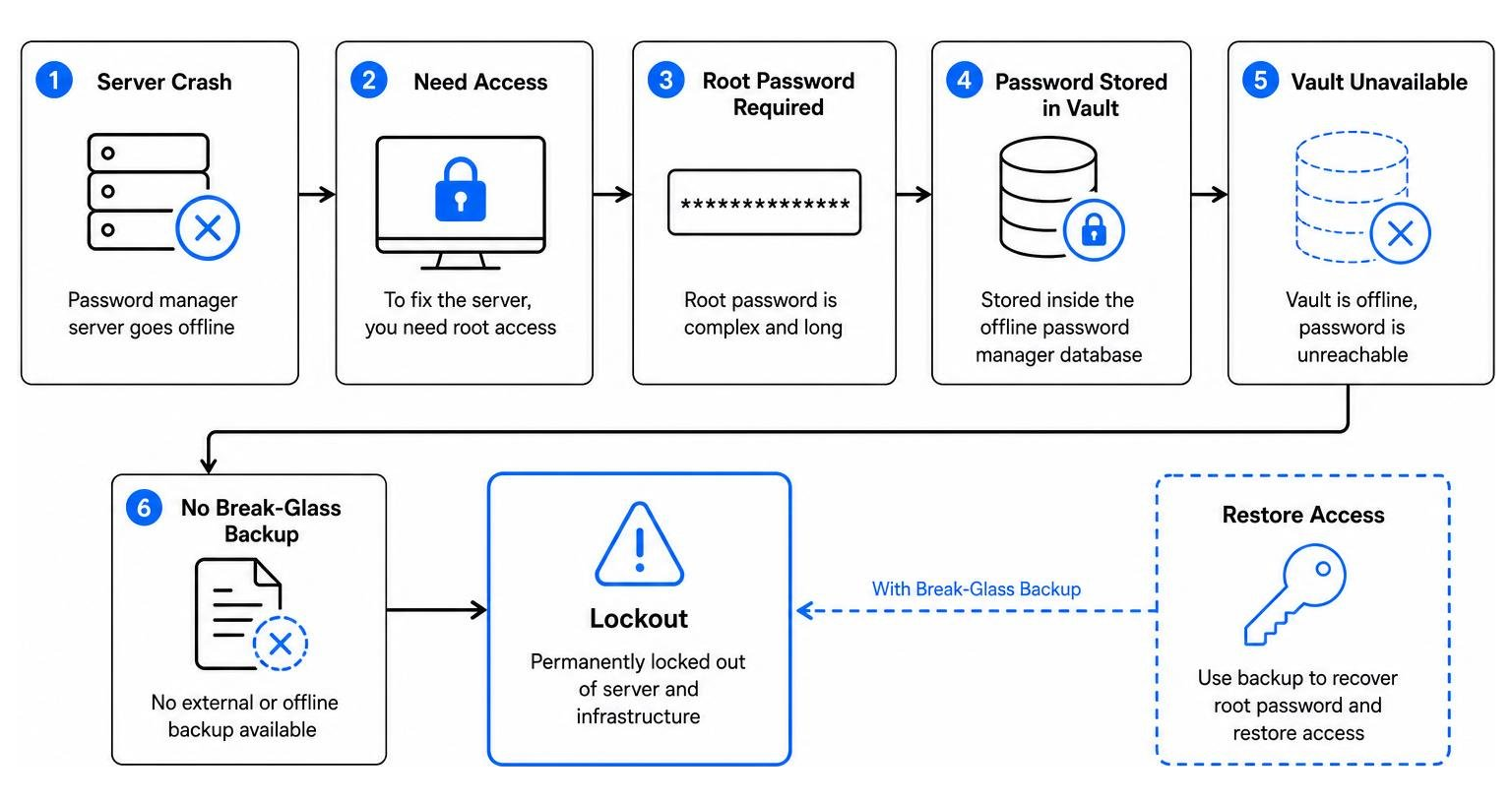
Despite the security advantages of running a password manager self hosted instance, doing so can quickly spiral into an administrative nightmare if you fall victim to common operational pitfalls.
The most infamous of these is the "password inception" dilemma. Imagine your physical hypervisor crashes, or your virtual machine fails to boot after an update. To log in and repair the server, you need the complex, 30-character root password. However, that password is stored inside the database of the password manager hosted on the very server that is currently offline. Without a physical, offline, or external "break-glass" backup of your master credentials, you are permanently locked out of your infrastructure.
Furthermore, self-hosted servers are prime targets for sophisticated cryptographic attacks. In late 2024, researchers at ETH Zurich demonstrated that "zero-knowledge" architectures can still be compromised if the hosting server itself is fully subverted. An attacker who gains control of your server can substitute public keys in your directory, allowing them to intercept shared vault items, manipulate account recovery features, or exploit SSO integrations.
There is also the risk of malicious software distribution. For over eight months, threat actors ran a massive malvertising campaign distributing a trojanized version of KeePass (known as KeeLoader) via look-alike search engine ads. Users who downloaded the software from these ads compromised their workstations with Cobalt Strike beacons, allowing attackers to dump their password databases into cleartext CSV files under %localappdata% and ultimately deploy Black Basta ransomware across their enterprise ESXi servers.
Mitigating the Vulnerabilities of a Password Manager Self Hosted Deployment
If you choose to self-host, you must implement a rigorous defense-in-depth strategy to keep your vault secure:
- Deploy Behind a Reverse Proxy and VPN: Never expose your password manager's admin portal directly to the public internet. Use a reverse proxy (like Nginx, Traefik, or Caddy) to handle TLS termination, and restrict access to your local network or a trusted WireGuard VPN.
- Enforce Strict Multi-Factor Authentication (MFA): Make TOTP or FIDO2 WebAuthn passkeys mandatory for all accounts. Enforce rate limiting on all login endpoints using Redis or Fail2ban to prevent brute-force attacks.
- Automate Backups and Disaster Recovery: Implement automated, encrypted backups of your database (e.g., using Duplicati or rclone to send encrypted backups to an offsite S3 bucket). Regularly test your recovery process to ensure your backup files are actually readable.
- Isolate Your Environments: Run your password manager on a dedicated, non-privileged container or virtual machine. Ensure your critical infrastructure credentials (like hypervisor logins) are stored in a physical, offline emergency kit, completely separate from your digital vault.
Frequently Asked Questions About Self-Hosted Password Managers
Is a password manager self hosted option more secure than a cloud service?
It depends entirely on your operational security posture. A self-hosted password manager eliminates third-party cloud breaches and ensures complete data sovereignty. However, if you do not regularly patch your server, secure your network, or monitor your logs, a commercial cloud-hosted service with a dedicated, audited security team will likely keep your data safer than a poorly maintained home server.
How do I prevent the "password inception" lockout scenario?
Always maintain a physical or secure offline "break-glass" copy of your most critical infrastructure credentials. Write down your hypervisor root passwords, your server's SSH keys, and your password manager's master database key, and store them in a physical safe or a secure offsite location. Never let your password manager be the sole repository for the keys needed to boot the server it runs on.
What are the hardware requirements for running Vaultwarden vs. official Bitwarden?
Vaultwarden is incredibly lightweight, written in Rust, and can easily run on a Raspberry Pi or a minimal VPS with less than 50MB of idle RAM. The official Bitwarden on-premises stack is enterprise-grade, utilizing multiple Docker containers and an MSSQL database, which typically requires a minimum of 1 vCPU, 1GB to 2GB of dedicated RAM, and 16GB of disk space to run smoothly.
Conclusion
Self-hosting your password manager is the ultimate expression of digital sovereignty, but it demands constant vigilance. For homelab enthusiasts and privacy-focused developers, lightweight solutions like Vaultwarden, Keyper, or Zero Password Manager offer incredible performance without the cloud footprint. For larger enterprises, fully audited platforms like Bitwarden, Passbolt, or Passwork 7 provide the compliance and SSO integrations necessary to secure corporate credentials at scale.
If you are an IT professional or business owner who wants to achieve robust credential security without the overhead of server maintenance, database patching, and disaster recovery planning, an independent security ecosystem like EveryKey offers a compelling middle ground. EveryKey provides zero-knowledge, military-grade hardware-based identity and access management, giving you the security of isolated keys without the administrative headache of hosting your own server.
To learn more about modern authentication architectures and threat modeling, explore our comprehensive guide on What is a Password Manager? A Complete Guide to Password Security in 2026, or visit Unlocked to join our community of security practitioners.