Forms-Based Authentication Explained: How Web Login Forms Work and How to Secure Them
Forms-based authentication explained — how web login forms handle credentials, common vulnerabilities, and best practices for session management security.

Forms-based authentication is one of the most widely used authentication methods for web applications. It relies on a familiar login form where users enter credentials to gain access to protected resources. While this approach is user friendly and flexible, it also introduces security risks that must be carefully managed.
This guide explains how forms-based authentication works, where it is commonly used, and how organizations can secure it against modern threats.
Introduction to Authentication
Authentication is a fundamental process in web security, designed to verify the identity of users, devices, or systems before granting access to a protected resource. In web applications, authentication typically requires users to enter their login credentials — usually a username and password — into a login form. This form submission initiates the authentication process, where the web server checks the provided credentials against stored records to determine if access should be granted.
A secure authentication method is essential to protect user accounts and sensitive data. Storing passwords securely, such as by hashing and salting, helps defend against brute force attacks and SQL injection attempts that target the authentication process. By ensuring that only authorized users can gain access to protected resources, authentication forms the first line of defense for any web application.
Forms-Based Authentication
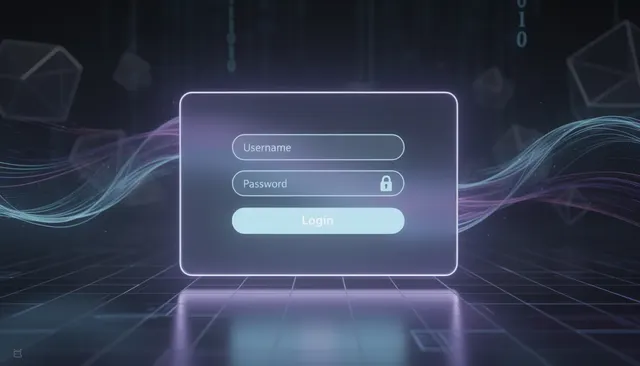
Forms-based authentication allows users to log in using a web form that collects their credentials. Typically, this involves an HTML form with input fields for a user name and password, a submit button, and server-side logic to validate the credentials. The form can also include a 'domain' field for environments where users need to authenticate across multiple domains.

To implement forms-based authentication, you need to create an HTML form that collects user credentials such as username and password. For example, a simple HTML login form might include fields for username, password, and optionally a domain, along with a submit button. The following steps are required: create the HTML form, configure the authentication settings, and set up server-side logic to authenticate the user credentials. The form used for forms-based authentication must be placed in an unprotected directory or a directory protected by an Anonymous authentication scheme.
When configuring forms-based authentication, certain parameters have a default value, such as the default cookie name (.ASPXAUTH) and default redirect behavior after login. If you do not specify a value for these parameters, the default is applied automatically.
Forms-based authentication requires that your client accept or enable cookies on their browser. Forms-based authentication requires that the client accepts cookies in their browser for the authentication process to work.
After the form is submitted, the server will authenticate the user by verifying the provided credentials. After successful authentication, users can be redirected back to the originally requested resource using a session cookie.
A user-friendly experience is important for the end user, so the login form should be easy to use and accessible. Custom forms can include company branding elements such as logos and welcome messages, and can be customized to comply with company standards and provide help links. You can also customize the login form to match your organization's branding and user interface standards.
User Credentials
User credentials are the foundation of the authentication process. They usually consist of a user name and password that identify a user account in a user directory or database. Many implementations use a SQL Server database to store credentials, allowing for efficient management and integration with ASP.NET applications.
When storing passwords, it is essential to store passwords securely by hashing them with a strong key derivation function such as bcrypt, Argon2, scrypt, or PBKDF2, and adding a unique salt for each password. You should never store passwords in plaintext. Storing passwords securely in the database helps protect against unauthorized access and common attacks.
You can also implement role-based security by storing user roles in the database along with their credentials, enabling fine-grained access control within your application.
The design of the login form can be as complex as needed, but must include fields for user credentials. Character set encoding for the login form must be set to UTF-8 to support non-ASCII credentials.
User credentials are sent as plaintext in the request unless all connections are protected by SSL/TLS. Without SSL, user credentials sent during forms-based authentication can be intercepted and decoded by attackers.
To enhance security, it is advisable to use SSL to encrypt the connection when using forms-based authentication. Using SSL is crucial for forms-based authentication to protect user credentials during transmission.
Brute Force Attacks
Forms authentication is vulnerable to brute force attacks when attackers repeatedly submit different login credentials until they gain access.
You may want to add code to prevent hackers who try to use different combinations of passwords from logging on. You can include logic that accepts only two or three logon attempts before locking the user out temporarily.
Implementing rate limiting, account lockouts, CAPTCHA challenges, and monitoring user logs can significantly reduce the success of brute force attacks. You can configure the appliance to generate and validate a CAPTCHA form, which you can use with or without authentication.
However, most users tend to choose common or easily guessable security questions, which can undermine the security of account recovery features and make brute force or social engineering attacks more effective.
Authentication Scheme
This section discusses forms-based authentication, its features, and considerations for secure implementation.
Forms-based authentication is an authentication scheme that relies on form submission and session state rather than browser-based basic authentication.
Forms-based authentication is widely used due to its user-friendliness and flexibility, but introduces several security vulnerabilities that must be mitigated with additional security measures. Complexity in secure implementation requires careful attention to best practices to protect against potential vulnerabilities.
If the login form has a link for Password Management that is protected by an Anonymous authentication scheme, the user is redirected back to the login form instead of going to the lost password link.
Forms-based authentication allows for additional functionality, such as links for lost password management.
Based Authentication
Form-based authentication can be used when standard SSO is not an option. It is commonly used in .NET applications, which can serve as a 'net application' within an authentication ecosystem. Form-based authentication provides a workable alternative when partnered with a flexible IdP.
Form-based authentication allows for single sign-on access to legacy applications that have not adopted SAML. Form-based authentication can integrate older legacy applications and other web-based applications that do not support standard SSO protocols.
Form-based authentication is a modern method for integrating applications into an existing Identity Provider (IdP) for SSO. Flexibility is a key consideration when adopting an SSO solution or finding an IdP for your environment.
Web Application
In a typical web application, the login page is an HTML form hosted on a web server. The action attribute of the form specifies the URL to which the form data is submitted when the user logs in.
You can configure forms-based authentication to use HTTP POST for submitting the form data, which is recommended over GET for security reasons.
WebGate intercepts the form login and can build the session cookie and carry out the authentication actions. Once authenticated, the server creates session data that allows the user to access the protected resource without re-authenticating on every request.
Forms-based authentication can be secure with the right measures and by incorporating an SSL certificate into the website where the form is hosted.
Session Cookie
Forms-based authentication heavily relies on HTTP cookies to manage sessions, which can pose risks if users have cookies disabled. Forms-based authentication requires that the client accepts cookies for user identification.
You should ensure that the session cookie has the secure and HTTP Only flags set when sent to the browser. Session cookies should have secure and HTTP Only flags set to protect against XSS and network sniffing attacks.
The timeout parameter of the <authentication> configuration section controls the interval at which the authentication cookie is regenerated. Certain intermediary proxies and caches may cache web server responses containing Set-Cookie headers, leading to potential impersonation risks.
Forms-based authentication allows for a clear “log out” button or link to end a user’s session, important for shared computers.
Authentication Providers
Authentication providers are specialized systems or services responsible for managing the authentication process and verifying user credentials. These providers can be internal — managed directly by the organization’s web server — or external, such as third-party services like Google, Facebook, or enterprise identity platforms. When a web application uses an external authentication provider, user credentials are typically stored securely with the provider, and the application receives an authentication token or cookie to confirm the user’s identity.
This approach can enhance security by reducing the amount of sensitive data, such as passwords, stored on the web server. It also streamlines the authentication process for users, who may already have accounts with trusted providers. However, it is crucial to protect network traffic with SSL certificates to ensure that valuable information and credentials are encrypted during transmission. Careful configuration and ongoing security monitoring are essential to safeguard user data and maintain the integrity of the authentication process.
Two-Factor Authentication
Two-factor authentication (2FA) is a powerful security measure that requires users to provide two distinct forms of identification before they can access a protected resource. Typically, this involves something the user knows (like a password), combined with something the user has (such as a smartphone or hardware token), or something the user is (like a fingerprint or facial recognition).
By adding this extra layer to the authentication process, 2FA makes it significantly harder for attackers to gain access to user accounts, even if they have obtained the password through brute force attacks or other means. Requiring a second factor — such as a one-time code sent to a mobile device or the use of multi-factor authentication apps — helps ensure that only authorized users can access sensitive resources, greatly improving overall security.
User Authentication Experience
The user authentication experience encompasses every step a user takes to log in and access a protected resource, from entering login credentials on a web form to receiving confirmation of successful authentication. A user friendly authentication process is essential for both security and usability. Clear instructions, intuitive input fields, and a straightforward login page help users complete the authentication process with minimal frustration.

To protect both users and the web application, it’s important to implement input validation on all login forms, preventing SQL injection and XSS attacks that could compromise security. Error messages should be informative but not reveal sensitive information, and the overall process should be streamlined to reduce unnecessary steps. By focusing on both security and ease of use, organizations can ensure that users can access the resources they need while keeping their credentials and data safe.
Security Risks and Best Practices
Forms-based authentication is susceptible to various security attacks if proper measures are not implemented, such as anti-CSRF and SSL/TLS encryption. Forms authentication is vulnerable to common attacks including phishing, man-in-the-middle attacks, brute force attacks, SQL injection, and cross-site scripting.
Forms-based authentication can expose usernames and passwords if not secured with SSL. Forms-based authentication is vulnerable to various attacks, including replay attacks and man-in-the-middle attacks, if not properly secured.
Security best practices:
- Always enforcing SSL/TLS for all login pages
- Validating and sanitizing input fields to prevent SQL injection and XSS attacks
- Using secure session cookies
- Implementing multi-factor authentication
- Limiting login attempts and monitoring authentication logs
Implementing multi-factor authentication can enhance the security of forms-based authentication.
Troubleshooting Authentication Issues
Troubleshooting authentication issues is a critical part of maintaining secure and reliable access to web applications. Common problems include users entering incorrect login credentials, expired or invalid session cookies, and misconfigured authentication settings on the web server. To resolve these issues, it’s important to understand the entire authentication process, from the login form and form submission to how the server validates credentials and grants access.
Effective troubleshooting involves a systematic approach: identifying the issue, gathering relevant information (such as error messages and user logs), and applying the appropriate fix. Tools like log analysis and debugging can help pinpoint the root cause of authentication failures. Additionally, organizations should have clear procedures for handling support requests, including password resets, account unlocks, and user identity verification. By proactively addressing authentication issues, organizations can ensure users maintain access to the resources they need while upholding strong security standards.
Conclusion
Forms-based authentication remains a practical and widely used method for authenticating users in web applications. Its flexibility, customization options, and compatibility with legacy systems make it appealing for many organizations.
However, because it relies on user credentials, session cookies, and web forms, it must be implemented with strong security controls. When combined with SSL, proper session handling, input validation, monitoring, and multi-factor authentication, forms-based authentication can be both user friendly and secure in modern web environments.
FAQ: Forms-Based Authentication
What is forms-based authentication?
Forms-based authentication is an authentication method where users enter credentials into a web form, which are then validated by a server to grant or deny access.
Is forms-based authentication secure?
Forms-based authentication can be secure when implemented correctly with SSL/TLS encryption, secure session cookies, input validation, monitoring, and multi-factor authentication.
Why does forms-based authentication require cookies?
Forms-based authentication relies on session cookies to track authenticated users across requests. Forms-based authentication requires that the client accepts cookies for user identification.
How does forms-based authentication differ from basic authentication?
Basic authentication sends credentials with every request, while forms-based authentication uses a login form and session cookies, offering more flexibility and better user experience.
Can forms-based authentication be used with single sign-on (SSO)?
Yes. Form-based authentication can be used when standard SSO is not an option and can integrate legacy applications into an existing Identity Provider for SSO.
What are the main risks of forms-based authentication?
The main risks include brute force attacks, phishing, SQL injection, XSS attacks, session hijacking, and credential interception if SSL is not enforced.