Alternatives to NordPass: Best Password Managers for 2026
NordPass has a clean interface but limited business controls and audit features. This guide compares the strongest alternatives — from zero-knowledge vaults to enterprise-grade platforms with MFA and advanced admin controls.

Introduction
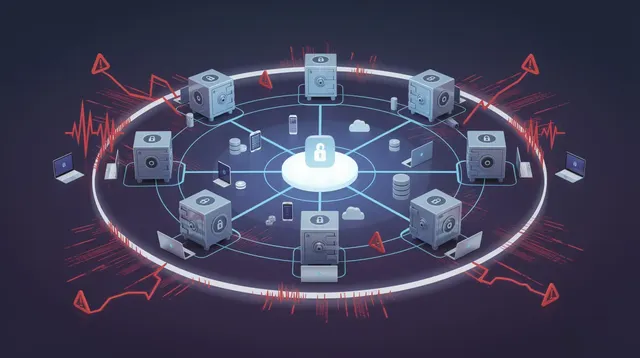
As identity-based attacks continue to rise, choosing the right password manager is no longer optional. Organizations and individuals alike are rethinking how they store, share, and protect login credentials across devices, applications, and teams.
NordPass is a secure and feature-rich password manager that allows you to create and store strong, unique passwords. It offers robust features for comprehensive password management and security, including XChaCha20 encryption and a zero-knowledge architecture, ensuring only the vault owner can access their encrypted information. NordPass has never experienced a data breach, which is a strong signal of reliability. NordPass is part of the Nord Security family, which also includes NordVPN and NordLocker, and this broader ecosystem can add complexity for some users.
However, users have reported limitations that drive interest in alternatives. The free plan of NordPass is limited to one active device session at a time, which can be a deal-breaker. The free version of NordPass does not include advanced features such as password sharing, digital legacy, and dark web monitoring — these are only available in NordPass Premium. Users have noted that NordPass’s password sharing capabilities are not as robust as competitors. Some users have faced challenges with two-factor authentication and autofill, and others feel the interface is less intuitive compared to other password managers.
This article explores the best alternatives to NordPass, with a focus on business security, usability, and advanced features.
Benefits of Using a Password Manager
The profound advantages of utilizing password managers extend far beyond the fundamental task of remembering your digital credentials. By entrusting your precious digital keys to a secure, robust password vault, you dramatically transform and elevate your online security posture with remarkable precision. Password managers empower and liberate you to generate and store unique, extraordinarily complex passwords for every single online account, creating an virtually impenetrable fortress that makes it exceptionally difficult for cybercriminals to exploit weak or carelessly reused passwords (the most common vulnerability in digital security).
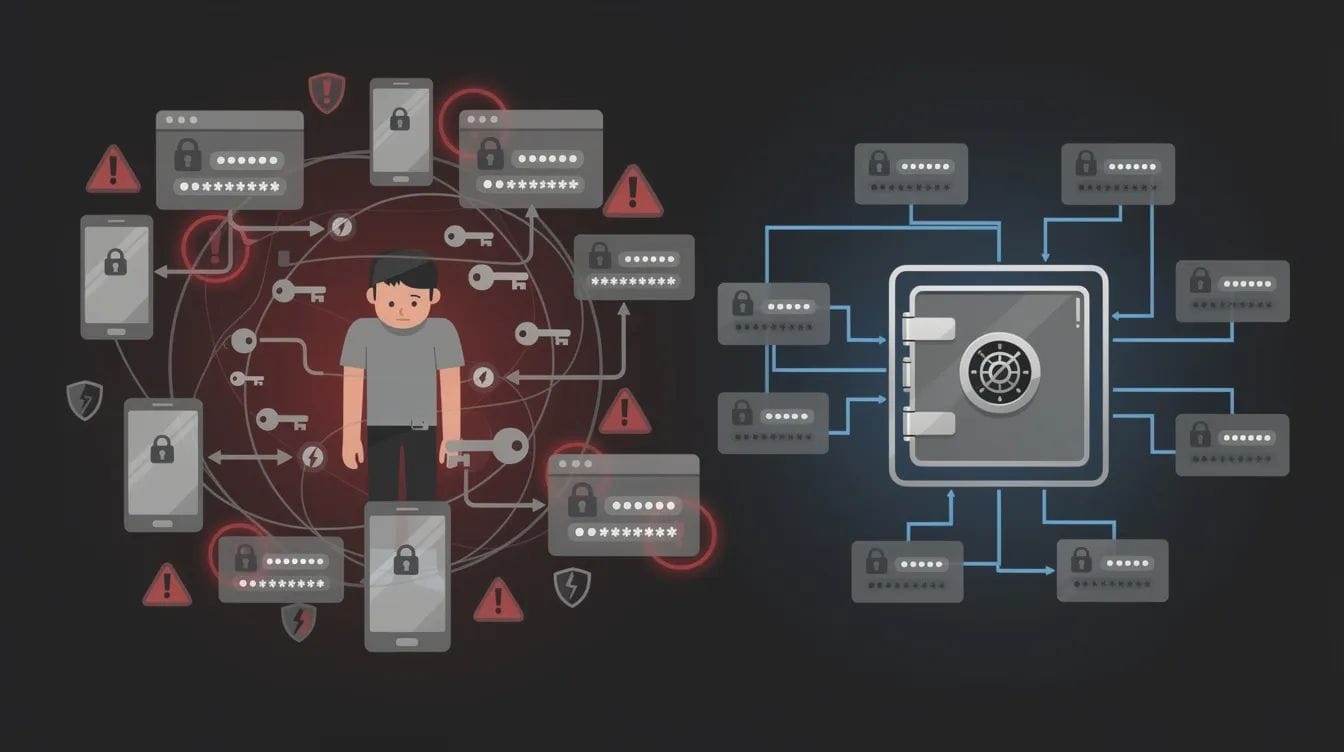
Convenience emerges as another transformative benefit: with a sophisticated password manager, you no longer need to burden your memory with dozens of intricate, complex passwords or risk the dangerous practice of jotting them down in unsafe, vulnerable places (sticky notes, unsecured documents, or plain text files). Instead, you gain instant, seamless access to your accounts through just a single, powerfully strong master password that serves as your digital skeleton key. Many cutting-edge password managers also offer advanced security features such as comprehensive dark web monitoring, which continuously scans vast networks for compromised credentials and alerts you to potential threats before they escalate into serious security breaches.
For those who collaborate extensively or manage multiple complex accounts, secure password sharing features ensure that sensitive, critical information can be shared safely and efficiently, without exposing your valuable data to unnecessary risk or compromise. Factor authentication, including robust two factor authentication, adds an essential extra layer of protection, ensuring that only you can access your secure vault — even if your master password becomes compromised through unforeseen circumstances. Ultimately, password managers represent essential, indispensable tools for anyone genuinely serious about comprehensive online security, offering a masterful blend of robust security features and user-friendly convenience that fosters both protection and peace of mind in our increasingly connected digital landscape. For a broader view of evolving tools and best practices, explore in-depth resources on password managers and modern authentication.
Alternatives to NordPass
When evaluating alternatives to NordPass, the goal is not just feature parity. It is about improving password hygiene, enabling secure password sharing, and strengthening overall access control. While NordPass is a popular password manager, some users seek alternatives due to limitations in its free plan, lack of open-source transparency, or user interface issues.
Below are some of the top alternatives to NordPass:
- Keeper Password Manager
- 1Password
- Dashlane
- Bitwarden
- EveryKey
- LastPass
- Zoho Vault
- TeamPassword
- Securden Password Vault
- Aura Password Manager
- Norton Password Manager
Keeper Password Manager
Keeper Password Manager is comparable to NordPass as it offers top-notch security and biometric authentication for secure login. Keeper Password Manager is a secure, user-friendly platform designed for businesses to manage and protect passwords, files, and metadata, with various pricing plans suitable for different business sizes and needs. It is capable of handling advanced tasks such as managing passwords, files, and metadata, and can integrate directly with infrastructure without a VPN. Keeper provides bank-grade security with certifications such as FedRAMP, making it suitable for enterprise environments. Keeper also offers robust features for both individual and enterprise users, supporting advanced security and management needs.
1Password
1Password features a clean, user-friendly design that enables even novice tech users to master it. It also offers Travel Mode and Watchtower for enhanced security visibility.
Dashlane
Dashlane allows you to add up to 10 individual users, making it suitable for families, friend groups, and small businesses. Dashlane also includes a subscription to HotSpot Shield VPN as part of its service.
Bitwarden
Bitwarden is an open-source password manager that offers a free plan with core features for personal use. It is widely adopted for its transparency and flexibility.
EveryKey
EveryKey takes a different approach from traditional password managers. Instead of focusing only on storing passwords, it focuses on how users access their accounts and devices.
Using proximity and presence, EveryKey enables secure access without requiring users to constantly enter credentials. Devices unlock automatically when the user is nearby, creating a seamless experience while maintaining continuous identity verification in the background.
This approach aligns with Zero Trust principles by ensuring identity is always confirmed, while reducing reliance on passwords altogether. It makes EveryKey a strong alternative for users and teams looking to simplify access without sacrificing control.
LastPass
LastPass offers both personal and business plans with high security standards and various browser extensions, though it has faced scrutiny after past security incidents.
Zoho Vault
Zoho Vault provides advanced security features like end-to-end encryption and two-factor authentication, making it attractive for organizations already using Zoho or Google Workspace.
TeamPassword
TeamPassword is designed for simplicity and fast team adoption, making it a strong option for teams that prioritize ease of use over complexity.
Securden Password Vault
Securden Password Vault is designed for enterprises and offers features like remote connection options and comprehensive administrative controls.
Aura Password Manager
Aura Password Manager includes a budget-friendly security suite that features antivirus software, a VPN, and identity theft protection.
Norton Password Manager
Norton Password Manager is a cloud-based solution that focuses on simplicity and ease of use, though it has limited features for desktop users, so some users may evaluate Norton Password Vault alternatives for more flexible protection.
Types of Password Managers
Password managers emerge in distinct evolutionary forms, each offering remarkable advantages for safeguarding your digital credentials in our interconnected world.
Cloud-based Password Managers
Cloud-based password managers (such as NordPass and LastPass) store your meticulously encrypted data on remote fortress-like servers, creating seamless access to your passwords from virtually any device blessed with an internet connection. This approach proves ideal for digital nomads and multi-device users who demand effortless synchronization across their technological ecosystem.
Locally Installed Password Managers
Locally installed password managers (like the formidable KeePass) maintain your encrypted vault within the sanctuary of your own device. This model appeals to privacy purists and security enthusiasts who prioritize absolute control and digital sovereignty, ensuring your sensitive information never ventures beyond your personal hardware boundaries. However, this fortress-like approach may require more deliberate effort to synchronize passwords across your device landscape.
Hybrid Password Managers
Hybrid password managers (such as the versatile Dashlane) masterfully combine the finest elements of both digital realms by offering both cloud-based and local storage solutions. This remarkable flexibility empowers users to craft their password management strategy according to their specific security requirements and workflow preferences, creating a personalized digital security ecosystem.
When selecting your digital guardian, carefully consider the sophisticated security features offered — encryption standards that rival military-grade protection, two-factor authentication barriers, and seamless compatibility with your preferred devices and browsers, as highlighted in many top password manager applications comparisons. The optimal choice will depend on your unique balance of convenience, control, and the level of digital protection you require for safeguarding your precious login credentials in today's cyber landscape.
Password Managers and Password Management
A password vault is an encrypted digital repository designed to securely store and organize passwords. Access to the password vault is typically protected by a master password, which should be strong and memorable as it serves as the primary security barrier for stored data. At a basic level, all password managers aim to eliminate weak passwords and reduce reliance on memory or unsafe storage methods.
Effective password management means more than storing credentials. It involves generating strong passwords, syncing across multiple devices, and enabling secure access without exposing sensitive data.
Multi-device accessibility ensures that your passwords are available on various devices, syncing data across all platforms in real time. This is critical for both remote teams and individuals managing multiple online accounts.
Dark Web Monitoring and Data Breach Protection
Dark web monitoring is now a standard feature among leading password managers. It scans known breach databases to identify compromised login credentials and alerts users to take action. Some password managers, such as Dashlane, also provide phishing alerts to notify users of potential phishing threats as part of their overall protection suite.
NordPass includes a data breach scanner to identify compromised credentials, but alternatives like Dashlane and Aura often bundle this with broader identity protection features.
A data breach scanner helps organizations proactively detect exposure from past data breaches and mitigate identity theft risks before attackers can exploit stolen data.
Best Password Features to Look For
The best password managers go beyond basic storage and include robust features that provide comprehensive security and management tools, reducing risk across user accounts.
1. Strong Password Generator
A strong password generator creates complex and unique passwords to enhance security. This ensures that users are not reusing credentials across multiple logins.
2. Auto-complete Capabilities
Auto-complete capabilities eliminate the need to manually type in credentials, reducing the risk of human error and phishing exposure.
3. Enhanced Security Features
Enhanced security features include multi-factor authentication using multiple independent factors, biometric authentication, and strong encryption. These controls are essential for modern online security strategies.
4. Encrypted Cloud Storage
Encrypted cloud storage allows users to store important documents securely within the password manager, reducing reliance on unencrypted data storage.
5. Activity Logs
Activity logs record all password manager activity, including password changes and logins, which is valuable for auditing and compliance.
6. Dedicated Desktop App
A dedicated desktop app is important for secure access and autofill in desktop applications.
7. Secure Notes and Document Storage
The ability to store notes and documents securely, enable secure sharing, and support single sign on are essential features for business and enterprise users.
8. Secure Password Sharing
The ability to share passwords securely — with options to set permissions, revoke access, or assign co-ownership — is a key feature for both families and teams.
Premium Password Manager Features
Premium password managers transcend mere digital storage, unveiling extraordinary security landscapes that transform your relationship with online protection into a journey of discovery and resilience. Among these remarkable innovations lies dark web monitoring — a vigilant sentinel that ventures into the shadowy depths of compromised data, continuously exploring hidden corners where stolen credentials surface like archaeological artifacts from digital breaches. This proactive guardian alerts you the moment your precious information appears in these forbidden territories, empowering you to respond with swift, decisive action against emerging threats.
Secure password sharing and encrypted notes create intimate bridges of trust, allowing you to weave sensitive information safely between colleagues and loved ones while maintaining exquisite control over every access point and modification. Advanced authentication methods — such as two-factor authentication (2FA) and the elegant precision of biometric recognition — craft multiple layers of protection around your digital identity, transforming unauthorized access from a simple breach into an nearly impossible expedition through your personal security fortress.
The data breach scanner emerges as your dedicated digital archaeologist, meticulously examining each saved password against vast databases of compromised credentials with the thoroughness of a researcher cataloging ancient treasures. When vulnerabilities surface, this guardian prompts immediate renewal of at-risk passwords. Some premium managers even deploy sophisticated password changers that automatically refresh weak or compromised credentials across supported sites, orchestrating this complex security symphony while you focus on what matters most to you — a far smarter approach than relying on basic password checking tools and strength meters alone.
Digital legacy features represent perhaps the most profound evolution in password management, creating pathways for trusted contacts to inherit access to your digital world during emergencies or beyond your lifetime. These advanced security innovations ensure that your password management solution not only safeguards your data today but also weaves a protective tapestry that honors your digital heritage and prepares for life's unexpected chapters with grace and foresight.
Best Password Managers for Business Use
For organizations, a business password manager must support secure password sharing, role-based access control, and centralized visibility.
Password sharing capabilities allow users to share access to accounts without exposing sensitive credentials. Administrators can revoke access instantly when employees leave or roles change, which is especially important when implementing secure password storage for business at scale.
Business-focused features such as role based access control and activity monitoring help enforce access policies and reduce insider threats.
Emergency access allows users to designate someone to inherit their logins after death or incapacitation, which is increasingly relevant for both individuals and organizations managing digital assets.
Customer support options should include live, human support via chat or phone, especially for enterprise deployments.
Best Password Manager for Individuals
Discovering the finest password manager for personal use unveils a journey toward digital sovereignty, where formidable security architecture harmonizes with the graceful rhythm of everyday interaction. Distinguished guardians of digital identity like NordPass, Keeper, and 1Password emerge as revered companions in this exploration, each presenting an intricate tapestry of protective instruments meticulously crafted to safeguard the very essence of your connected existence. Seek a digital sentinel that delivers robust credential generation, impenetrable encrypted vaults, and seamless orchestration across your constellation of devices — ensuring your digital keys remain perpetually within reach, whether you traverse the landscape through smartphone, tablet, or desktop territories.
An intuitive interface stands as the cornerstone of this digital expedition, transforming the complex art of organizing and retrieving your credentials into an effortless dance of discovery. Many distinguished password guardians extend complimentary access or exploratory periods, inviting you to immerse yourself in their essential capabilities before embracing a premium partnership. This profound flexibility proves invaluable for individuals who seek to authenticate compatibility with their personal device ecosystem and digital account territories. Ultimately, the supreme password manager for your unique journey will be the one that seamlessly integrates into your life's rhythm, delivers unwavering security architecture, and transforms the stewardship of your digital realm into an effortless and profoundly secure expedition of discovery.
NordPass Business vs Alternatives
NordPass Business offers core features like secure password storage, sharing, and two-factor authentication. However, some competitors provide more flexibility and deeper administrative controls.
Securden and Zoho Vault stand out for enterprise-grade management. Many business password managers, such as Securden, support easy migration by allowing users to export and import passwords using a CSV file. Bitwarden and TeamPassword appeal to teams seeking simplicity and cost efficiency. Keeper and 1Password offer a balance of usability and advanced protection.
NordPass requires another service, NordLocker, if you want to store additional data in the cloud. This adds complexity for organizations seeking a unified solution or deciding between open source and paid password managers.
Browser Extensions and Accessibility
Modern password managers rely heavily on browser extensions for real-time credential management. These extensions enable auto-fill, password capture, and phishing detection.
LastPass offers various browser extensions, while Bitwarden and 1Password also provide strong cross-browser support.
Mobile apps and desktop apps ensure that users can access passwords on the go, while offline access capabilities allow continued use even without internet connectivity. Some password managers also allow users to store sensitive data locally on their devices, rather than relying solely on cloud storage, for enhanced privacy and security.
Password Hygiene and Risk Reduction
Password hygiene remains one of the most overlooked aspects of cybersecurity. Weak passwords and credential reuse are still leading causes of account compromise.
Password managers help enforce unique passwords across all online services, significantly reducing the risk of lateral movement after an initial breach.
Organizations that prioritize password hygiene often see measurable reductions in phishing success rates and unauthorized access attempts.
Data Breach Scanner and Alerts
In the vast, shadowy expanses of today's digital wilderness, a data breach scanner emerges as an essential sentinel for any discerning navigator of the password management realm. This remarkable technological marvel continuously prowls the hidden corners of the dark web and countless other digital territories, hunting for telltale signs that your precious login credentials have fallen prey to the ruthless data breach predators lurking in cyberspace. When these digital trackers discover a match — like finding footprints in virgin snow — your password manager springs into action with real-time alerts, bestowing upon you the power to respond with lightning precision, changing your passwords before cybercriminals can feast upon your vulnerable information.
Password management pioneers like NordPass and Keeper have ingeniously woven these data breach scanners into the very fabric of their platforms, creating an intricate web of perpetual protection that watches over all your online territories with unwavering dedication. These alerts serve as crucial early warning systems, standing as formidable guardians against identity theft and dramatically reducing the devastating impact of data breaches, particularly for enterprises safeguarding sensitive treasures across vast networks of user accounts. By harnessing the extraordinary capabilities of a data breach scanner, you discover a profound sense of tranquility, knowing that your password manager stands as a tireless sentinel in the digital realm, forever vigilant and ready to defend your precious digital identity against the ever-evolving threats that emerge from the depths of cyberspace.
Data Breach Risks and Identity Theft
Data breaches expose sensitive information such as login credentials, credit card details, and personal data. Once exposed, this data is often sold on the dark web and used in credential stuffing attacks.
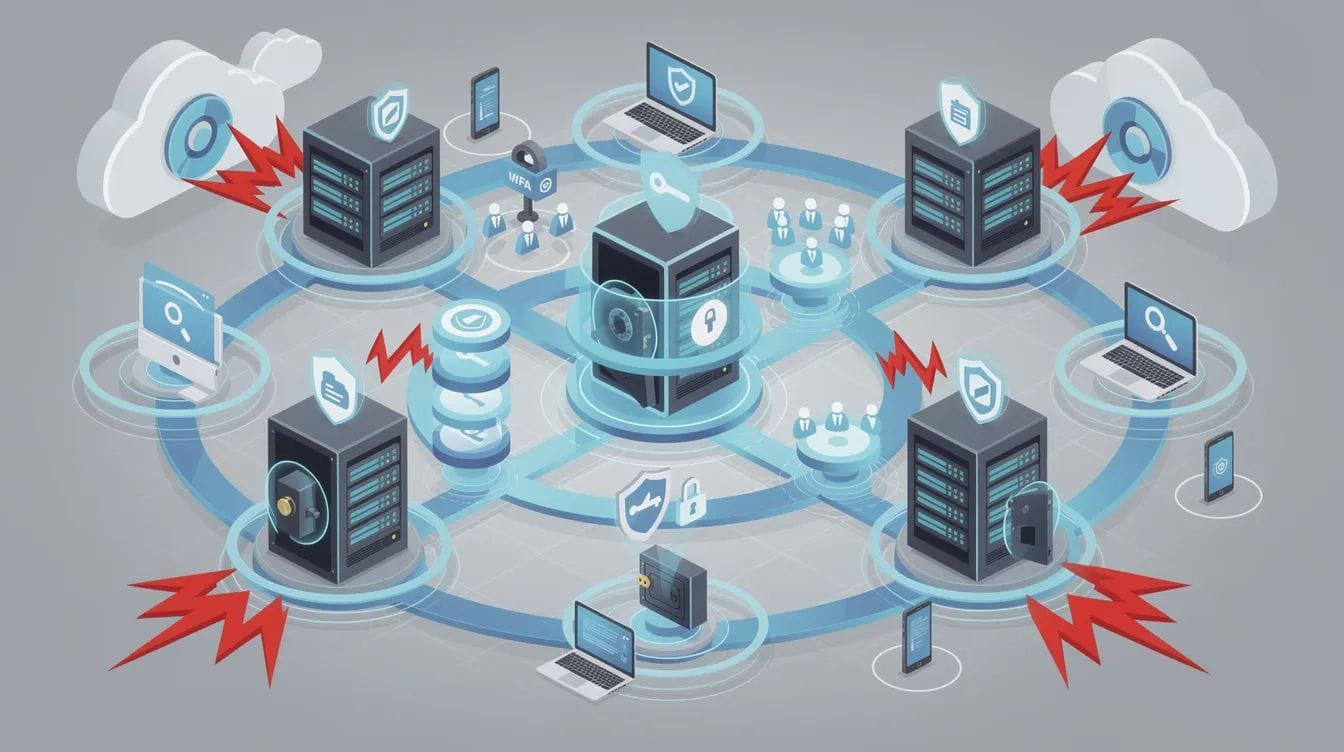
Password managers mitigate this risk by enabling rapid password changes and alerting users to compromised accounts.
Identity theft remains a growing concern, particularly for organizations managing large volumes of user data and business accounts.
Emergency Access and Digital Continuity
Emergency access is a critical but often overlooked feature. It ensures that trusted individuals can access accounts in case of unexpected events and supports broader identity security strategies built on zero trust and strong access controls.
This is particularly important for business continuity planning, where access to systems and data must be maintained even during disruptions.
Digital legacy features are becoming more common, allowing users to securely pass on access to important accounts and data.
Password Sharing and Collaboration
In the vast, interconnected landscape of our digital world, secure password sharing and collaboration emerge as essential expeditions for both businesses and individuals who must navigate the delicate terrain of granting access without surrendering control. Modern password managers serve as trusted guides through these encrypted pathways, their sophisticated channels ensuring that only the most carefully chosen companions can access these precious digital treasures. Through this remarkable alchemy of security, you can extend temporary or enduring passage to login credentials, credit card sanctuaries, and protected notes — all while keeping the actual passwords shrouded in protective mystery, like ancient maps whose secrets remain hidden from unworthy eyes.
Role-based access control unfolds as another extraordinary discovery, empowering digital expedition leaders to assign distinct levels of passage to their team members and trusted collaborators. This means you can share these vital keys with profound confidence, knowing you retain absolute sovereignty over who can observe, modify, or revoke access at any moment — a power as commanding as any explorer's authority over their expedition. Whether you're orchestrating a business venture's digital journey or sharing the simple pleasures of streaming territories with family, password managers transform collaboration into a seamless dance of trust and protection, upholding the most rigorous standards of digital guardianship. By choosing a password manager equipped with robust sharing and collaboration instruments, you ensure that your most sensitive discoveries remain shielded, even as you venture forth together into the boundless frontier of online collaboration.
Password Manager Comparison
When exploring the landscape of digital vault technologies, one must venture beyond rudimentary features to discover the extraordinary capabilities that define truly exceptional password management ecosystems. Robust features are a hallmark of leading password managers, providing comprehensive security and management options that address the complex needs of modern users. Industry-leading guardians like 1Password and Keeper showcase remarkable innovations — featuring zero-knowledge architecture and end-to-end encryption (ensuring your digital secrets remain exclusively yours) — creating impenetrable fortresses that safeguard your most sensitive credentials with unwavering integrity.
Alternative password management pioneers, including Bitwarden and Enpass, offer open-source transparency and locally-hosted solutions (granting users unprecedented visibility and sovereign control over their digital identity). For enterprise environments, NordPass emerges as a distinguished business-grade security platform, delivering sophisticated password sharing capabilities, comprehensive data breach monitoring, and advanced authentication protocols that transform organizational security into an art form of digital protection, similar to the considerations outlined in a comprehensive guide to choosing the right network password manager.
The optimal password management solution for your unique digital ecosystem will depend entirely on your specific security aspirations — whether you seek seamless collaborative password sharing for dynamic teams, robust compliance-grade security features for regulatory excellence, or an elegantly intuitive interface that inspires effortless adoption across your organization. Always evaluate how each solution responds to data breach scenarios, supports your diverse device ecosystem, and enables masterful secure credential management across your entire digital presence.
Customer Support and Resources
Comprehensive customer support infrastructure and accessible educational resources constitute fundamental criteria when evaluating password management solutions. The most distinguished password managers provide extensive documentation ecosystems, including detailed implementation guides, step-by-step tutorials, and comprehensive FAQ databases designed to facilitate seamless user onboarding and expedite issue resolution protocols. User-centric interface design and intuitive application architecture ensure password management remains accessible and straightforward, particularly for individuals new to cybersecurity tools and digital security frameworks.
Leading password management providers, notably Dashlane and LastPass, maintain robust 24/7 customer support infrastructures through multiple communication channels, including dedicated phone support lines, email ticketing systems, and real-time live chat platforms. This multi-channel approach ensures immediate assistance availability across diverse user preferences and technical scenarios. Furthermore, active community forums and comprehensive knowledge base repositories enable users to share implementation strategies, collaborate on troubleshooting methodologies, and maintain current awareness regarding emerging security updates and threat intelligence.
Prioritizing password managers with robust support ecosystems and comprehensive educational resources can fundamentally transform your overall user experience, enabling you to maximize the strategic benefits of your chosen security solution while maintaining exemplary online security posture and digital hygiene standards.
Where EveryKey Fits in the Conversation
While traditional password managers focus on storing and managing credentials, platforms like EveryKey approach the problem differently by focusing on access itself.
EveryKey enables proximity-based access that feels natural and works instantly. Instead of relying solely on stored passwords, it continuously confirms identity through presence, aligning with Zero Trust principles where trust is always validated.
For organizations looking to move beyond password management toward seamless, identity-driven access, this model represents a shift from managing credentials to authenticating the person behind them, especially when using Bluetooth-based multi-factor authentication devices like Everykey.
The Best Password
The most formidable digital fortress begins with a password that stands unique, complex, and virtually impenetrable to those who would breach your digital sanctuary. A robust password weaves together uppercase and lowercase letters, numbers, and special characters (such as !, @, #, or %), creating an intricate tapestry that resists brute-force sieges and sophisticated hacking expeditions. Password managers emerge as your digital guardians, meticulously crafting and safeguarding these distinctive keys for each of your online territories, eliminating the dangerous allure of recycling vulnerable passwords across multiple domains, and complementing broader advice on creating a strong password to protect your digital life.
To fortify this digital bastion further, enabling two-factor verification as a foundational safeguard across all your user accounts becomes not merely advisable but essential. This additional defensive barrier creates a layered protection system, ensuring that even when a password falls into unauthorized hands, your digital kingdom remains sealed against intruders who lack this secondary credential.
Vigilance demands avoiding easily penetrable information such as personal names, birthdays, or commonplace words that lurk in dictionaries, while cultivating the disciplined practice of regularly refreshing your passwords like seasonal migrations. By harnessing the power of password managers and embracing these time-tested security principles, you create an impenetrable shield that dramatically diminishes your vulnerability to identity theft, data breaches, and the ever-evolving landscape of online security threats that prowl the digital wilderness.
Find the NordPass Alternative That Fits
NordPass remains a strong option, particularly for users already within the Nord ecosystem. However, its limitations around device access, sharing, and usability have led many to explore alternatives.
The best password managers in 2026 offer more than storage. They provide integrated security features, seamless multi-device access, and business-ready controls that reduce risk across the organization.
As identity becomes the primary attack surface, the right solution will not just manage passwords but strengthen how access is granted, monitored, and secured.
FAQ
What are the best alternatives to NordPass?
Top alternatives include:
- Keeper
- 1Password
- Dashlane
- Bitwarden
- EveryKey
- LastPass
- Zoho Vault
- Securden
Each offers different strengths in usability, security, and business features.
Are free password managers safe?
Yes, free password managers like Bitwarden provide strong security with core features. However, advanced features such as password sharing and dark web monitoring are often limited.
What is a password vault?
A password vault is an encrypted digital repository designed to securely store and organize passwords, ensuring only authorized users can access them.
Why is password sharing important for businesses?
Secure password sharing allows teams to collaborate without exposing credentials. It reduces the risk of unauthorized access and improves operational efficiency.
Do password managers prevent data breaches?
They do not prevent breaches directly, but they significantly reduce the impact by:
- Enabling strong passwords
- Detecting compromised credentials
- Limiting credential reuse